Claude Code settings.local.json Secrets: Audit Your Repos, Rotate, and Stop the Leak
 5 min read
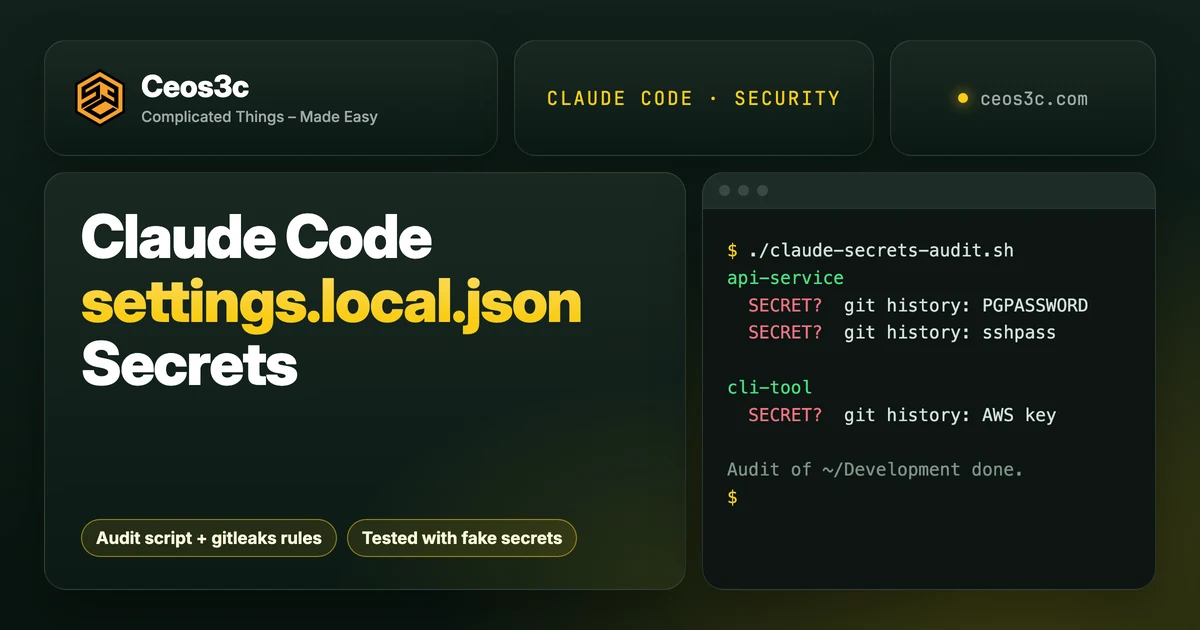
Claude Code settings.local.json secrets are this week’s security story. When you pick “Yes, and don’t ask again” on a Bash prompt, Claude Code can save the exact command as an allow rule, password included. The file is meant to stay on your machine. The problem starts when it ends up in a commit, and that is easier to do than it sounds.
Apiiro found 104,185 public copies of the file on GitHub, and 1,122 of them hold at least one secret (The Hacker News coverage of Apiiro’s research). Below is how to check one repo in 30 seconds, a script that audits every repo on your machine including git history, what to rotate, and the hooks I now use so it can’t happen again. Everything was tested in throwaway repos with fake secrets I created for this post.
Table of Contents
- Quick Start: check one repo in 30 seconds
- What happened: "don't ask again" saves the exact command
- Why the global git exclude doesn't protect you
- Audit every repo for Claude Code settings.local.json secrets
- The audit script
- Catch passwords in commands with gitleaks
- Found one? Rotate first, then clean up
- Stop it happening again: patterns, env vars, hooks, deny rules
- Approve patterns, not commands
- Keep secrets out of the command line
- Block the file at commit time
- Stop Claude from running git add -A
- Gotchas
- FAQ
- Related guides
- Your turn
Quick Start: check one repo in 30 seconds
Run these three commands in the root of any repo where you’ve used Claude Code:
# 1. Is the file tracked right now? Any output = yes.
git ls-files .claude/

# 2. Was it ever committed? Any output = yes, even if it's gone today.
git log --all --full-history --oneline -- .claude/settings.local.json

# 3. What keeps it out of git? Look at the path before the first colon.
git check-ignore -v .claude/settings.local.json
Here’s the output from one of my test repos. The first command prints nothing, so it looks clean. The second shows the file was committed once and removed later, which means the secrets are still in history:
$ git ls-files .claude/
$ git log --all --full-history --oneline -- .claude/settings.local.json
bda1d55 stop tracking claude settings
a96f713 init
If command 2 prints anything, or command 3 points at a file outside the repo, keep reading. Then open .claude/settings.local.json and look at the allow list yourself. Any rule with a password, token or key in it needs fixing, committed or not.
What happened: “don’t ask again” saves the exact command
Claude Code asks before it runs most shell commands. Pick “Yes, and don’t ask again” and it saves an allow rule to .claude/settings.local.json at the root of the git repo, per the permissions docs. Sometimes the prompt offers a pattern like npm test *. Sometimes it’s one exact command, and then whatever you typed into that command is saved as plain text.
A rule like this is what you don’t want to find:
{
  "permissions": {
    "allow": [
      "Bash(npm test *)",
      "Bash(PGPASSWORD=fake-pg-Pass-4821 psql -h db.example.com -U app -c \"select count(*) from users\")",
      "Bash(sshpass -p fake-ssh-pass-77 ssh deploy@203.0.113.10 'systemctl restart api')"
    ]
  }
}
I wrote this file by hand with fake values to match the shape of what the prompt saves. The numbers from Apiiro’s scan, as reported by The Hacker News:
- 104,185 public copies of
settings.local.jsonin 103,617 repos. - 1,122 copies hold at least one secret, 1,379 distinct secrets in total.
- 379 of them are database passwords, 43 SSH logins, 42 GitHub, GitLab and npm tokens, and 23 AWS keys.
- Older versions in git history hold 734 more secrets across 509 repos. 211 forks carry the same secrets as the originals.
The research also found that in 539 of 1,105 traced repos, a commit with Claude as co-author changed the file. In the Hacker News thread, Boris Cherny from the Claude Code team said the file should not be checked in and the team is looking into prevention. Fair enough. The file is documented as local. The failure is committing it, and the next section shows how that happens without anyone being careless.
Why the global git exclude doesn’t protect you
The settings docs explain the protection: the first time Claude Code writes the file in a git repo, it adds **/.claude/settings.local.json to your global git excludes file. On my test “machine” that looks like this:
$ git config --global core.excludesFile
~/.config/git/ignore
$ git check-ignore -v .claude/settings.local.json
~/.config/git/ignore:1:**/.claude/settings.local.json	.claude/settings.local.json
$ git status --short
$
(I shortened the home path.) That works, on this one computer, for this one user. The line lives in your git config, not in the repo. Now the same folder on a second machine where Claude Code never wrote that exclude:
$ git status --short
?? .claude/
$ git check-ignore -v .claude/settings.local.json
$ echo $?
1
One git add -A later, the file is committed. Ways to end up there:
- You copy or sync a project folder to a second machine, a VPS or a container.
- You created the file by hand. The docs say Claude Code only adds the exclude when it writes the file itself.
- The folder wasn’t a git repo when the rule was saved and became one later.
- An agent runs
git add -Aorgit add .in an environment with a fresh git config.
There’s one more signal in the docs: if the local file is tracked by git, Claude Code treats it as repository settings and holds its allow rules until you trust the folder. If your own approvals suddenly stop applying in a repo, check whether the file got committed.
Audit every repo for Claude Code settings.local.json secrets
Checking one repo by hand is fine. I have dozens under ~/Development, so I wrote a script.
The audit script
It walks every git repo under a folder and reports four things: the local file is tracked, either settings file appears in git history, the local file is ignored only by your machine’s config, and likely secrets in the current files or in history. It’s read-only and prints the type of secret, never the value.
#!/usr/bin/env bash
# claude-secrets-audit.sh: find Claude Code settings files that are tracked,
# were ever committed, or contain likely secrets. Read-only. Prints no secret values.
# Usage: ./claude-secrets-audit.sh [folder]   (default: ~/Development)

ROOT="$(cd "${1:-$HOME/Development}" && pwd)" || exit 1
LOCAL=".claude/settings.local.json"
SHARED=".claude/settings.json"
T="~"   # to print $HOME as ~

# Patterns for secrets inside saved commands (ERE). Name|regex
PATTERNS='PGPASSWORD|PGPASSWORD=[^ $"]
sshpass|sshpass -p *[^ $]
mysql -p|mysql[^"]* -p[^ $"]
URL with password|[a-z]+://[^:/@ "]+:[^@ $"]+@
Bearer token|Bearer [A-Za-z0-9._~+/-]{12,}
GitHub token|(ghp|gho|ghs|ghu)_[A-Za-z0-9]{20,}|github_pat_[A-Za-z0-9_]{20,}
AWS key|AKIA[0-9A-Z]{16}
sk- key|sk-[A-Za-z0-9_-]{20,}
Supabase/JWT|sb_secret_[A-Za-z0-9_-]{10,}|eyJ[A-Za-z0-9_-]{10,}\.eyJ'

scan() { # $1 = label, stdin = text to scan
  local label="$1" text name re
  text="$(cat)"
  while IFS='|' read -r name re; do
    if printf '%s' "$text" | grep -Eq -- "$re"; then
      echo "  SECRET?  $label: $name"
    fi
  done <<< "$PATTERNS"
}

find "$ROOT" -name .git -prune 2>/dev/null | while read -r gitdir; do
  repo="$(dirname "$gitdir")"
  cd "$repo" || continue
  out=""

  if git ls-files --error-unmatch "$LOCAL" >/dev/null 2>&1; then
    out+="  TRACKED  $LOCAL is committed"$'\n'
  fi

  commits="$(git log --all --full-history --format=%h -- "$LOCAL" "$SHARED" 2>/dev/null | wc -l | tr -d ' ')"
  if [ "$commits" -gt 0 ]; then
    out+="  HISTORY  .claude settings changed in $commits commit(s)"$'\n'
    out+="$(git log --all --full-history -p -- "$LOCAL" "$SHARED" 2>/dev/null | grep '^+' | scan "git history")"$'\n'
  fi

  if [ -f "$LOCAL" ]; then
    src="$(git check-ignore -v "$LOCAL" 2>/dev/null | cut -f1)"
    case "$src" in
      "") git ls-files --error-unmatch "$LOCAL" >/dev/null 2>&1 || out+="  EXPOSED  $LOCAL is not ignored at all"$'\n' ;;
      /*|.git/*) out+="  WEAK     $LOCAL ignored only by ${src/#"$HOME"/$T}"$'\n' ;;
      *) ;; # a .gitignore inside the repo: good
    esac
    out+="$(scan "$LOCAL (on disk)" < "$LOCAL")"$'\n'
  fi
  [ -f "$SHARED" ] && out+="$(scan "$SHARED (on disk)" < "$SHARED")"$'\n'

  out="$(printf '%s' "$out" | sed '/^$/d')"
  [ -n "$out" ] && printf '%s\n%s\n\n' "${repo#$ROOT/}" "$out"
done
echo "Audit of ${ROOT/#"$HOME"/$T} done."Save it as claude-secrets-audit.sh, then run it:
chmod +x claude-secrets-audit.sh
./claude-secrets-audit.sh ~/Development
To test it, I built four repos with fake secrets: one where the file was committed and deleted later, one where it’s only ignored by the global exclude, one with a key inside a committed settings.json, and a clean one that uses patterns and $DB_URL. The output, with the clean repo correctly missing:
web-app
  WEAK     .claude/settings.local.json ignored only by ~/.config/git/ignore:1:**/.claude/settings.local.json
  SECRET?  .claude/settings.local.json (on disk): mysql -p
  SECRET?  .claude/settings.local.json (on disk): Bearer token
  SECRET?  .claude/settings.local.json (on disk): GitHub token

cli-tool
  HISTORY  .claude settings changed in 1 commit(s)
  SECRET?  git history: AWS key
  SECRET?  .claude/settings.json (on disk): AWS key

api-service
  HISTORY  .claude settings changed in 2 commit(s)
  SECRET?  git history: PGPASSWORD
  SECRET?  git history: sshpass

Audit of ~/Development done.
A HISTORY line on its own is fine if the file never held a secret. SECRET? is a regex hit, so look at the rule yourself. I ran it with the bash 3.2 that ships with macOS and with bash 5.3, same output.
Catch passwords in commands with gitleaks
Apiiro ran gitleaks and TruffleHog over the 1,122 files with a secret. Gitleaks flagged 564, TruffleHog 643, and 215 were flagged by neither. Most misses were passwords typed inside commands, because a password after PGPASSWORD= or sshpass -p looks like any other word.
I saw the same in my test repos. Default gitleaks 8.30.1 found the GitHub token and the AWS key and missed the other three. On the api-service history:
$ gitleaks git --redact .
10:08AM INF 2 commits scanned.
10:08AM INF scanned ~292 bytes (292 bytes) in 58.1ms
10:08AM INF no leaks found
So I extend the default rules with four for passwords inside commands. Save this as ~/.config/gitleaks-claude.toml:
# gitleaks-claude.toml: default rules plus passwords typed inside commands
[extend]
useDefault = true

[[rules]]
id = "pgpassword-in-command"
description = "PGPASSWORD set inline"
regex = '''PGPASSWORD=([^\s$"'\\)]{4,})'''
secretGroup = 1
keywords = ["pgpassword"]

[[rules]]
id = "sshpass-in-command"
description = "sshpass -p with a literal password"
regex = '''sshpass\s+-p\s*([^\s$"'\\)]{4,})'''
secretGroup = 1
keywords = ["sshpass"]

[[rules]]
id = "mysql-password-in-command"
description = "mysql/mysqldump -p<password>"
regex = '''mysql(?:dump|admin)?\b[^"\n]*?\s-p([^\s$"'\\)]{4,})'''
secretGroup = 1
keywords = ["mysql"]

[[rules]]
id = "password-in-url"
description = "Credentials inside a connection URL"
regex = '''[a-z][a-z0-9+.-]*://[^:/@\s"]+:([^@\s$"]{4,})@'''
secretGroup = 1
keywords = ["://"]Same repo, with the config:
$ gitleaks git --redact -v --config ~/.config/gitleaks-claude.toml .
Finding:     PGPASSWORD=REDACTED
Secret:      REDACTED
RuleID:      pgpassword-in-command
File:        .claude/settings.local.json
Line:        5
Commit:      a96f7137f7225d1ad2f0f4aafd01ef65f3ac7221

Finding:     sshpass -p REDACTED
Secret:      REDACTED
RuleID:      sshpass-in-command
File:        .claude/settings.local.json
Line:        6
Commit:      a96f7137f7225d1ad2f0f4aafd01ef65f3ac7221

10:08AM WRN leaks found: 2
(I cut the entropy, author and fingerprint lines.) Across the three test repos, the default rules caught 2 of 5 fake secrets and the extended config caught all 5. Use gitleaks git for history and gitleaks dir .claude for a file that was never committed.
Found one? Rotate first, then clean up
Order matters here. Deleting the file doesn’t make the secret safe, because it’s still in history, in every clone and in every fork. So:
- Rotate every secret the file ever held. Change the database password, revoke the GitHub token at GitHub’s token settings, deactivate and replace the AWS key in IAM, change the SSH password (or better, switch that box to key auth). Then check the service’s logs for use you don’t recognise.
- Stop tracking the file and ignore it in the repo itself, so the rule travels with the project:
git rm --cached .claude/settings.local.json
echo '.claude/settings.local.json' >> .gitignore
git add .gitignore
git commit -m "Stop tracking Claude Code local settings"$ git check-ignore -v .claude/settings.local.json
.gitignore:1:.claude/settings.local.json .claude/settings.local.json- Clean the file on disk. Open it and delete every rule that contains a secret. Untracked doesn’t mean safe: it can still end up in a zip, a Docker image, an npm package or a synced folder, as Apiiro points out.
- Rewrite history only if you have to. After step 2, my audit script still reports the file in history, as it should. If the repo is public or shared, you can remove the file from history with git filter-repo and a force push, following GitHub’s guide on removing sensitive data:
git filter-repo --invert-paths --path .claude/settings.local.jsonStop it happening again: patterns, env vars, hooks, deny rules
Four layers. Each one alone has gaps, together they cover each other.
Approve patterns, not commands
When the prompt offers to remember an exact command that contains a secret, choose plain “Yes” for this one run instead. Then add a pattern yourself in /permissions or in the settings file:
{
  "permissions": {
    "allow": ["Bash(npm run *)", "Bash(psql \"$DB_URL\" *)"]
  }
}
Bash(npm run *) and Bash(npm run:*) match the same commands, according to the docs. The space form is what the dialog writes.
Keep secrets out of the command line
If the secret is never in the command, it can’t be saved in a rule. Point at a variable instead, so the rule holds $DB_URL and not the password:
- Postgres:
psql "$DB_URL"or a~/.pgpassfile instead ofPGPASSWORD=.... - MySQL: a
~/.my.cnfwith the credentials (same trick as mysqldump without a password in a cron job). - SSH: keys and
~/.ssh/configinstead ofsshpass -p. - API tokens: an env var from a secrets manager or
direnv, referenced as"Authorization: Bearer $GITHUB_TOKEN".
There’s a detail in the permissions docs that explains why inline passwords are such a trap. An allow rule won’t match past a leading assignment of most variables, so a command that starts with PGPASSWORD=secret can’t be covered by a psql * pattern. A rule for it has to contain the assignment, and with it the password. That’s my reading of the docs, not something Apiiro stated, but it lines up with database passwords being the biggest group they found.
Block the file at commit time
A git pre-commit hook catches the file no matter which tool or agent staged it. This version also runs gitleaks with the extended rules on staged changes, so it catches passwords in the shared settings.json too:
#!/usr/bin/env bash
# .git/hooks/pre-commit: block Claude Code's local settings and secrets typed into commands
if git diff --cached --name-only | grep -q '\.claude/settings\.local\.json$'; then
  echo "pre-commit: .claude/settings.local.json is staged. Run: git rm --cached .claude/settings.local.json" >&2
  exit 1
fi
if command -v gitleaks >/dev/null; then
  gitleaks git --staged --redact --no-banner -l warn --config "$HOME/.config/gitleaks-claude.toml" . || exit 1
fi
Both checks, tested in a scratch repo:
$ git commit -m "oops"
pre-commit: .claude/settings.local.json is staged. Run: git rm --cached .claude/settings.local.json

$ git commit -m "team settings"
10:09AM WRN leaks found: 1
Save it as .git/hooks/pre-commit and chmod +x it. If your team uses a hook manager like husky or pre-commit, add the same checks there instead.
Stop Claude from running git add -A
The easiest way for this file to land in a commit is staging everything at once. I block that for Claude in two ways in ~/.claude/settings.json. First, deny rules:
{
  "permissions": {
    "deny": ["Bash(git add -A *)", "Bash(git add --all *)", "Bash(git add . *)"]
  }
}
Second, a PreToolUse hook as a backup layer with its own matching. Save it as ~/.claude/hooks/block-git-add-all.sh and make it executable (it needs jq):
#!/usr/bin/env bash
# PreToolUse hook: stop Claude from staging everything at once.
cmd="$(jq -r '.tool_input.command // ""')"
if printf '%s\n' "$cmd" | grep -Eq '(^|[;&|] *)git +add +(-A|--all|\.)( |$)'; then
  jq -n '{hookSpecificOutput: {hookEventName: "PreToolUse",
    permissionDecision: "deny",
    permissionDecisionReason: "Stage files by name. git add -A / git add . is blocked."}}'
fi
exit 0{
"hooks": {
"PreToolUse": [
{
"matcher": "Bash",
"hooks": [{ "type": "command", "command": "$HOME/.claude/hooks/block-git-add-all.sh" }]
}
]
}
}I piped fake hook payloads into the script first:
git add -A                   -> deny
git add .                    -> deny
cd app && git add --all      -> deny
git add src/index.ts         -> no decision (normal flow)
git status                   -> no decision (normal flow)
Then I ran Claude Code 2.1.322 with claude -p, told it to run git add -A, and pre-approved Bash(git add *) so nothing else would stop it. With the hook loaded, it answered “The git add -A . command was blocked by a PreToolUse hook that requires staging files by name, so nothing was staged.” With only the deny rules: “git add -A . was denied by the permission system, so nothing was staged.” git status stayed clean both times.
The docs are clear that Bash deny rules match the command text Claude writes, not every way to run a program, so they’re a guard rail and not a security boundary. The pre-commit hook is the layer that doesn’t care who ran the command.
This matters more once agents work unattended. When I run roadmap tasks through my AI Coding Orchestrator, the agent commits on its own, so these hooks are part of that setup from day one.
Gotchas
- Worktrees and subfolders share one file. Claude Code writes the local file at the repo root, and for a worktree at the main checkout’s root, per the docs. Audit the main checkout.
- A file you created by hand is not excluded. The global exclude is only added when Claude Code writes the file. Add the repo-level
.gitignoreline either way. core.hooksPathreplaces per-repo hooks. Setting it globally to share one pre-commit hook means git ignores.git/hooksin every repo, which breaks repo-local hooks. Use a hook manager or copy the hook per repo.- Build contexts copy everything. Add
.claude/to.dockerignoreand checknpm pack --dry-runbefore you publish a package. - The shared
settings.jsoncan leak too. Apiiro found secrets in 298 of 76,011 copies of the committedsettings.json. Never put a literal secret in a team rule. - The audit only sees your clones. Forks and other people’s clones are out of reach, which is why rotating comes first.
- The regexes are heuristics. Expect a false positive now and then, and don’t treat a clean run as proof. Read the allow list.
FAQ
Is .claude/settings.local.json supposed to be committed?
No. The docs describe it as your personal file for one project, and Claude Code tries to keep it out of git with the global exclude. The shared .claude/settings.json is the one you commit.
Does deleting the file fix a leak?
No. It stays in git history, in clones and in forks. Rotate the secret first, then untrack the file and clean history if needed.
Does auto mode stop secrets from being saved?
Not fully. In the Hacker News thread, Boris Cherny recommended auto mode to avoid maintaining allow lists. When another user pointed out that commands can still be saved to the settings file in auto mode, he called it a good catch and said the team is thinking about how to improve it (Ars Technica).
Will a normal secret scanner catch this?
Partly. Key formats like GitHub tokens and AWS keys are caught. Passwords typed into commands mostly aren’t, which is why the custom gitleaks rules above exist. In my test, default rules found 2 of 5 fake secrets and the extended config found all 5.
What should I rotate first?
Anything that pairs a credential with a public host: database passwords, SSH logins and cloud keys. Apiiro’s advice to security teams says the same.
Related guides
- Claude Code Plan Mode vs One-Shot: Same App, 5 Ways
- AI Coding Workflow: Orchestrating Agents With Roadmaps
- Herdr: Run Claude Code Agents on Every Machine You Own, where a project folder on a second machine is exactly how this file slips past the global exclude
- How to Run Claude Code on a VPS, the second-machine setup where the global exclude doesn’t exist yet
- Claude Custom Instructions: The 10-Line File That Kills Walls of Text
- Ship Faster with ChatGPT Codex + Claude Code (My Git Automation)
- MySQLdump without password in cronjob
Your turn
Run the audit script over your own code folder and tell me on X @StefanRows whether anything turned up. If you’ve found a pattern the regexes miss, send it over and I’ll add it.
More posts
All AI Workflows