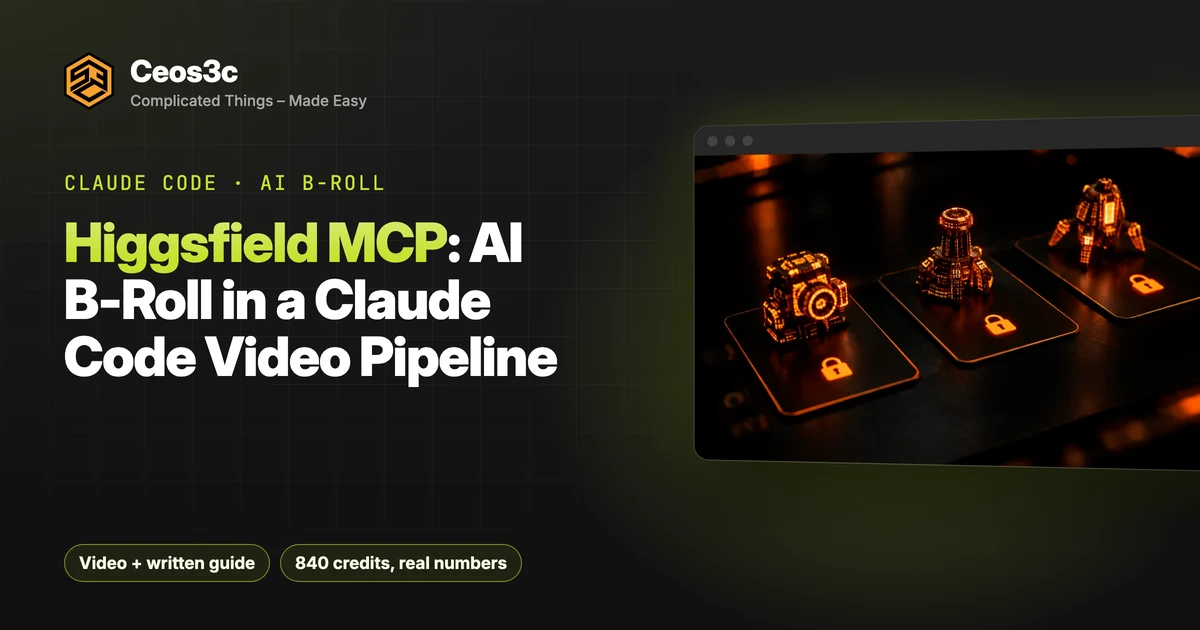
Claude Code Plan Mode vs One-Shot: Same App, 5 Ways
 By 10 min read
Is Claude Code plan mode worth the extra tokens? Or can you hand Claude a clear spec, let it one-shot the app and get the same result for less? I plan almost everything: plan mode, roadmaps, and lately my own AI Coding Orchestrator. I wanted to know if I’m wasting tokens doing it.
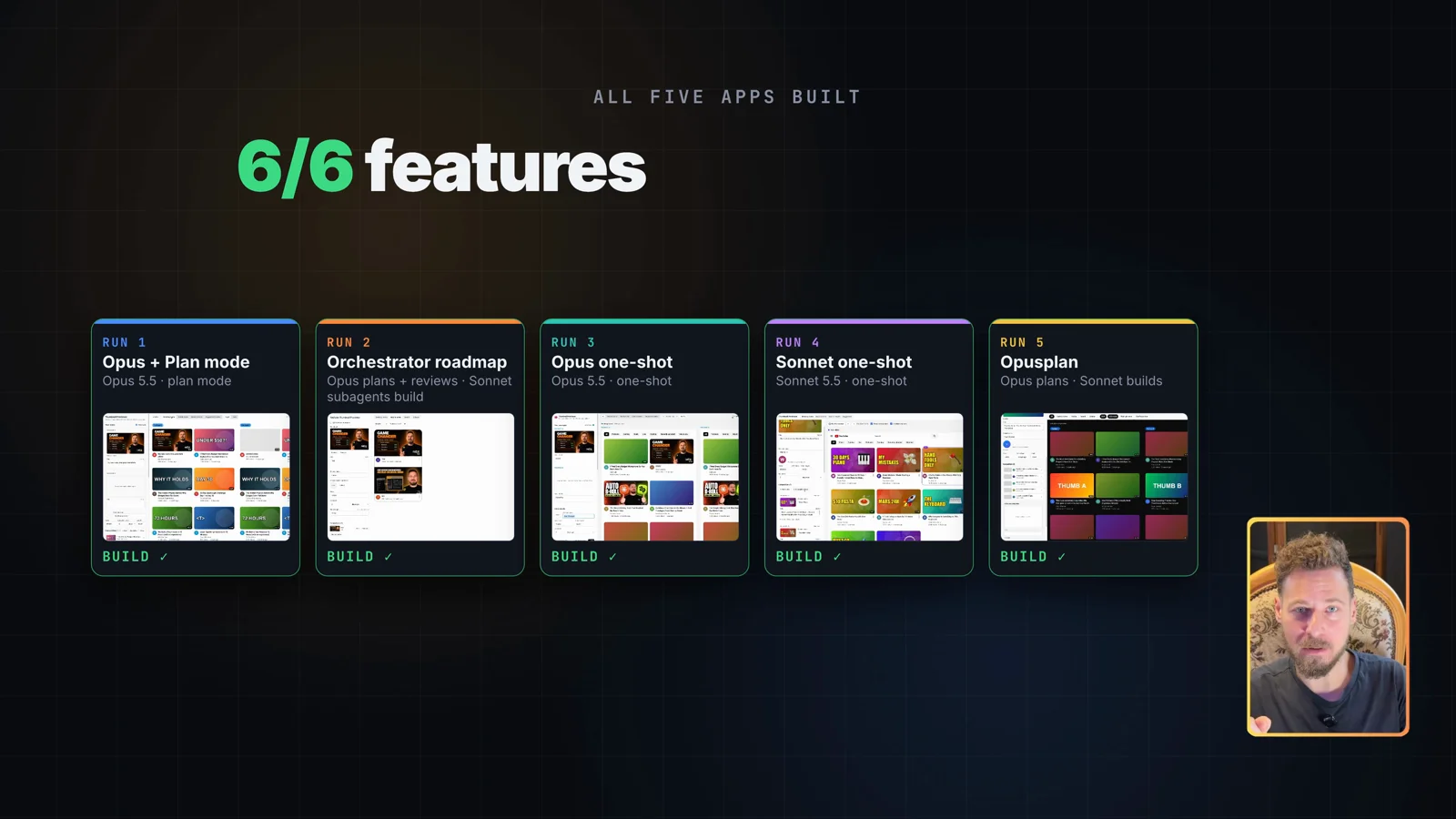
So I gave Claude Code the exact same app spec five times: Opus 5.5 with plan mode, my AI Coding Orchestrator, an Opus 5.5 one-shot, a Sonnet 5.5 one-shot and opusplan. Every token, dollar and minute below comes from Claude Code’s own session logs. All five apps work. The cost goes from $1.63 to $9.79, and the winner is the one I expected the least.
Table of Contents
- Quick Start
- The test: one spec, five Claude Code setups
- Run 1: Opus 5.5 with Claude Code plan mode
- Run 2: the AI Coding Orchestrator roadmap
- Run 3: Opus 5.5 one-shot
- Run 4: Sonnet 5.5 one-shot
- Run 5: opusplan, Opus plans and Sonnet builds
- Testing the five apps
- App 1: Opus + plan mode
- App 2: AI Coding Orchestrator
- App 3: Opus one-shot
- App 4: Sonnet one-shot
- App 5: opusplan
- Results: cost, time and tokens
- Verdict: the Sonnet one-shot wins
- When is Claude Code plan mode worth it?
- Gotchas
- Prompts
- Related guides
- Your turn
Quick Start
The commands, each run from its own fresh, empty folder. SPEC.md is the spec sheet, the same file for every run.
# Run 1: Opus 5.5 + plan mode
claude --model claude-opus-5-5 --permission-mode plan --allow-dangerously-skip-permissions "$(cat SPEC.md)"

# Run 3: Opus 5.5 one-shot
claude --model claude-opus-5-5 --dangerously-skip-permissions "$(cat SPEC.md)"

# Run 4: Sonnet 5.5 one-shot
claude --model claude-sonnet-5-5 --dangerously-skip-permissions "$(cat SPEC.md)"

# Run 5: opusplan (Opus plans, Sonnet builds)
claude --model opusplan --permission-mode plan --allow-dangerously-skip-permissions "$(cat SPEC.md)"
Run 2 uses the AI Coding Orchestrator. Its prompt is in the Prompts section below.
Already inside Claude Code? Switch to opusplan with:
/model opusplanThe results in one paragraph: every run delivered 6/6 features with zero interventions. opusplan was the cheapest and fastest ($1.63, 4m 22s of agent time). The Sonnet one-shot cost $1.76 and built the app that looks the most like YouTube, so it’s my winner. My own Orchestrator was the most expensive at $9.79.
The test: one spec, five Claude Code setups
The app is a YouTube Thumbnail Previewer: a static web app that shows how a video’s thumbnail and title will look on YouTube, at real size, before you upload. It’s a simple app, but it has enough moving parts to separate a good build from a sloppy one.
The spec asks for Vite, React, TypeScript and Tailwind CSS, no backend, and six features:
- Video input: drop in a thumbnail, enter title, channel name, avatar, view count, upload age and video length.
- Placements: the card at true YouTube size in the desktop home feed, mobile home feed, search results and suggested sidebar.
- Realistic rendering: titles truncate like YouTube truncates them, a duration badge, light and dark mode.
- Competition: add other videos so your card sits in a feed next to them, and shuffle your card’s position.
- A/B mode: two packages (thumbnail and title) side by side in every placement.
- Persistence: everything survives a page reload.
The definition of done: npm run build succeeds with no TypeScript errors, all six features work, and the cards look convincingly like YouTube in all four placements, in light and dark mode.
The rules were the same for every run:
- Same SPEC.md, word for word, in a fresh folder per run.
- Plans get accepted as they are. If Claude asks something, I just confirm.
- No follow-up prompts. Every time I step in counts as an intervention.
- Opus 5.5 and Sonnet 5.5 at their default high effort.
Each run lives in its own folder, so Claude Code’s session logs for that folder hold that run’s token history. After all five runs, I read tokens, cost and time straight out of those logs.
Run 1: Opus 5.5 with Claude Code plan mode
The classic approach most of you know. Opus 5.5 in plan mode, straight from the CLI:
claude --model claude-opus-5-5 --permission-mode plan --allow-dangerously-skip-permissions "$(cat SPEC.md)"--permission-mode plan starts the session in plan mode. --allow-dangerously-skip-permissions lets me switch to bypass permissions once the plan is approved, so I don’t get prompted every time it wants to install something.
Claude wrote the plan, I accepted it as-is and picked the option to bypass permissions for the session. Opus 5.5 then implemented it, ran the build and the linter, and finished on its own.
Measured: 12m 19s of agent time, $3.20.
Run 2: the AI Coding Orchestrator roadmap
The AI Coding Orchestrator is my own tool. It’s a board that holds the roadmaps for all my projects, with an MCP server and a CLI. I built it because roadmap files lying around in every repo made me lose the overview. It’s the most planning I know how to do, so it belongs in this test.
Run 2 is two prompts in the same folder:
- Plan only. Opus 5.5 turns the spec into a roadmap on the board (the exact prompt is in the Prompts section). The roadmap has tiers and steps that depend on each other, and every step has its own goal, to-do list, deliverables and verification.
- Execute. Clear the context, pick an execution profile on the board, then Continue work with Whole roadmap, one branch. That copies the work prompt, which I paste into Claude Code.
The profile I picked mirrors opusplan: Opus 5.5 high plans, Sonnet 5.5 high builds. On top of that, Opus 5.5 reviews the work. I keep that reviewer in my normal workflow, so I left it in here too.
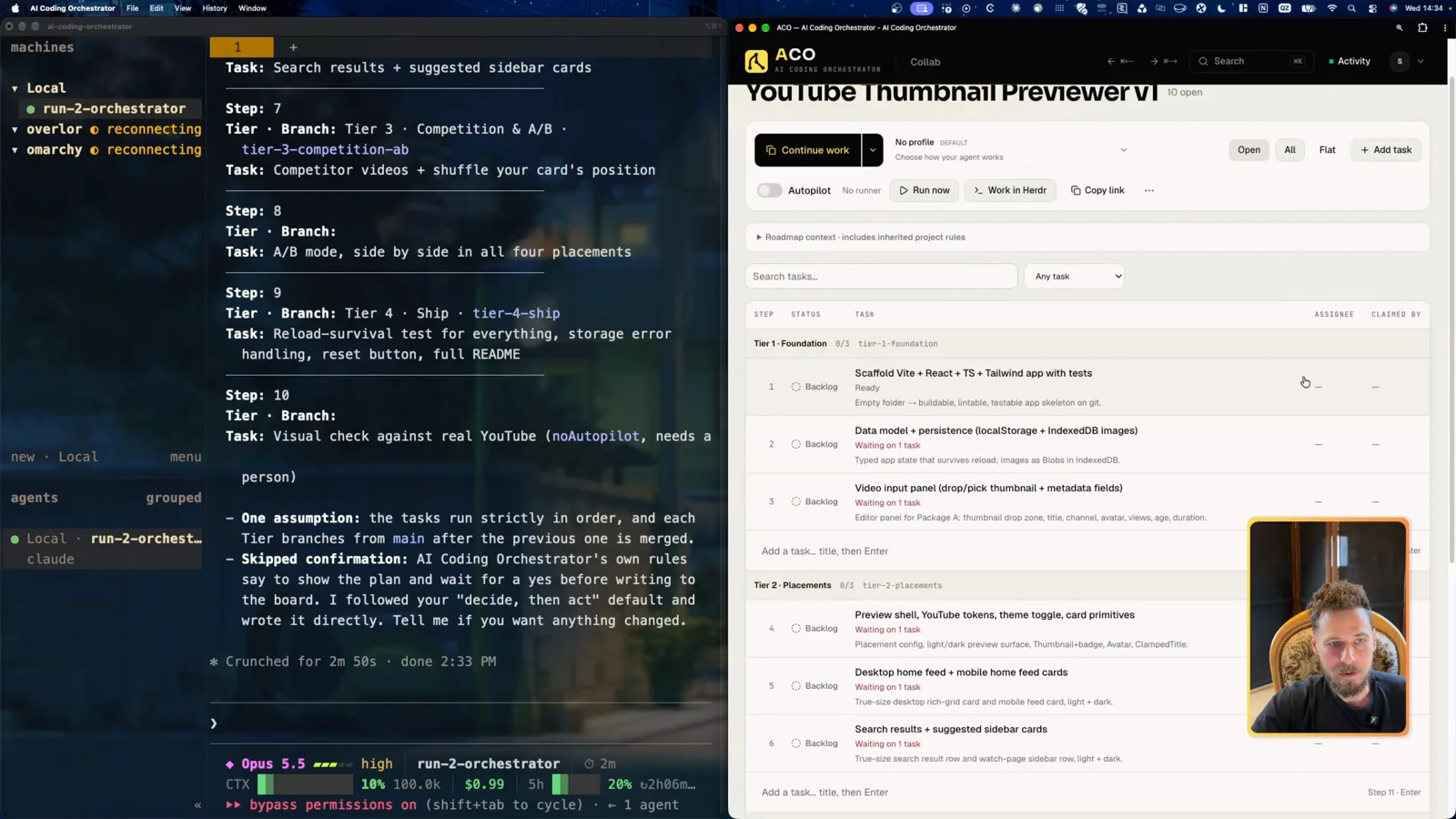
Subagents worked through the tiers in order. As soon as tier one was far enough along, another subagent started on tier two. The board shows each task getting claimed and locked live, so a second agent can’t grab the same task.
Measured: 33m 00s of agent time, $9.79. By far the slowest and most expensive run. It plans twice and talks to the board through the MCP server, and all of that is overhead on an app this small.
Run 3: Opus 5.5 one-shot
No plan mode. Just the spec:
claude --model claude-opus-5-5 --dangerously-skip-permissions "$(cat SPEC.md)"I guessed it would land around $4. It took about seven minutes and the status bar showed $2.77.
Measured: 7m 01s of agent time, $2.77.
Run 4: Sonnet 5.5 one-shot
Same as run 3, with Sonnet. I added this one because a lot of you are on the $20 plan, and I wanted to see how Sonnet’s quality holds up against Opus.
claude --model claude-sonnet-5-5 --dangerously-skip-permissions "$(cat SPEC.md)"Measured: 7m 48s of agent time, $1.76. About a dollar less than the Opus one-shot.
Run 5: opusplan, Opus plans and Sonnet builds
opusplan is a model setting built into Claude Code. In plan mode it uses Opus. Once you approve the plan, it switches to Sonnet for the implementation. The idea: plan with the better model, build with the cheaper one.
Inside a session you switch with /model opusplan. From the CLI:
claude --model opusplan --permission-mode plan --allow-dangerously-skip-permissions "$(cat SPEC.md)"I approved the plan, picked bypass permissions, and the status bar flipped to Sonnet 5.5 high. At that point the planning phase had cost about 74 cents. My guess for the total was $1.90 to $2.
Measured: 4m 22s of agent time, $1.63. The cheapest and the fastest of all five.
Testing the five apps
Every app got the same test: load the same thumbnail, fill in title and channel, check all four placements, light and dark mode, competition and shuffle, and A/B mode. Then I gave it a score from 1 to 5 for how much it looks like YouTube. That score is my own judgement.
App 1: Opus + plan mode
The thumbnail loads, the preview works, and there are mocked-up views and publish dates. A samples button fills the feed with example YouTube videos, which you can edit. Search results and sidebar look a lot like YouTube, dark and light mode work, A/B mode works, and shuffle drops your card on a random spot. I’d use it. Looks: 4/5.
App 2: AI Coding Orchestrator
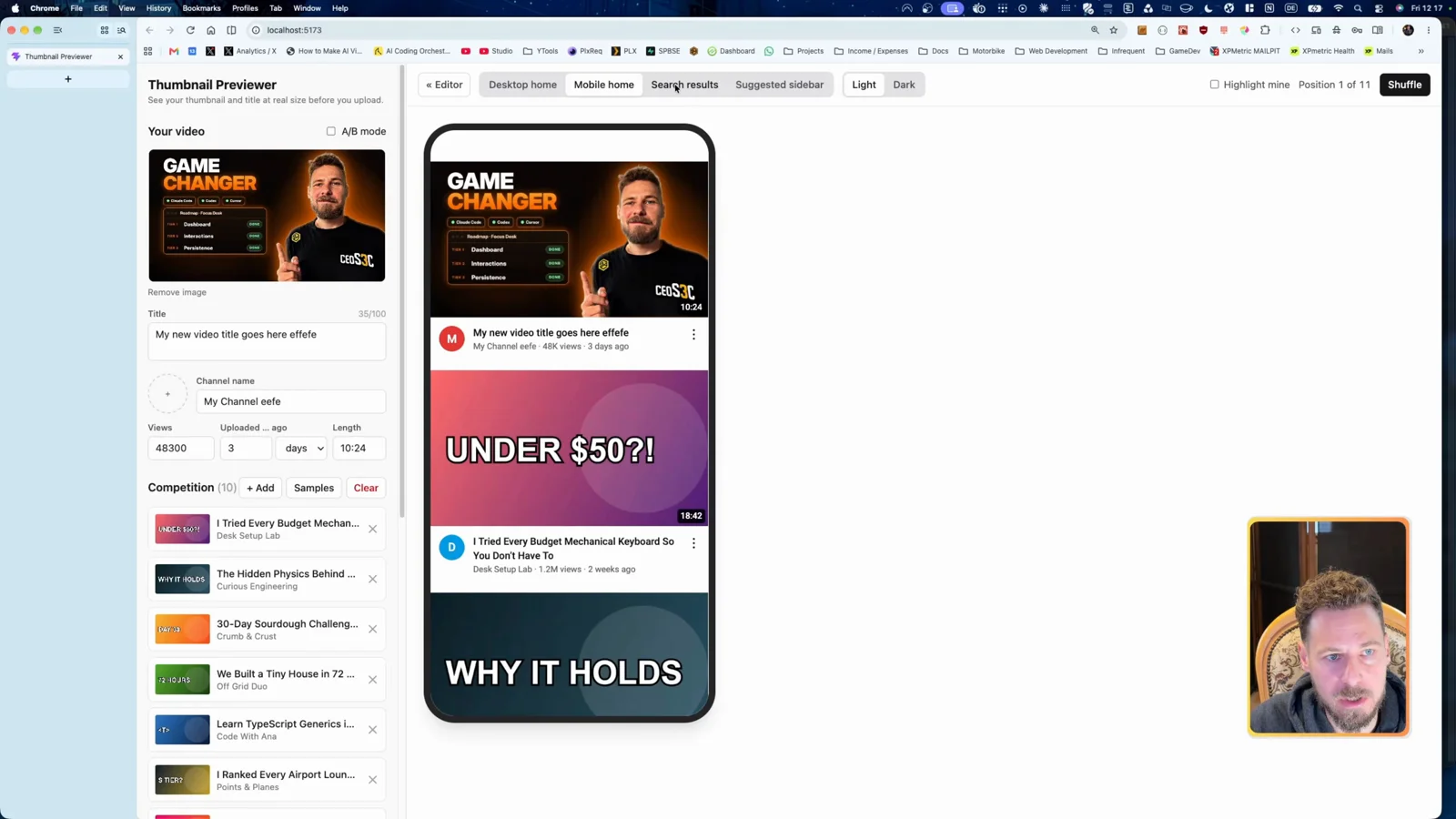
It works, and adding a channel avatar worked too. But there’s no button to fill the feed with samples, so I had to add every competing video by hand. The mobile home view was better in app 1. Not a great result for the most expensive run. Looks: 3/5.
App 3: Opus one-shot
Pre-filled with examples from the start, but without example thumbnails. Everything works: A/B mode, search results, sidebar, shuffle, dark and light mode. It’s the most overloaded UI of the five, with too many text fields to edit. Looks: 4/5.
App 4: Sonnet one-shot
Pre-filled, with a button that adds three sample videos, and the YouTube logo. The UI is a bit less polished, but the functionality was better than the Opus one-shot. That surprised me. Looks: 5/5.
App 5: opusplan
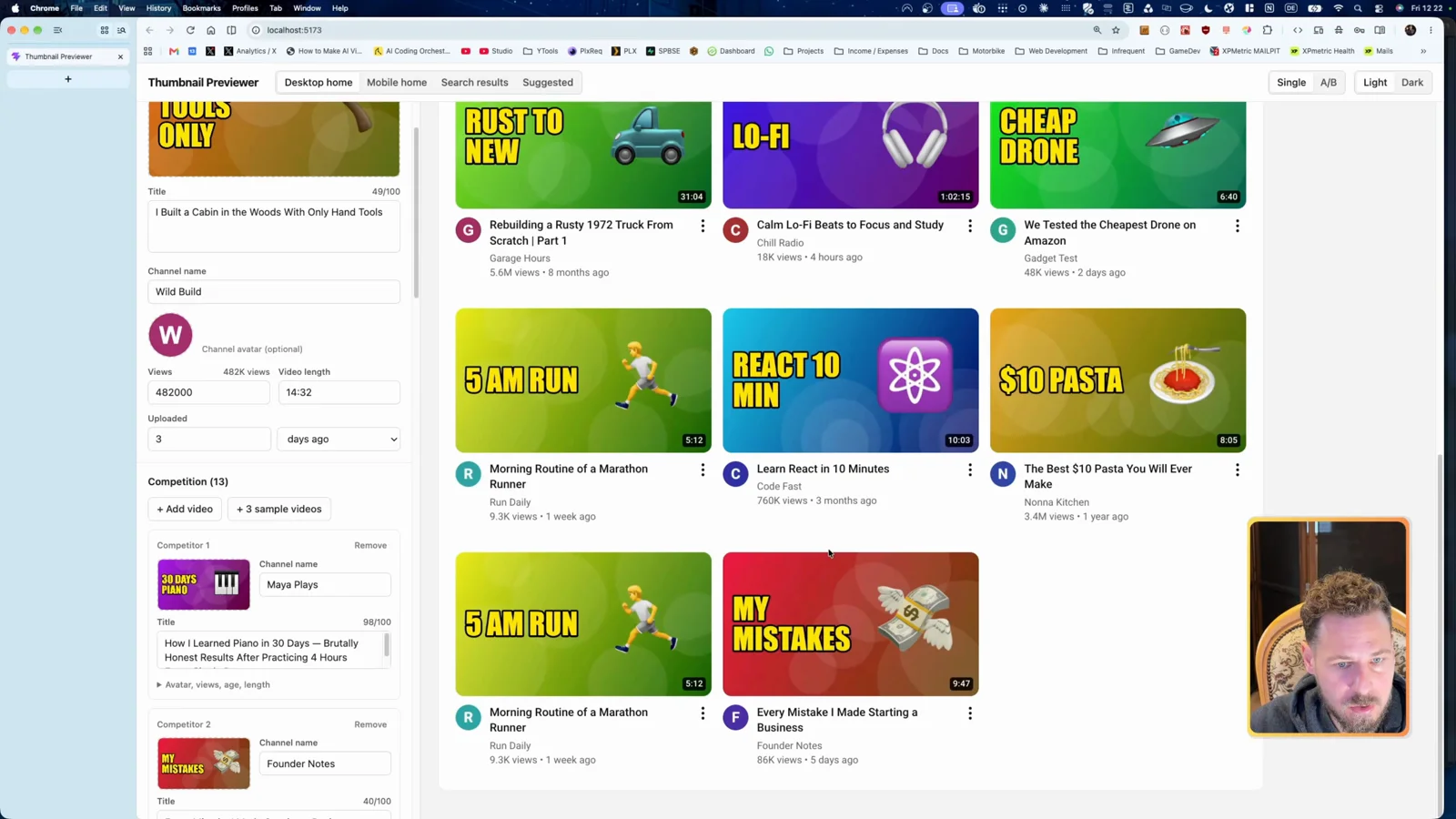
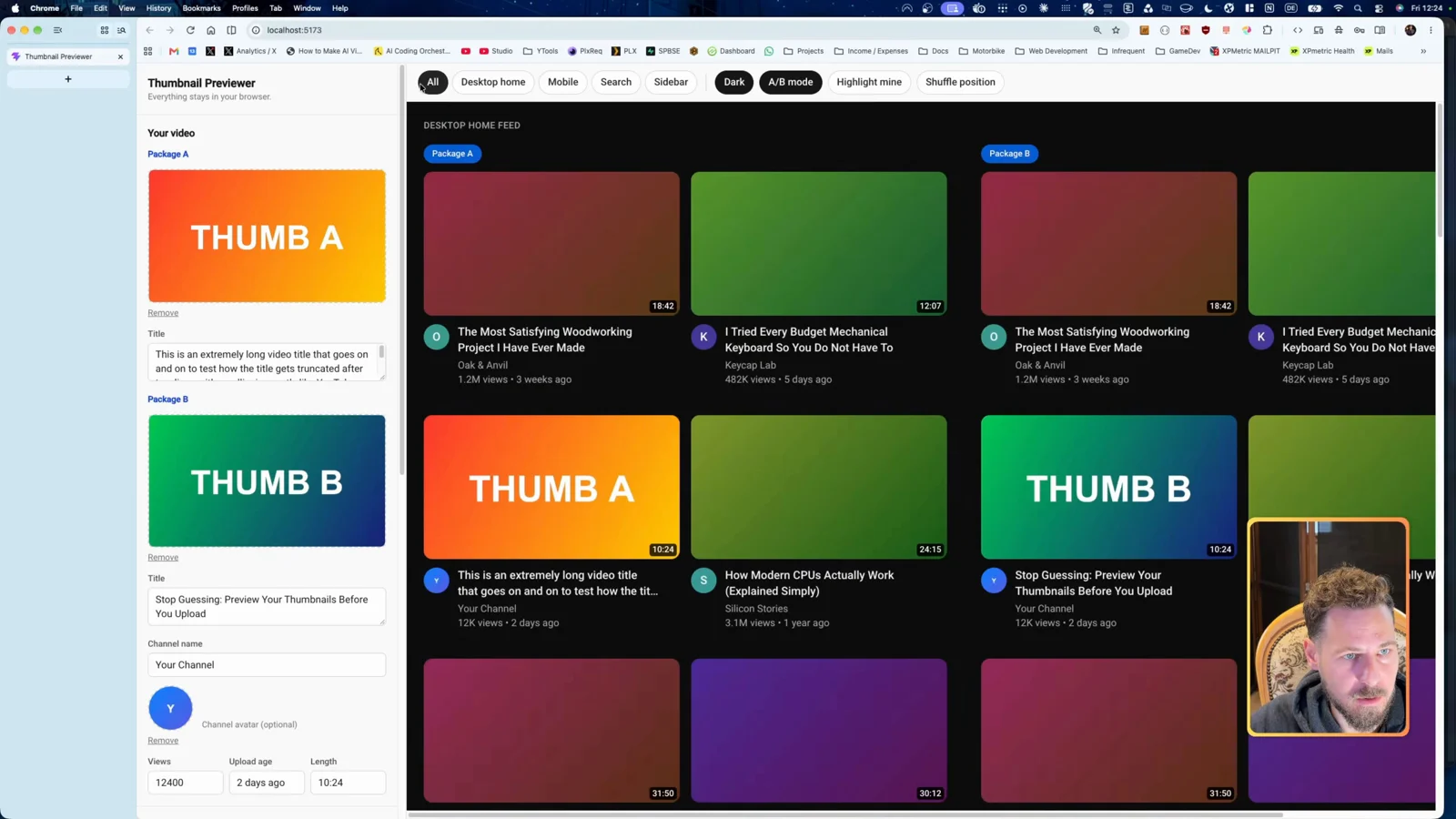
Pre-filled and flashy. The competing videos get colored backgrounds instead of thumbnails, and you add competitors by hand. Everything works, dark and light mode included. Looks: 3/5.
Results: cost, time and tokens
| Run | Agent time | Cost | Tokens (incl. cache) | Looks like YouTube | Features | Interventions |
|---|---|---|---|---|---|---|
| Opus 5.5 + plan mode | 12m 19s | $3.20 | 4.3M | 4/5 | 6/6 | 0 |
| AI Coding Orchestrator roadmap | 33m 00s | $9.79 | 22.5M | 3/5 | 6/6 | 0 |
| Opus 5.5 one-shot | 7m 01s | $2.77 | 2.7M | 4/5 | 6/6 | 0 |
| Sonnet 5.5 one-shot | 7m 48s | $1.76 | 2.5M | 5/5 | 6/6 | 0 |
| opusplan | 4m 22s | $1.63 | 2.0M | 3/5 | 6/6 | 0 |
How to read it:
- Agent time excludes the time Claude waited on me, like plan approval or copying run 2’s second prompt.
- Cost is the token count at API list prices.
- Tokens include cache reads and writes. Output tokens alone: 42K, 141K, 43K, 64K and 32K.
- All five builds succeeded, all delivered 6/6 features, and none needed an intervention.
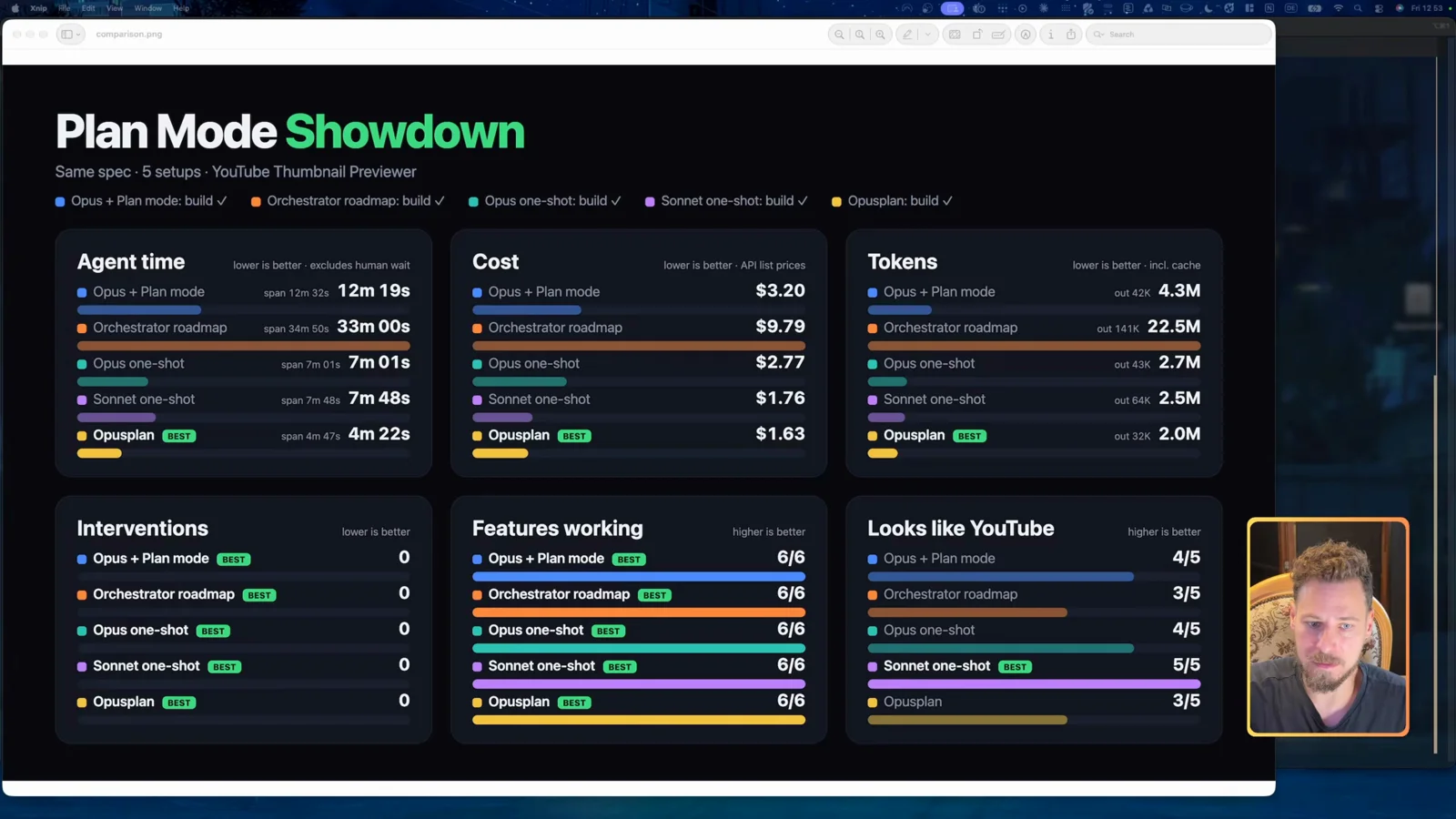
The ranking on cost: opusplan, Sonnet one-shot (13 cents more), Opus one-shot, Opus plan mode, Orchestrator. On agent time: opusplan, Opus one-shot, Sonnet one-shot, Opus plan mode, Orchestrator.
I also asked Opus to review all five apps. It picked the Sonnet build too, both for how it used its tokens and for the result.
Verdict: the Sonnet one-shot wins
For me, the winner is the Sonnet one-shot. Second cheapest at $1.76, under eight minutes, and the only app that scored 5/5 on looking like YouTube.
My favorite to click through was still Opus with plan mode, with the Sonnet one-shot right behind it. But Opus plan mode cost $3.20 and took 12 minutes.
The number that surprised me most is opusplan: $1.63 in about four minutes, the cheapest and fastest of all five.
And my own Orchestrator came in last: $9.79, 33 minutes, and not even the best app. To be fair, I don’t use it for simple apps like this one. It’s built for complex roadmaps. But I’ve got some optimizing to do.
When is Claude Code plan mode worth it?
It depends on the case. Here’s how I read the results:
- Simple app, clear spec: you can one-shot a lot of things. Here a Sonnet one-shot built the best app for $1.76, and the Opus one-shot was cheaper and faster than Opus with plan mode.
- You want a plan, but cheap: opusplan planned with Opus and built with Sonnet for $1.63, the cheapest run in the test.
- Complex work, databases involved, many moving parts: that’s where you probably benefit more from plan mode and orchestration tools. Planning with a strong model, building with a cheaper one and reviewing with a strong model again is the reason I added a reviewer to my Orchestrator.
This test was a simple app with a spec that left little room for guessing. On that kind of build, the extra planning didn’t buy a better app. In the end, it comes down to your own use case.
Gotchas
- One folder per run. Claude Code’s logs are per folder, so a fresh, empty folder per setup keeps each run’s tokens separate.
- Exit cleanly. When a run is done, press Ctrl+C twice and type nothing else. Every extra prompt adds tokens to the run.
- Plan mode stops once. Plan mode and opusplan wait for your plan approval. Pick the bypass-permissions option there so the implementation runs without prompts, like the one-shot runs.
- Agent time is not wall-clock time. Run 2 spanned 34m 50s, of which 33m 00s was agent time. opusplan spanned 4m 47s for 4m 22s of agent time.
- The live status bar is an estimate. During run 2 it showed around $9. Measured from the logs afterward: $9.79.
- 6/6 features is not the same app. Every build passed the feature check, but they looked and felt different. The Orchestrator build had no samples button, so testing it meant more manual work.
Prompts
Run 2, prompt 1, planning only, in a fresh session (09:13 in the video):
Create a roadmap in the AI Coding Orchestrator for this spec. Plan only, don't implement anything yet: $(cat SPEC.md)The full command, started in run 2’s empty folder:
claude --model claude-opus-5-5 --dangerously-skip-permissions "Create a roadmap in the AI Coding Orchestrator for this spec. Plan only, don't implement anything yet: $(cat SPEC.md)"Run 2, prompt 2: the board copies it for you (Continue work, Whole roadmap, one branch) together with the execution profile, Claude Code · Efficient implementation Sonnet High. It isn’t readable on screen, so I’m not quoting it here.
Runs 1, 3, 4 and 5 use the spec itself as the prompt: "$(cat SPEC.md)".
Related guides
- AI Coding Workflow: Orchestrating Agents With Roadmaps, the roadmap approach behind run 2
- Herdr: Run Claude Code Agents on Every Machine You Own, the terminal you see in the video
- Claude Custom Instructions: The 10-Line File That Kills Walls of Text
- How to Run Claude Code on a VPS
- Official docs: Claude Code overview
Your turn
Which of the five would you ship? Tell me on X @StefanRows. And if you want to use the AI Coding Orchestrator yourself, let me know there or in the comments under the video above.
More posts
All AI Workflows