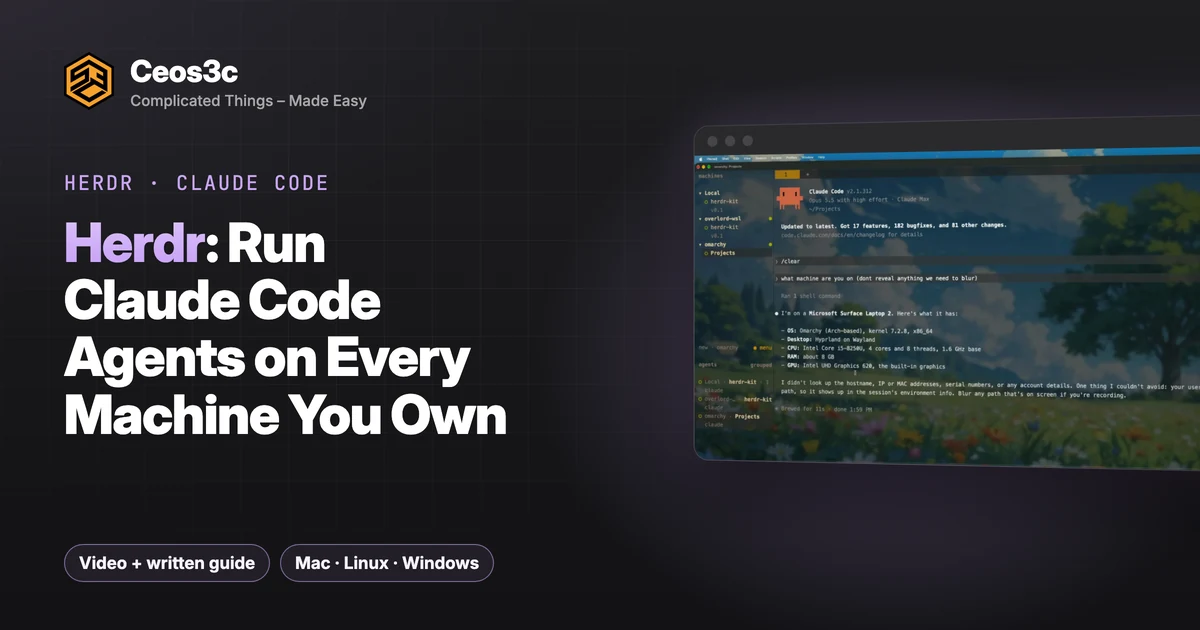
Herdr: Run Claude Code Agents on Every Machine You Own
 By 8 min read
I run Claude Code on three machines: a Mac, a Linux laptop with Omarchy and a Windows PC. Until recently that meant three terminals, three SSH sessions and no idea which agent was stuck on a question.
Herdr fixed that for me. It’s a terminal tool like tmux, but built for agents: every agent gets its own pane or tab, and Herdr shows you which one is working, which one is done and which one needs you.
This guide covers everything from the video: installing Herdr, the shortcuts that matter, four Claude Code agents in parallel worktrees, detach and reattach, and finally connecting all three machines into one Herdr over Tailscale with plain SSH. I’ve used Herdr for about three weeks, and the remote setup is the part that changed how I work.
Table of Contents
- Quick Start: Herdr in 6 Commands
- What Herdr Is
- Install / Setup
- Install Herdr
- Claude Code integration
- herdr-kit (for the multi-machine part)
- Herdr Shortcuts: The Prefix Key
- Detach and Reattach
- First Agent: Building herdr-kit
- 4 Claude Code Agents in Parallel Worktrees
- Prompts
- Testing herdr-kit doctor
- How It Connects: Tailscale + SSH
- Setup: herdr-kit on Windows WSL2
- Starting from a fresh WSL2 distro
- Control the Mac From Windows
- All Three Machines, One Herdr
- Gotchas
- Is Herdr Worth It?
- Your Turn
Quick Start: Herdr in 6 Commands
# 1. Install Herdr (Mac)
curl -fsSL https://herdr.dev/install.sh | sh

# 2. Start it
herdr

# 3. Hook Claude Code into Herdr (if the first-run setup didn't)
herdr integration install claude

# 4. Get a machine ready: Tailscale, OpenSSH, Herdr (run on every machine)
./herdr-kit setup

# 5. Check it and get the exact line to add the machine
./herdr-kit doctor

# 6. On your hub, add the machine
herdr machine add overlord-wsl
The prefix key is Ctrl+B on the Mac. Prefix + ? shows every key binding.
What Herdr Is
Herdr is a terminal workspace for coding agents. If you know tmux, the model is familiar: panes, tabs, sessions that keep running when you close the window. The difference is that Herdr knows about the agents inside it.
Each agent shows its state in the sidebar. You can see at a glance whether an agent is working, done, blocked or waiting for your feedback. When an agent finishes, Herdr sends a toast notification, so nothing sits there waiting for you.
My daily use: the heavy, long-running work runs on the Windows desktop, and I check in on every session from the Omarchy laptop in the living room.
Install / Setup
Install Herdr
On the Mac, use Homebrew or the install script from herdr.dev. I used the script:
curl -fsSL https://herdr.dev/install.sh | shThe site also has instructions for Windows and Nix, plus manual installers: Herdr install docs.
Start it with:
herdrThe first run asks a few questions: which AI tools you use (tick Claude Code or Codex) and a theme.
Claude Code integration
The first-run setup detects installed agents and hooks them in. If you need to do it by hand:
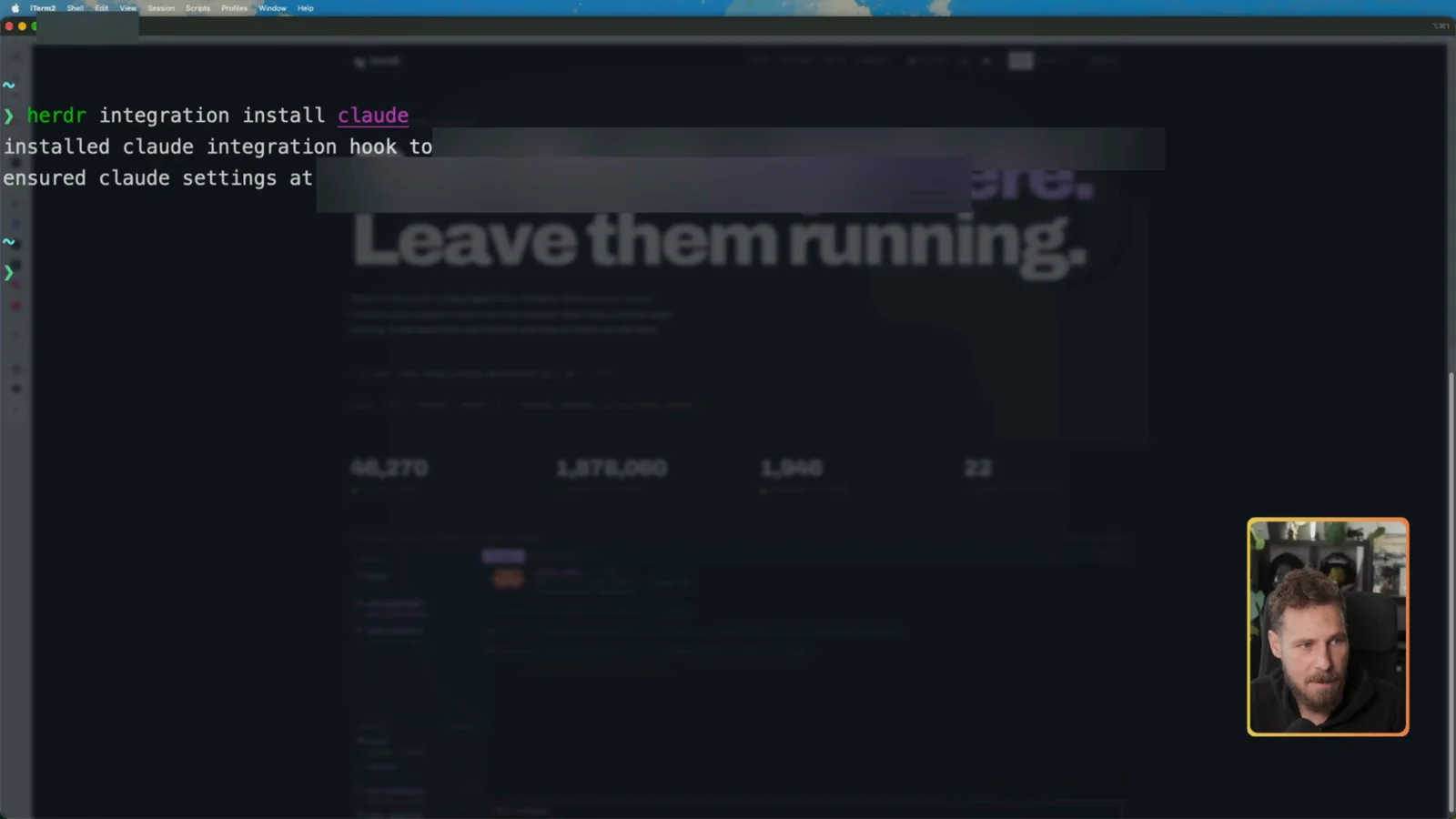
herdr integration install claudeIt installs the Claude integration hook. That hook is what lets Herdr show Claude’s state in the sidebar.
herdr-kit (for the multi-machine part)
herdr-kit is the small open-source script (MIT) that four agents build later in this guide. One command gets a machine ready for a multi-machine Herdr setup: Tailscale up, an OpenSSH server reachable over the tailnet, Herdr plus the Claude Code integration. Clone the public repo and run it:
git clone https://github.com/stefanrows/herdr-kit && cd herdr-kit && ./herdr-kit setupherdr-kit is a community project. It is not affiliated with Herdr or Tailscale.
Herdr Shortcuts: The Prefix Key
Panes work with the mouse: right-click a pane to split it or zoom it. But Herdr is fastest from the keyboard.
Every shortcut starts with the prefix key. On the Mac that’s Ctrl+B. Press the prefix, let go, then press the key. Pressing Q on its own just types a “q”. Prefix then Q sends the command. If you’re unsure what your prefix is, open the menu and go to Key bindings.
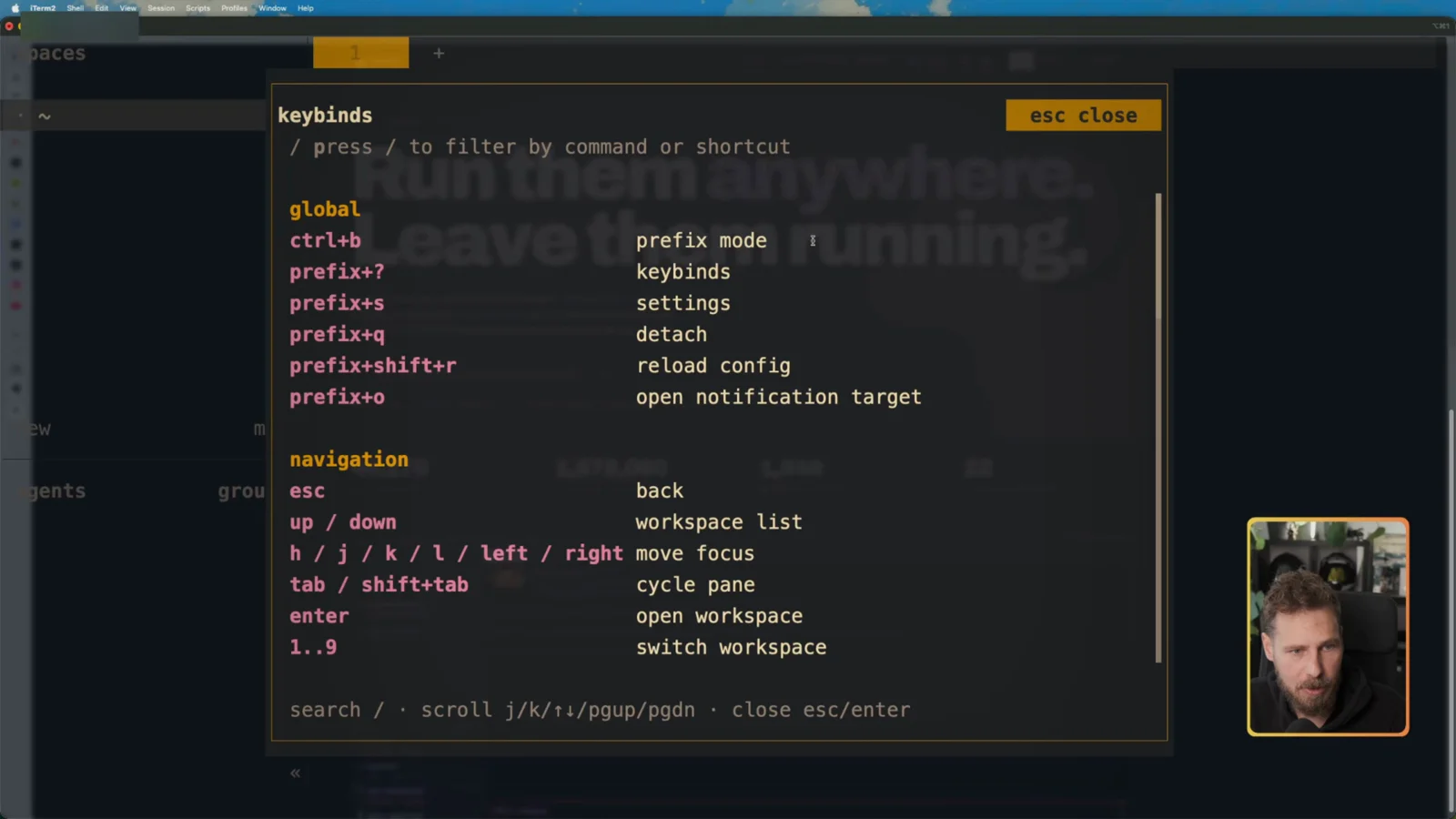
Once the keys are in your fingers you move incredibly fast, especially on a keyboard-driven setup like Omarchy. I find Prefix + N/P for tabs cumbersome, so I just click the tabs.
Tip: move the prefix to a key you rarely use, and every shortcut becomes a single extra keypress.
Detach and Reattach
Prefix + Q detaches. That doesn’t close anything. The agents keep running in the background, and when you start herdr again you land exactly where you left off. Same idea as a tmux session.
I tested it the hard way: four agents working, quit iTerm2 completely, reopened it, typed herdr. Everything was still alive.
First Agent: Building herdr-kit
The sidebar shows the current folder and its git branch. I opened the empty herdr-kit repo, started claude and pasted the first task (the repo scaffold) from my AI Coding Orchestrator board. More on that board in my AI coding workflow guide.
While Claude works, the session shows a yellow dot. When it finishes, a green dot appears and Herdr fires a toast with a sound. Once you’ve looked at the result, the dot turns into a hollow green circle.
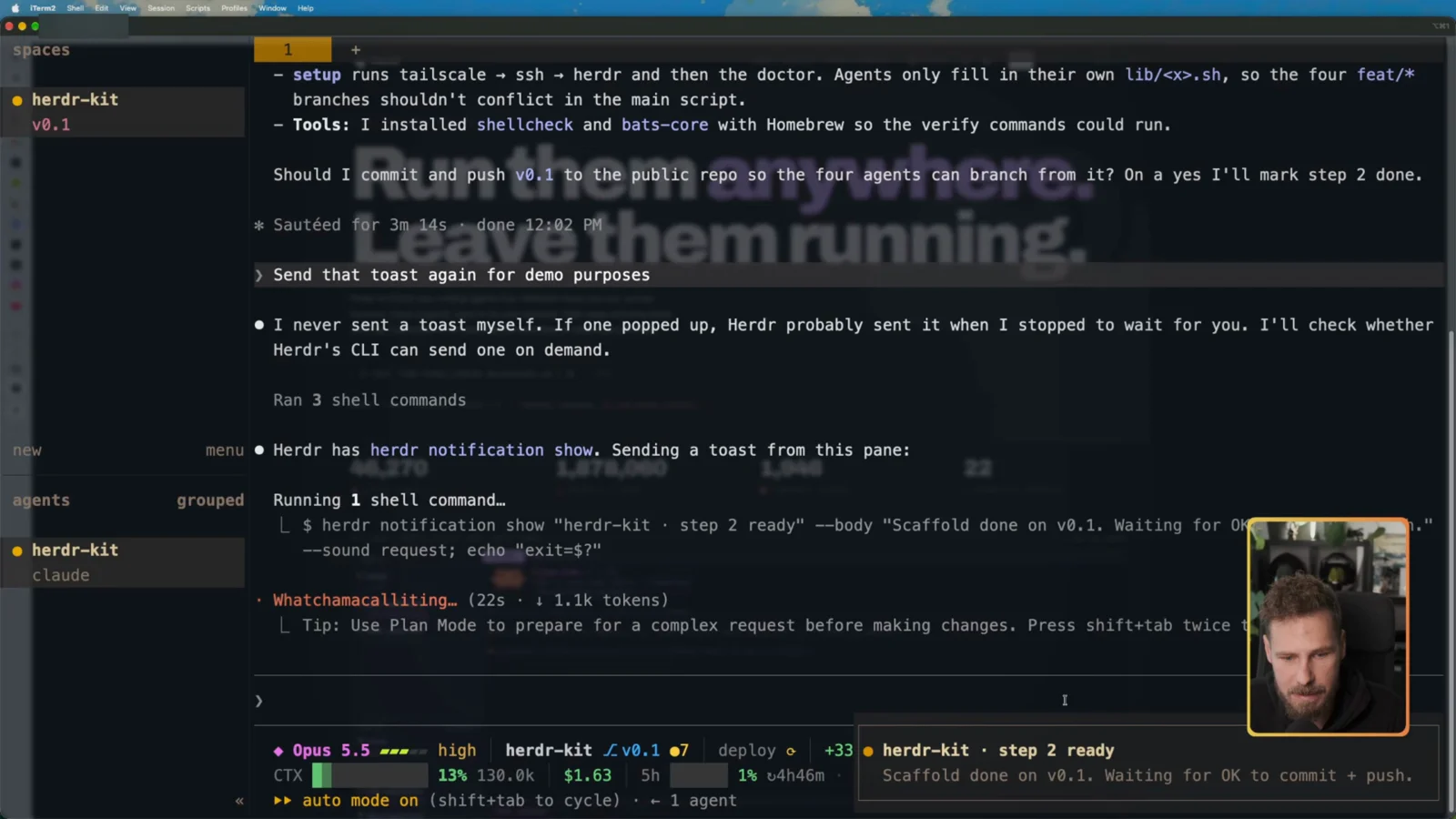
The agent asked for an OK to commit and push the scaffold. I said yes, and the task on the board moved to done.
4 Claude Code Agents in Parallel Worktrees
This is where Herdr earns its place. Prefix + Shift+G creates a new git worktree in the current repo: its own checkout, its own branch, its own window.
Two things I learned:
In each worktree I started Claude Code with Sonnet, to save tokens, and gave it one task from the board.
Prompts
The prompt for each worktree agent, shown on screen at 19:05 in the video:
Claim step 6 on the herdr-kit board in the YouTube Projects project and work it in this worktree on branch feat/doctor.The other three were the same prompt with their own step and branch.
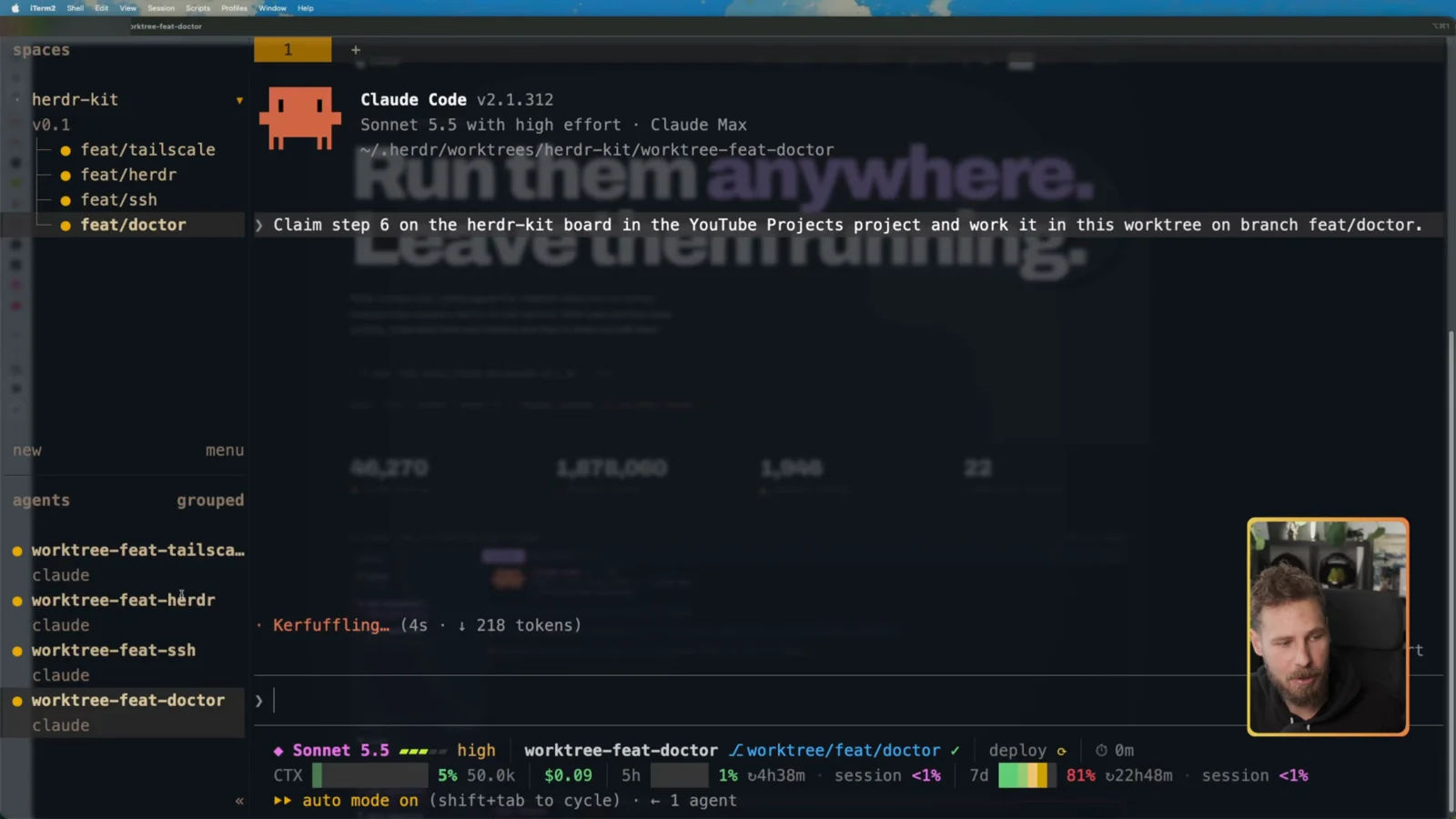
All four sessions worked at the same time, each with a yellow dot. When one finished, a toast popped up and Prefix + O jumped straight to it. If an agent gets blocked, Prefix + B takes you to it.
When the branches were done, I merged them with my own “ship now” skill, which pushes and merges without asking. It still asked me for a yes a few times.
Testing herdr-kit doctor
doctor checks a machine and changes nothing:
./herdr-kit doctorOn my Mac it showed every check green: macOS, Tailscale up, the MagicDNS name, the SSH server listening on port 22, Tailscale SSH off, the Herdr version and the Claude Code integration. At the end it prints the exact line to run on your hub:
On your hub, run: herdr machine add mbp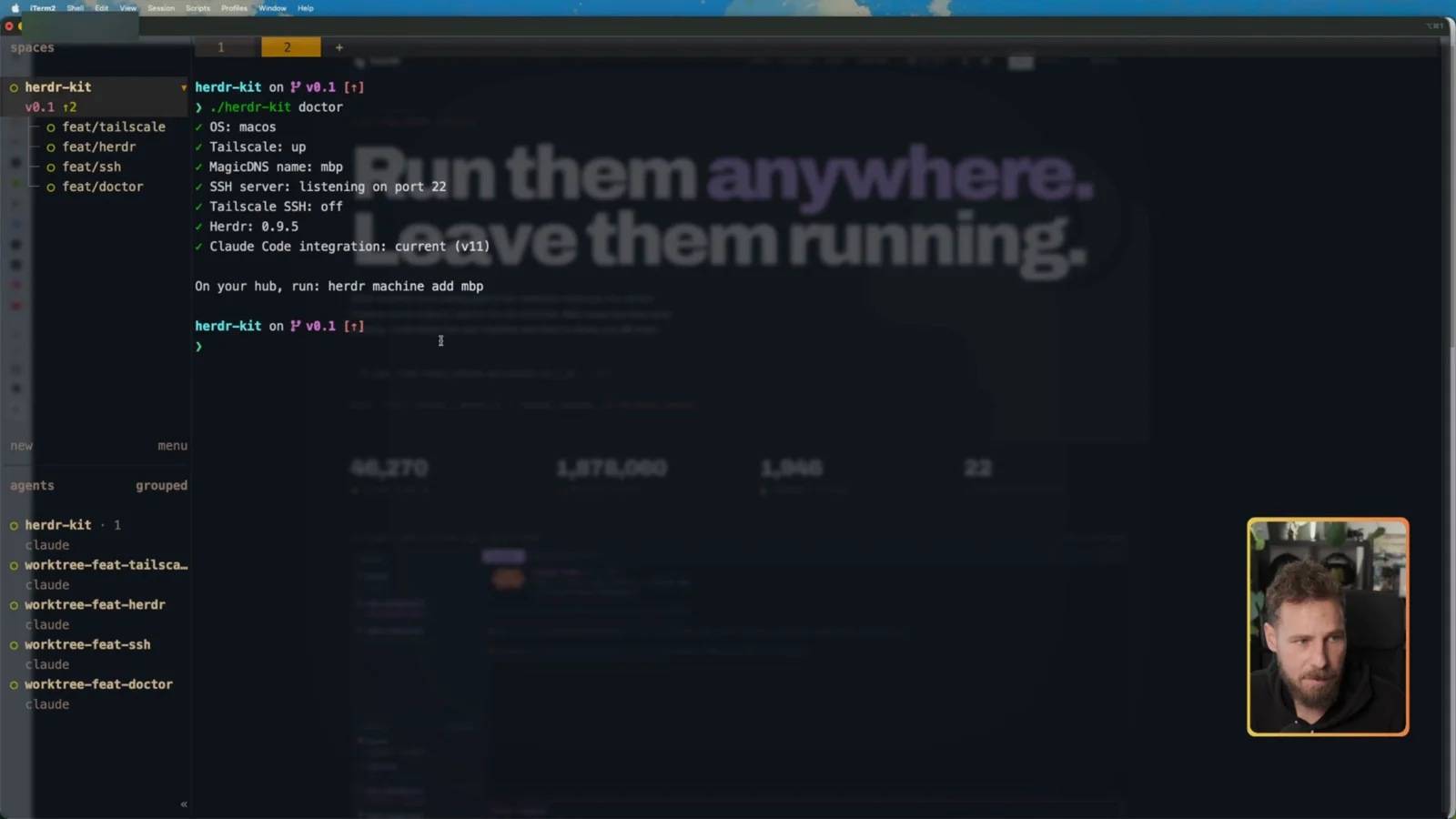
Why a plain SSH server? I don’t need access from outside my network, so a local SSH server reachable over Tailscale is all Herdr needs.
How It Connects: Tailscale + SSH
Herdr connects to other machines over plain SSH. Tailscale solves the “how do I reach them” part: every device joins one private network and gets a name. No port forwarding, no IP addresses.
Tailscale SSH stays off on every machine. This setup uses regular OpenSSH over the tailnet. In the week I recorded this, a report called Tailworm showed how Tailscale SSH can be abused from inside a tailnet, and at recording time (October 28, 2026) there was no patch yet. The network itself is fine. Tailscale SSH is the part to leave off. herdr-kit never turns it on, and doctor flags it if it’s on.
Setup: herdr-kit on Windows WSL2
Herdr runs natively on Windows too, but I run Claude Code inside WSL2. That’s where the Claude Code sandbox works, and where Herdr’s plugins aren’t stuck in preview (Herdr Windows beta docs).
My daily distro, overlord-wsl, already had Tailscale but no Herdr and no SSH server. The same command does the job. Every step checks first and skips what’s already there, so running it twice is safe, and on the already-set-up Mac and Linux laptop it only prints green checks.
./herdr-kit setupOn WSL2 it found Tailscale up as overlord-wsl, confirmed systemd was running and Tailscale SSH was off, then installed the OpenSSH server and Herdr with the Claude Code integration in a couple of seconds.
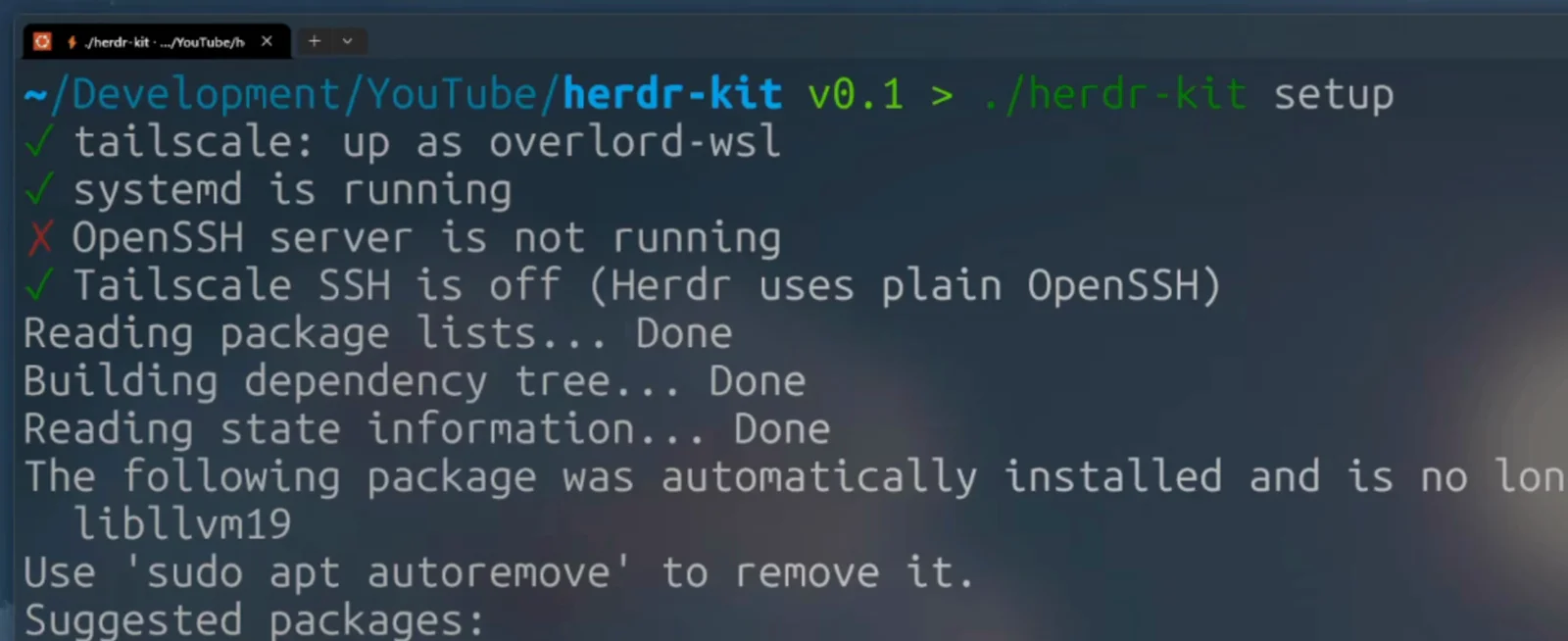
On a machine without Tailscale, setup installs it and opens the login in your browser. You need one free Tailscale account, the same one on every machine.
Then the check:
./herdr-kit doctor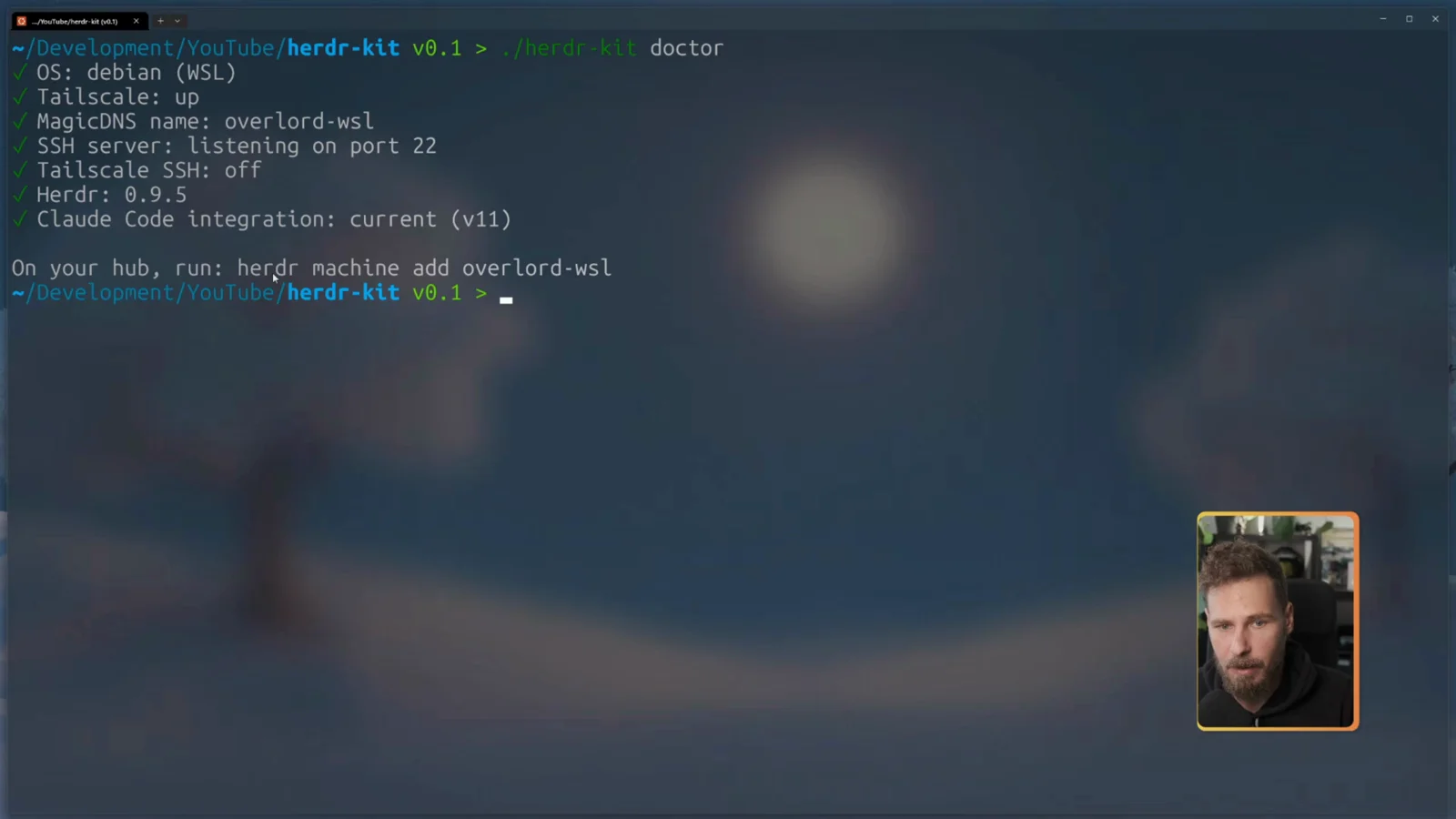
Starting from a fresh WSL2 distro
My distro was already in daily use. On a brand-new WSL2 distro, I hit these when testing before the recording:
1. Turn on systemd first. A fresh distro boots without systemd, and installing openssh-server fails with “Could not execute systemctl”. Add this to /etc/wsl.conf, then restart the distro:
[boot]
systemd=true
2. Give the distro its own hostname. A new distro takes the Windows PC’s name, so Tailscale would name the node after the PC.
3. Run ./herdr-kit setup****. It handles Tailscale, OpenSSH and Herdr.
More on WSL2 networking in my WSL2 network configuration guide, and on systemd in the systemd cheat sheet.
Control the Mac From Windows
It works both ways. From WSL I added the Mac (its MagicDNS name is mbp):
herdr machine add mbpThe MacBook Pro showed up with all its chats. From Windows I had full control: new chats, new sessions, different folders.
All Three Machines, One Herdr
Back on the Mac, I added the Windows distro:
herdr machine add overlord-wslHerdr answered with “Saved SSH machine … Remote server is ready” and “Open Herdr clients connect automatically.”
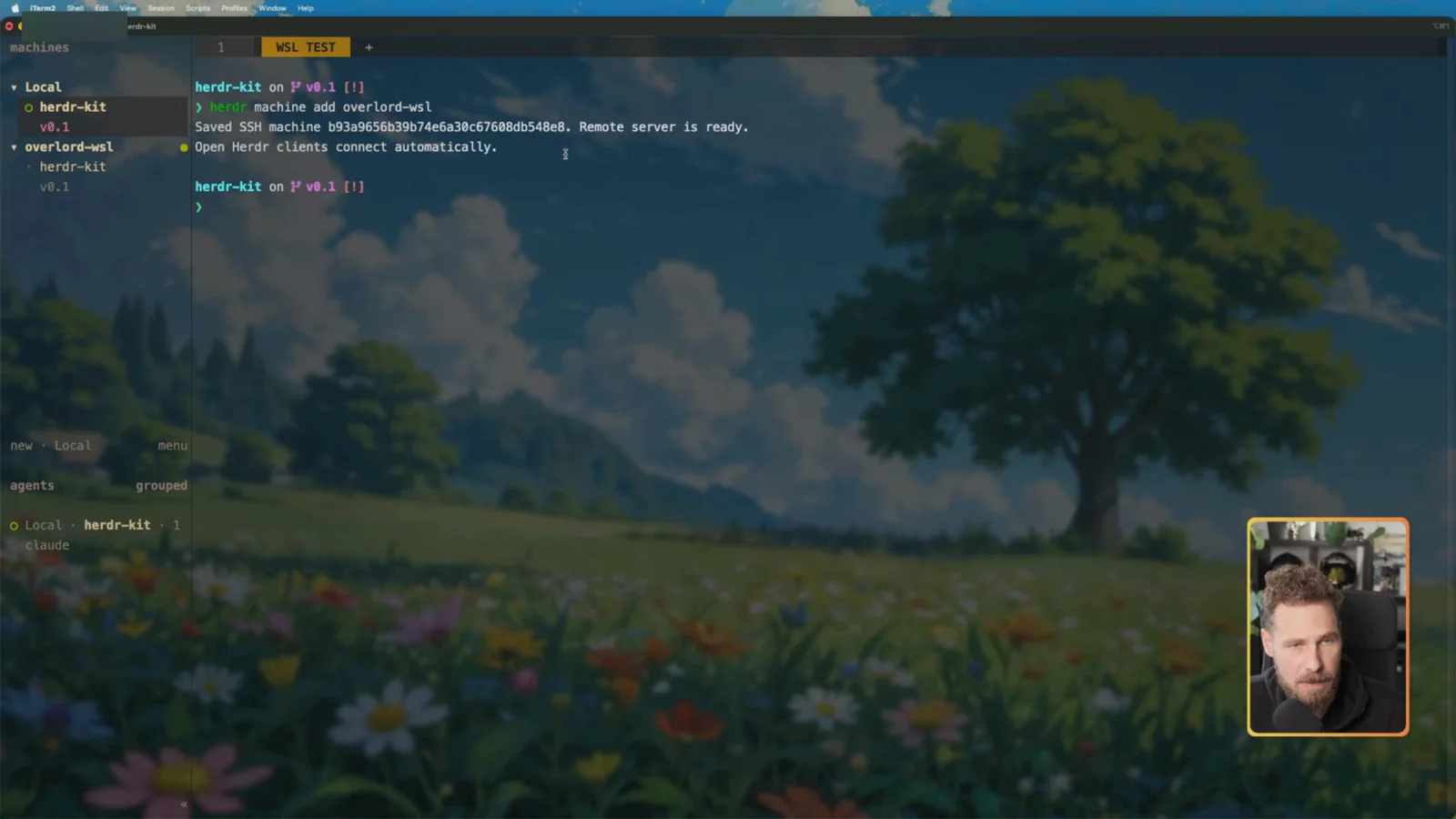
Then the Linux laptop:
herdr machine add omarchyThe sidebar now lists all three machines. I asked the Claude Code agent on each one which machine it was on: the one on overlord-wsl said Windows inside WSL2, the one on omarchy said a Microsoft Surface Laptop 2 running Omarchy. From one Herdr I can spawn agents, open tabs and switch folders on every machine.
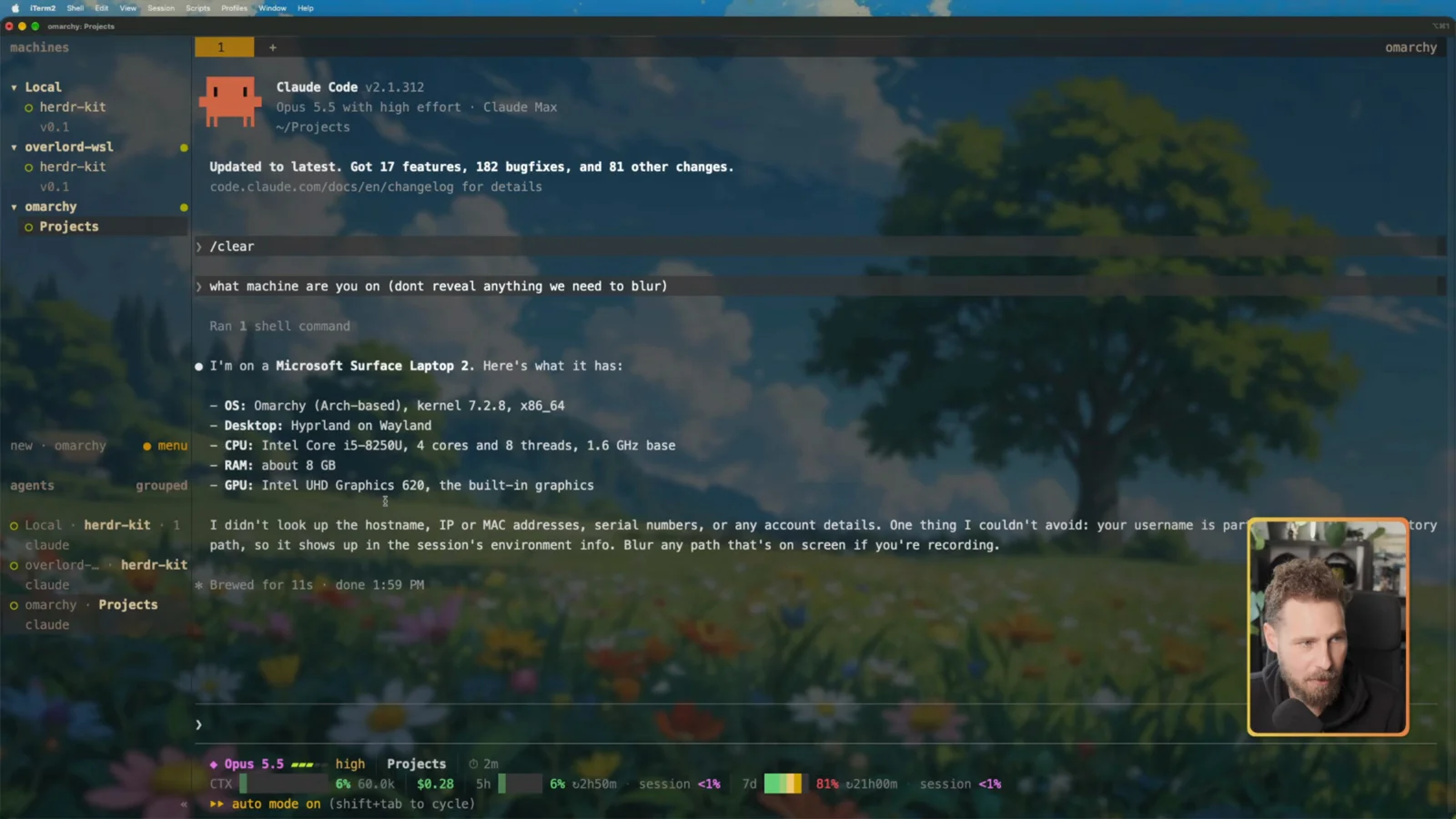
It works from anywhere on my local network as long as the machine is on and Herdr is running on it. Herdr’s own docs on this: Connecting machines.
Gotchas
Is Herdr Worth It?
For me, yes. My Windows PC runs the long jobs, like a whole roadmap in one session that has to stay alive, and I check in from the laptop on the sofa. When an agent gets stuck on a question, I get a notification instead of finding it hours later.
The downsides were small: the flaky right-click in iTerm2, and my own forgotten push. It depends on your setup, and Herdr is still changing fast. But across several machines it has become a fixed part of my setup, and I’m keeping it while I figure out the best workflow.
If you want Claude Code on a server around the clock instead, see How to Run Claude Code on a VPS.
Your Turn
Which machines would you connect? Tell me on X @StefanRows, and grab herdr-kit on GitHub. The full walkthrough is in the video above.
More posts
All AI Workflows