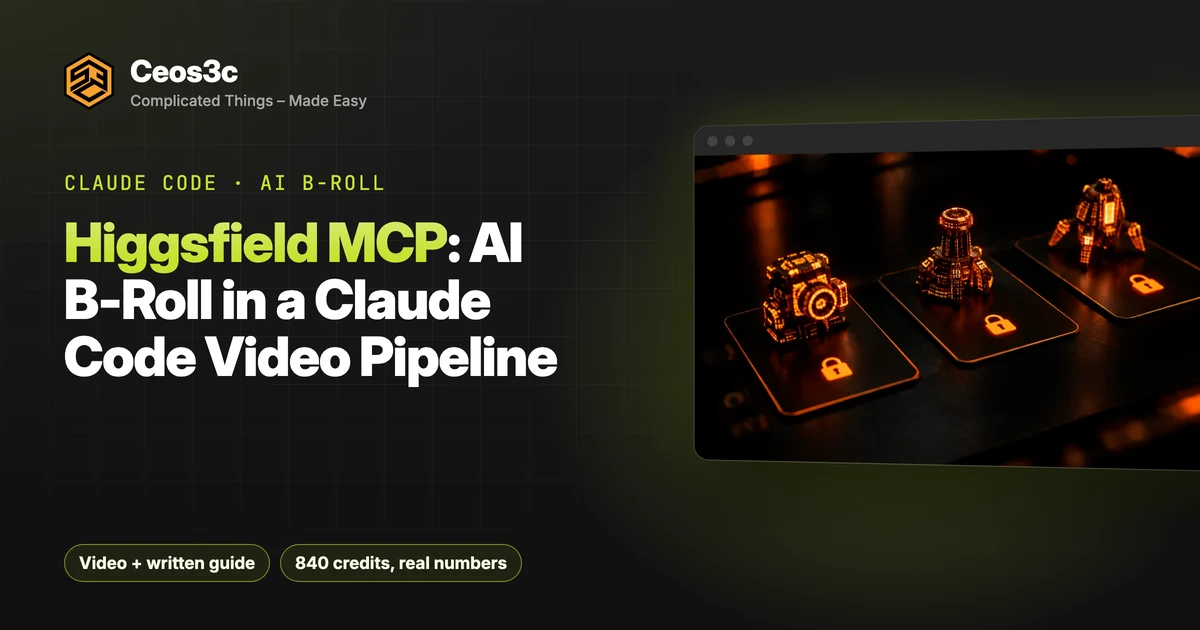
Higgsfield MCP: AI B-Roll in a Claude Code Video Pipeline
 6 min read
The first video my AI editing workflow ever made has a weak intro. It opens with “Hey guys, what’s up everyone” and no hook at all. So I gave the workflow a new part, the Higgsfield MCP, and let Claude Code rebuild that intro with generated B-roll.
My videos already run through Claude Code, agents, HyperFrames and a task board: transcript in, finished video and blog post out. B-roll was the missing piece. Here’s the full run: connecting the server, turning the transcript into a shot plan, stills first, image-to-video on Seedance 2.5, the rejected shots, the HyperFrames cut and what it really cost.
The video is sponsored by Higgsfield. The numbers are from my own run and the verdict is mine.
Table of Contents
- TL;DR: the quick version
- How the Higgsfield MCP fits my Claude Code video editing pipeline
- Connect the Higgsfield MCP to Claude Code
- Claude Code
- Claude app
- Hand Claude a task, not a long prompt
- The rules I gave Claude
- Shot plan: one prompt per spoken noun
- The quote before anything is spent
- Stills first: the contact sheet
- Image to video on Seedance 2.5
- Rejected shots and the fix
- What it cost: 840 credits
- HyperFrames cuts the new cold open
- Before vs after
- Verdict: will I keep using the Higgsfield MCP?
- Gotchas
- Related posts
- Your turn
TL;DR: the quick version
My total: 840 credits for 32 stills and 13 clips, 11 of them kept.
How the Higgsfield MCP fits my Claude Code video editing pipeline
The video I rebuilt is This AI Coding Workflow Is a GAME CHANGER, the demo of my AI Coding Orchestrator. It was the first video my workflow edited. The intro is me saying hello and explaining that it has been a while since my last upload. Then it gets into the technical stuff.
That’s not how YouTube works. Everybody needs a hook, or people leave in the first few seconds.
Until now, good B-roll meant hiring an editor or sifting through hundreds of stock clips for something that remotely fits what I’m saying. The plan for this run:
Connect the Higgsfield MCP to Claude Code
higgsfield.ai/mcp lists the integrations: ChatGPT, Claude, Claude Code, Telegram, a CLI and a few others. For desktop apps it’s usually one button. Coding agents get a command.
Claude Code
Run this in your terminal:
claude mcp add --transport http higgsfield https://mcp.higgsfield.ai/mcpThat adds the server to your Claude Code installation within a second.
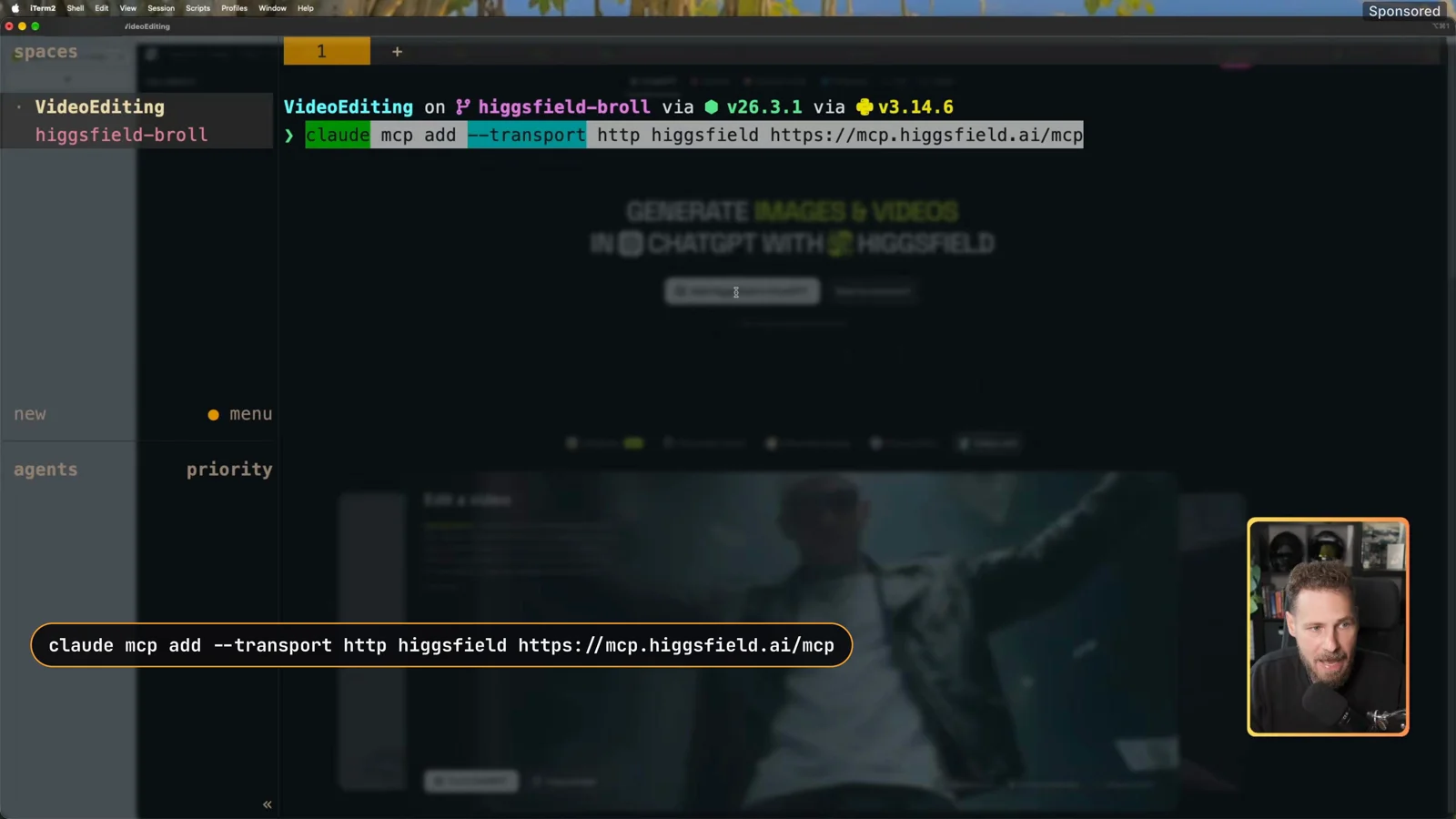
Now start Claude in the folder you want to work in and open the MCP list:
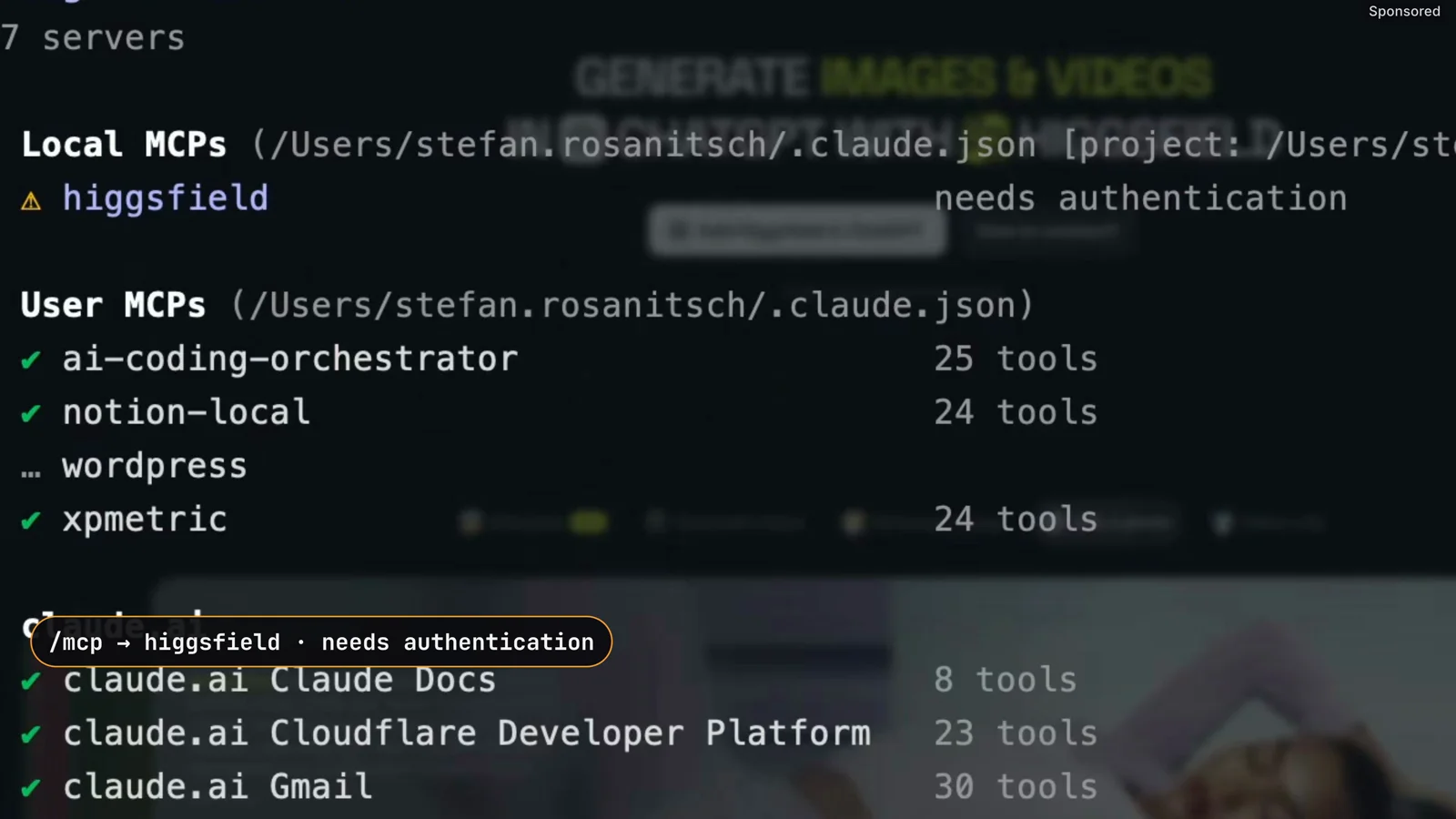
/mcpHiggsfield shows up with needs authentication. Select it and hit Enter. Your browser opens, you log in and authorize the request.
Claude app
The same server works in the Claude desktop app:
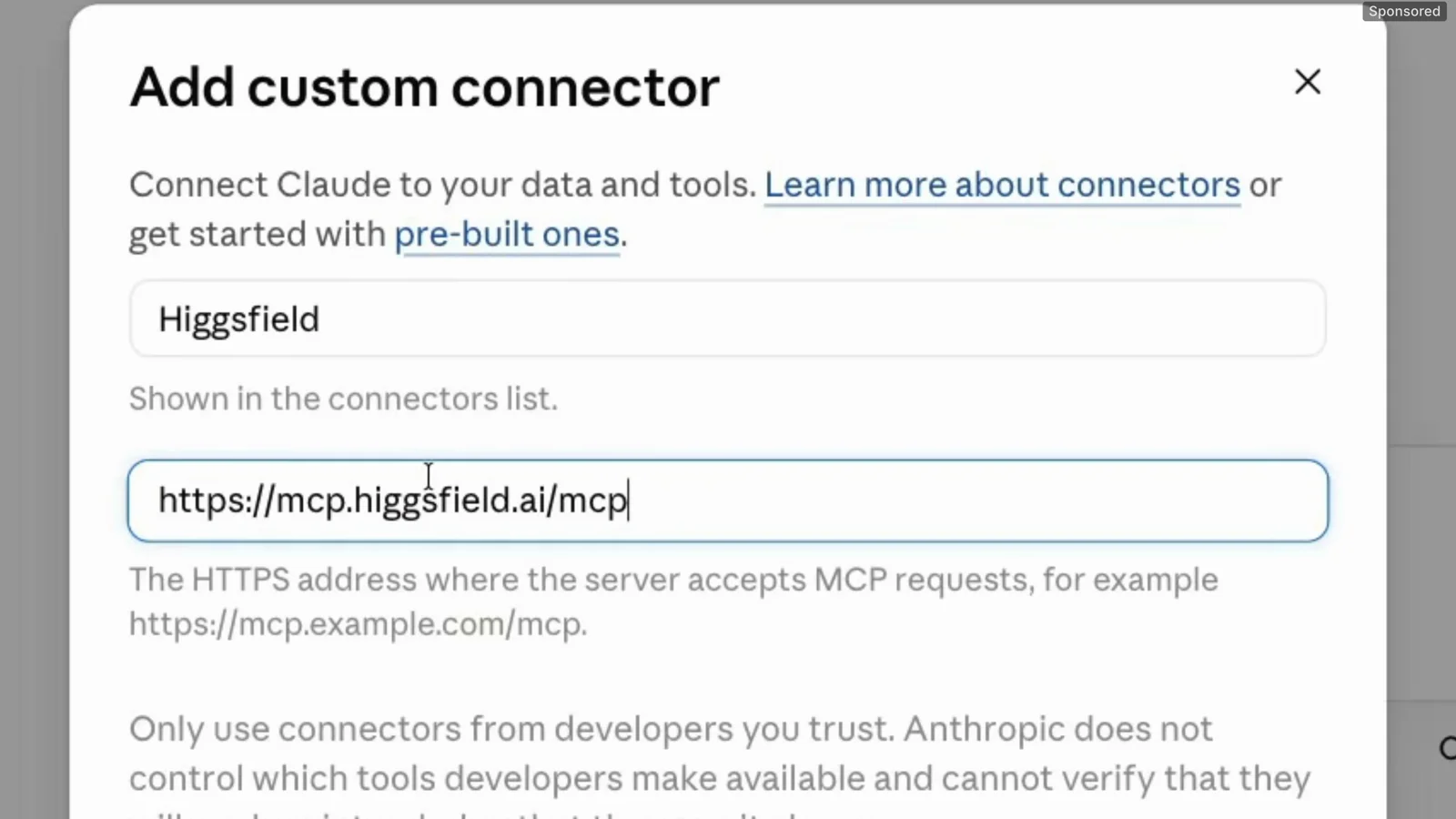
That’s the whole setup. Both clients talk to the same server.
Hand Claude a task, not a long prompt
I didn’t type a long prompt. I pasted a short one that tells Claude to claim the B-roll step on my AI Coding Orchestrator board and work it. The real instructions live in that task, so every video gets the same rules. I explain the board in my AI coding workflow post.
The B-roll step is opt-in per video. Each video folder has a NOTES.md, and the switch defaults to no, so the pipeline skips the step. For this run, Claude flipped that one line:
broll_higgsfield: yesThen it read the credit balance: 2,873.85 credits.
The rules I gave Claude
These are from the task on my board (paused on screen in the video, if you want to copy the idea):
If you use the Higgsfield MCP yourself, you need to dial this in too. Tell Claude which model to use, how many credits it may spend and what exactly you want. Otherwise it guesses.
Shot plan: one prompt per spoken noun
Claude analysed the transcript and laid out the plan as line → noun → visual. Three of the rows:
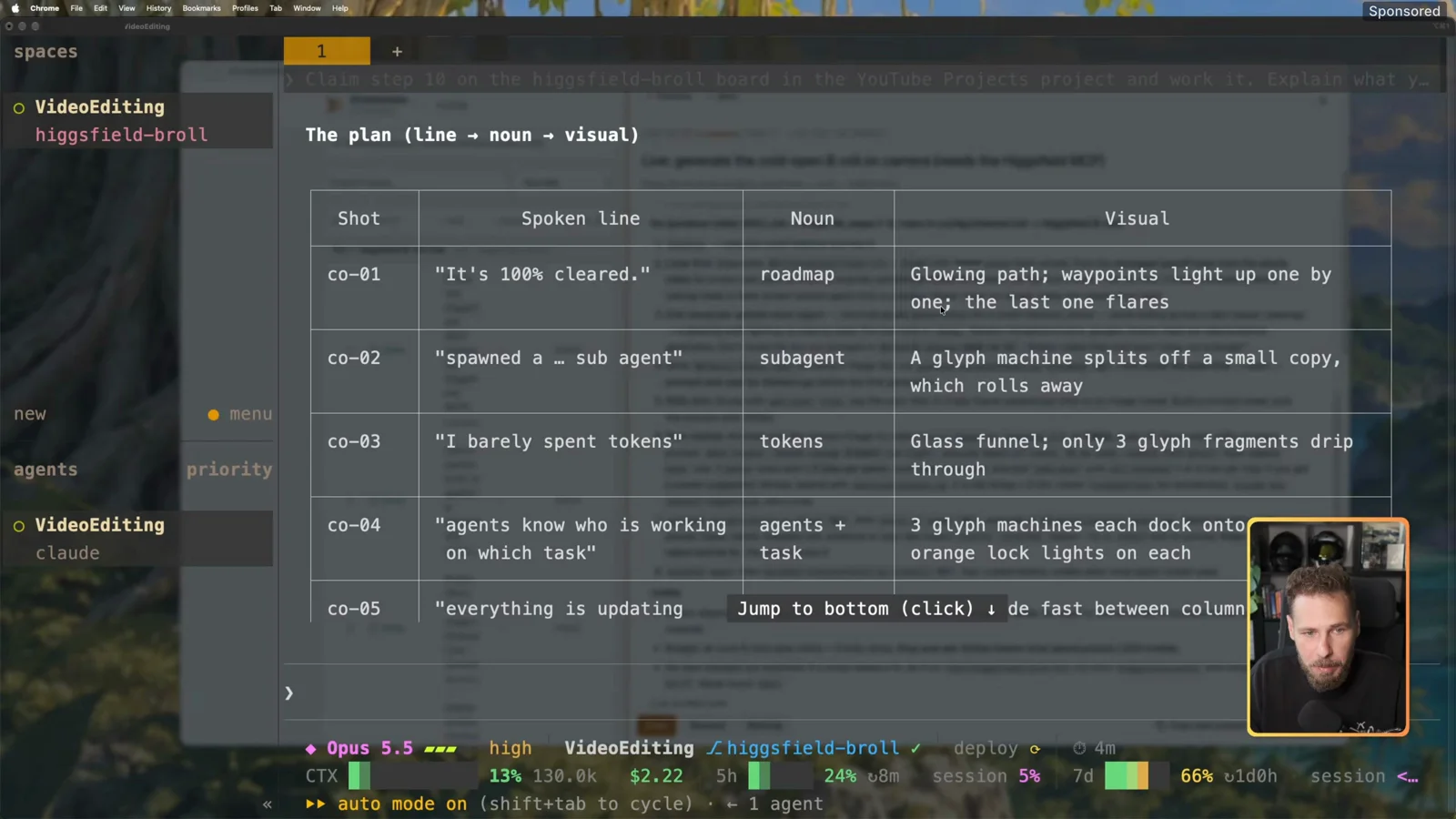
Every prompt ends with the same style suffix (a dark studio with an orange rim light in my brand color, shallow depth of field, film grain), plus “no people, no hands, no readable text”. The shared suffix keeps all shots in one look.
Why literal nouns? The viewer hears “tokens” and sees tokens. A vague metaphor just looks like a screensaver.
The quote before anything is spent
Before generating anything, Claude quoted the cost:
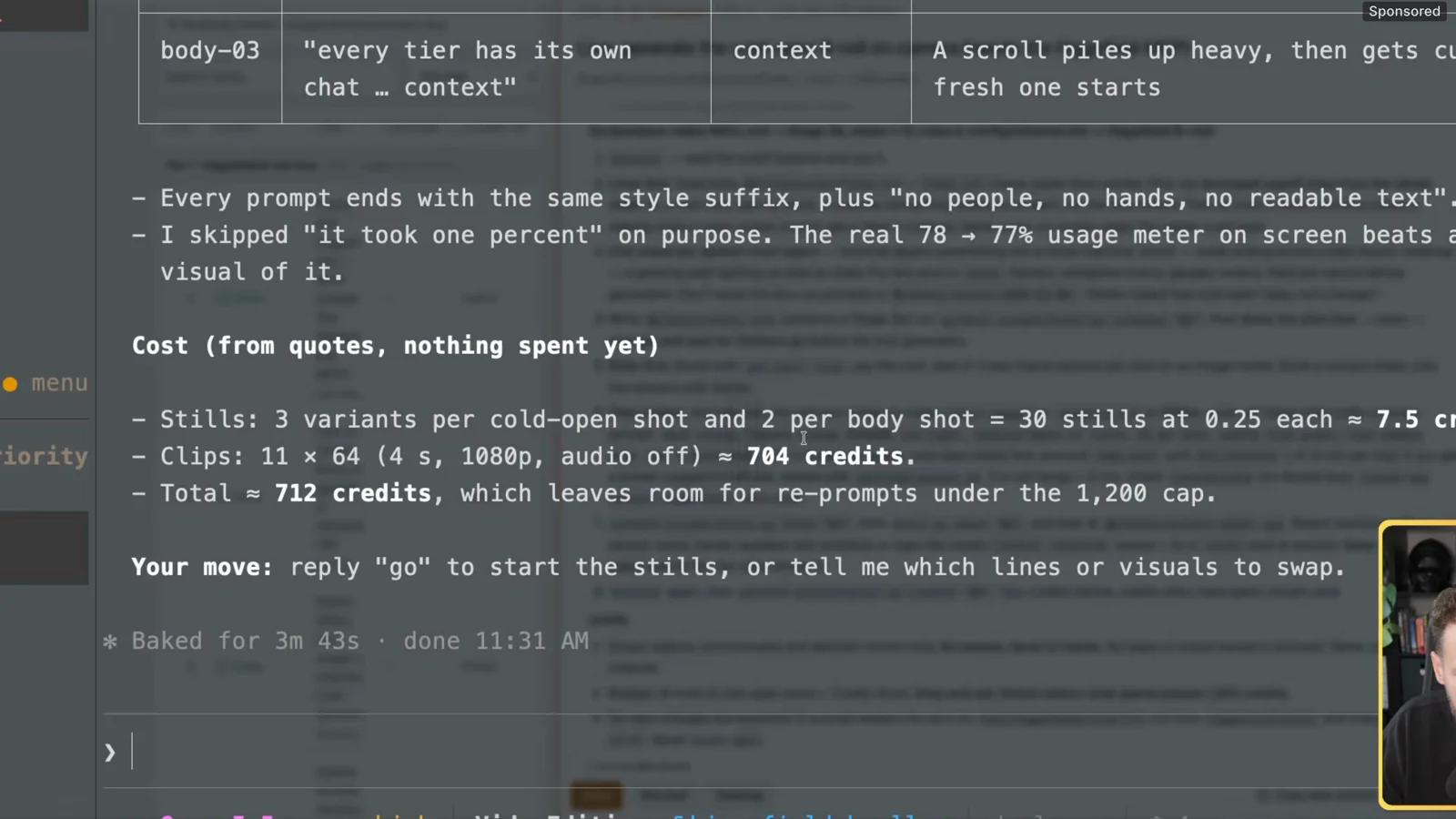
This quote-then-spend loop is the part I like most. You see the balance before, the price and the balance after before anything is charged. By the time the clips were submitted, Claude had charged exactly the quoted 712.00 credits (2,873.85 → 2,161.85).
Stills first: the contact sheet
I said go. Claude generated 32 key frames on gpt_image_2_5 and put them on a contact sheet. Every variant is numbered by shot (co-01-a, co-01-b, …), and they all share the same color theme. The stills took about a minute and cost 8 credits.
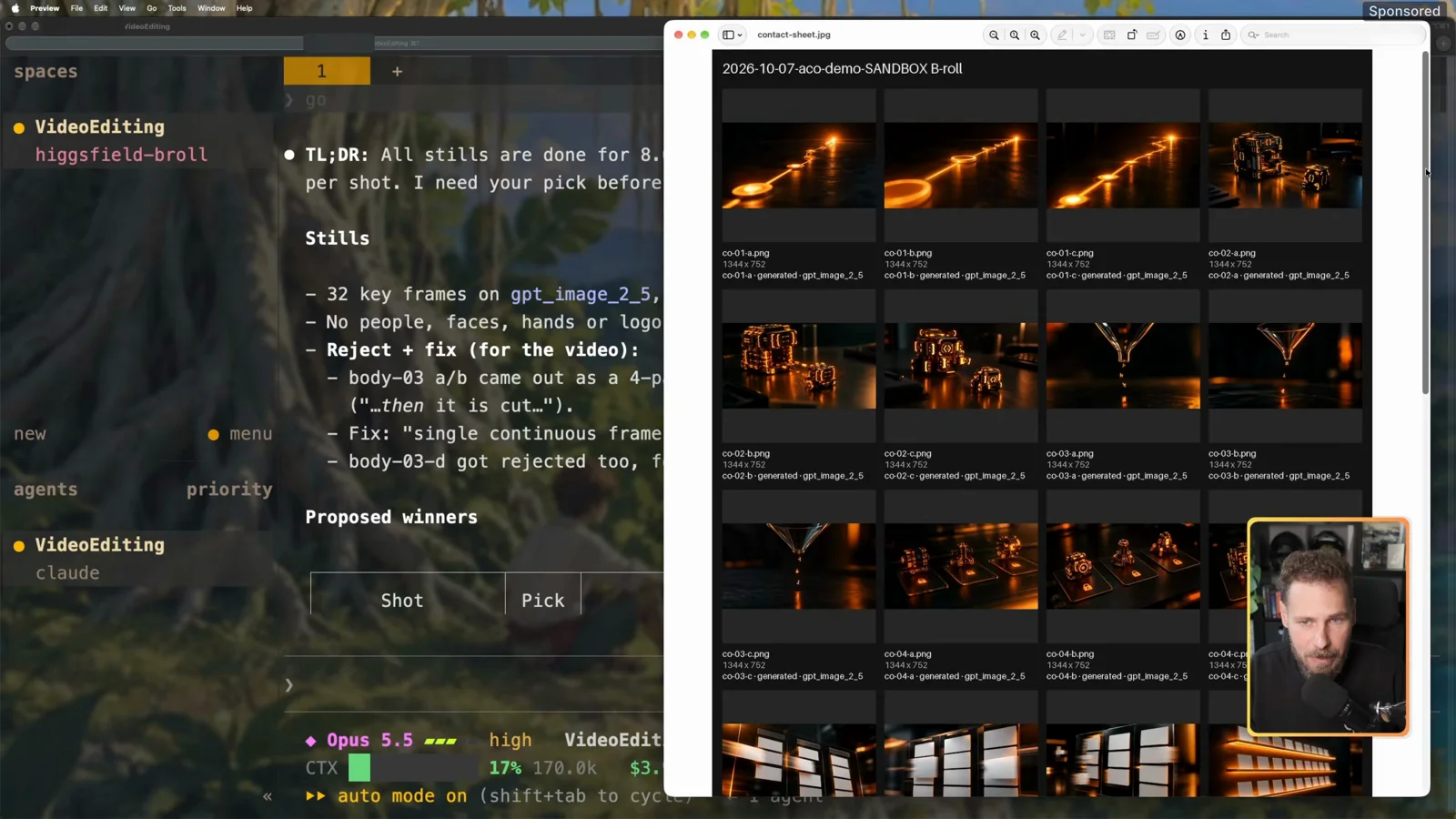
Stills first is about money. A still costs 0.25 credits, a clip costs 64. You catch the bad idea at the cheap stage.
If you don’t like a series, you say something like “change the co-03 series” and Claude generates another variant. For the demo I didn’t swap anything and said go again.
Image to video on Seedance 2.5
Claude moved to motion: 11 winners, image-to-video on Seedance 2.5, 1080p, 4 seconds, audio off. It re-quoted first with the start image attached, because image-to-video can be priced differently from text-to-video.
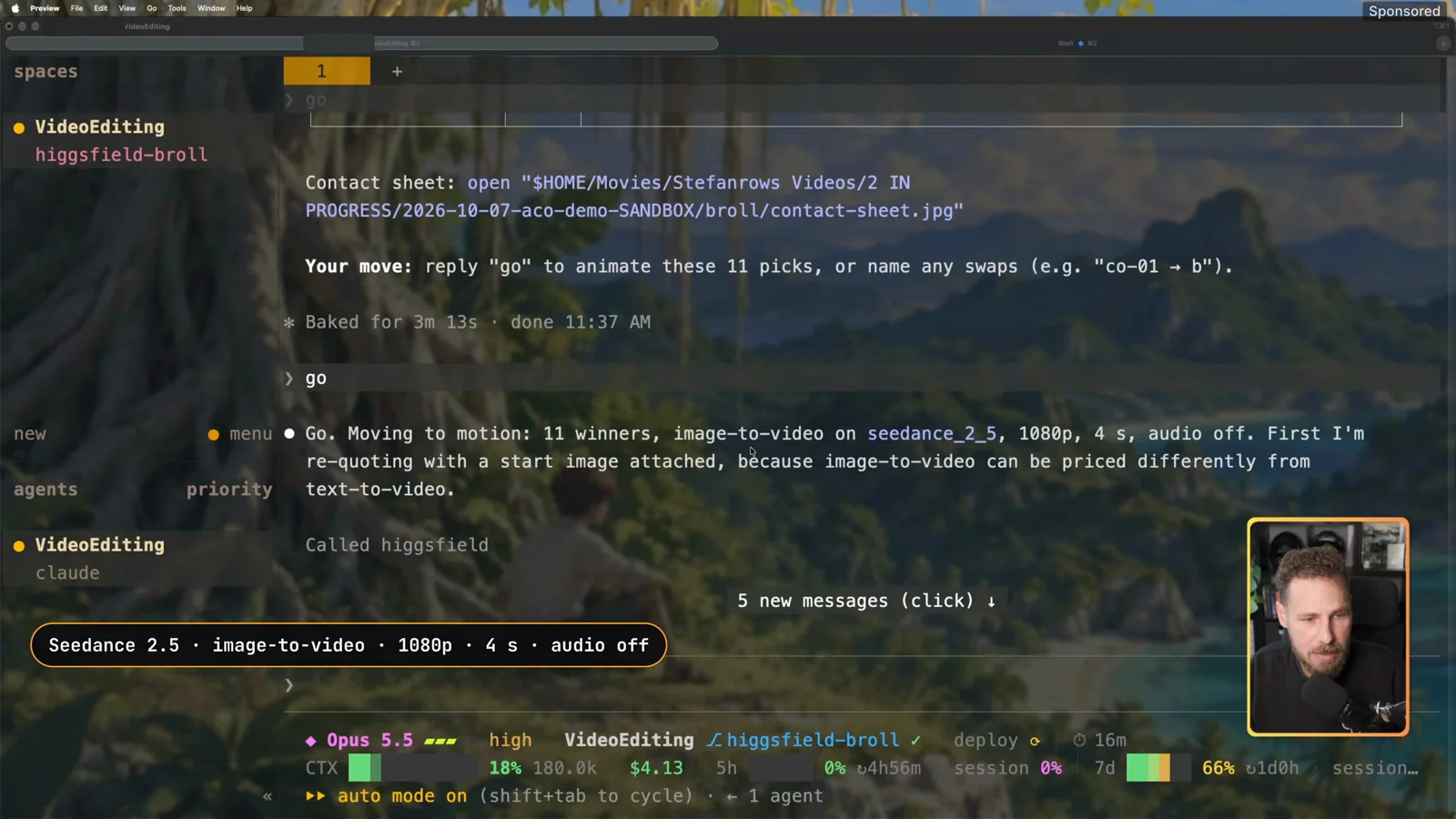
My rules have Claude submit the jobs in batches of at most five, cold-open shots first, and poll until all of them are done. Each clip took about 3–8 minutes, and one took about 16.
The clips land straight in the video’s project folder on my drive. The editing step finds them there, no downloading or copying by hand. The first clip I opened matched its preview still and worked right away.
Rejected shots and the fix
After the clips came in, Claude ran extra checks. Two clips didn’t meet the quality rules, so it rejected and recreated them:
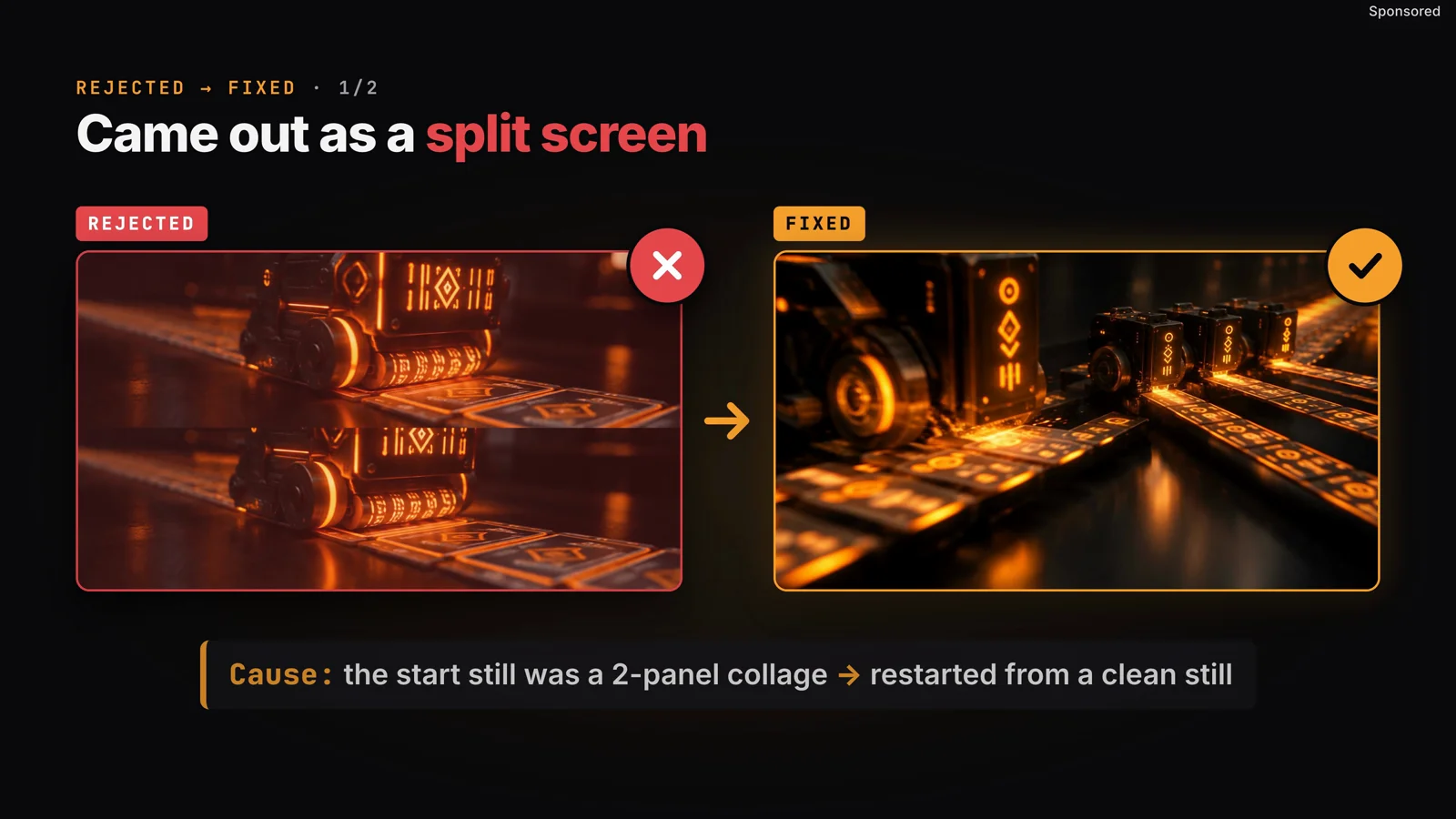
The second one is the lesson I’ll keep. “Then” describes a sequence, and the model happily draws that sequence as panels. One prompt, one shot.
What it cost: 840 credits
At the end, Claude gave me a summary of the whole step:
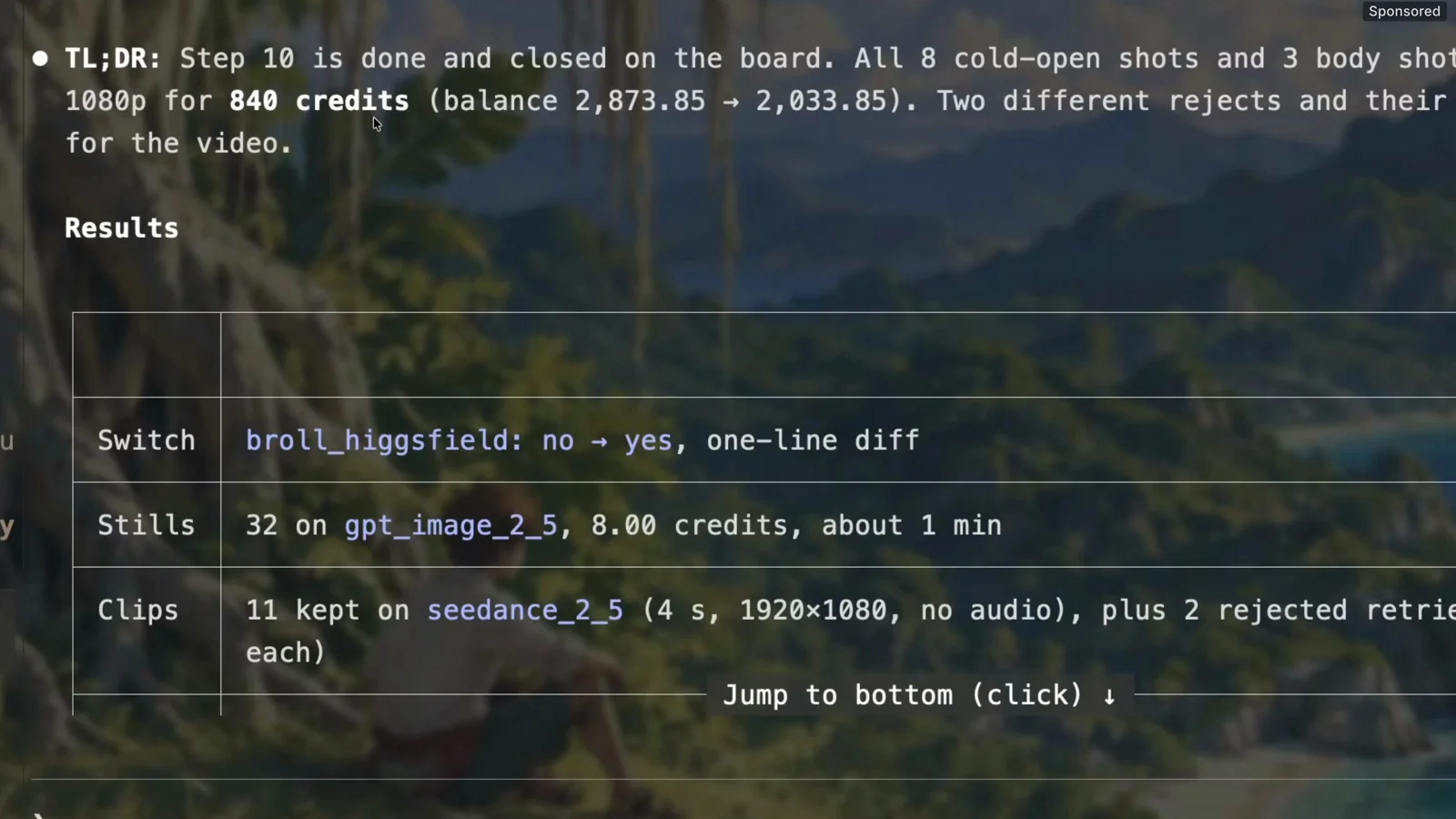
The quote said 712. The two re-runs added 128 (2 × 64). That’s why the cap sat well above the quote: re-prompts are part of the job.
HyperFrames cuts the new cold open
Claude marked the B-roll step done on the board. I cleared the chat to save tokens, and a fresh session claimed the next task: rebuild the intro. It already knew where the B-roll was.
Claude edits with HyperFrames, an open-source video tool. It wasn’t made for YouTube videos, but I’ve adapted it to my workflow and it’s very token-efficient. If you want a video on my full setup, tell me in the comments.
The music came from my usual local setup. Higgsfield offers music generation too, but I kept this test to video.
The edit took about 30 minutes. The new cold open has 24 cuts.
Before vs after
Before: “Hey guys, what’s up everyone? Welcome back to a new video.” Then a slow lead-in before anything technical.
After: my own payoff lines from that video (“It’s 100% cleared”, “I barely spent tokens”, “everything is updating live”), each with a generated shot, cut fast.
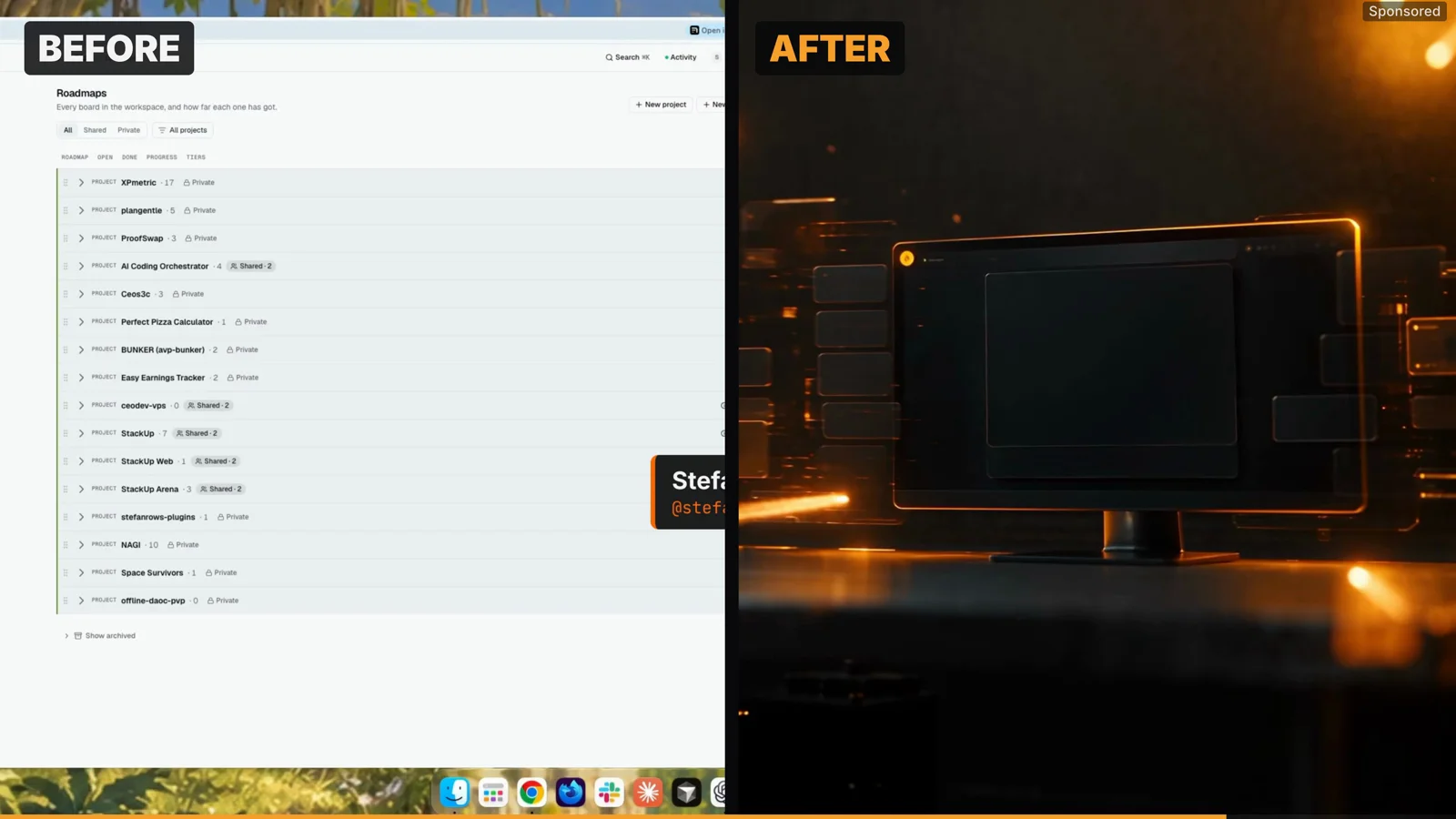
To be fair, this is the first iteration, with no fine-tuning. Some cuts aren’t on point and the context is a bit wonky in places. Usually I go through several iterations to get the cuts right.
But that wasn’t the point of this run. Generating the footage was easy and the shots fit the topic. Compared to an intro with no hook at all, it’s a huge improvement.
Verdict: will I keep using the Higgsfield MCP?
After playing with it for a couple of days: it’s pretty good. Will I use it in the future? Probably yes. It’s easy to use, and it fits into my workflow without friction.
What convinced me:
What it takes:
Gotchas
Related posts
Your turn
What would you generate B-roll for first? Tell me in the YouTube comments or on X @StefanRows. The full run, including the before and after, is in the video above. And if you want the full-workflow video, say so in the comments.
More posts
All AI Workflows