Reverse Engineer Anything: REA + Ghidra on a Game DLL
 5 min read

Everyone is pointing the Reverse Engineer Anything repo at big commercial software right now. I wanted to try it on something smaller and more personal: the game.dll of an old MMO I played way too much as a teenager.
A friend and I are building an offline version of Dark Age of Camelot, with combat bots and Guild Wars–style companions. One feature kept beating us: a proper inventory window for companions. So I gave Claude the Reverse Engineer Anything toolkit plus Ghidra and asked it to find out how the game’s own UI actually works. Here’s the setup, the exact prompt and an honest look at what came out.
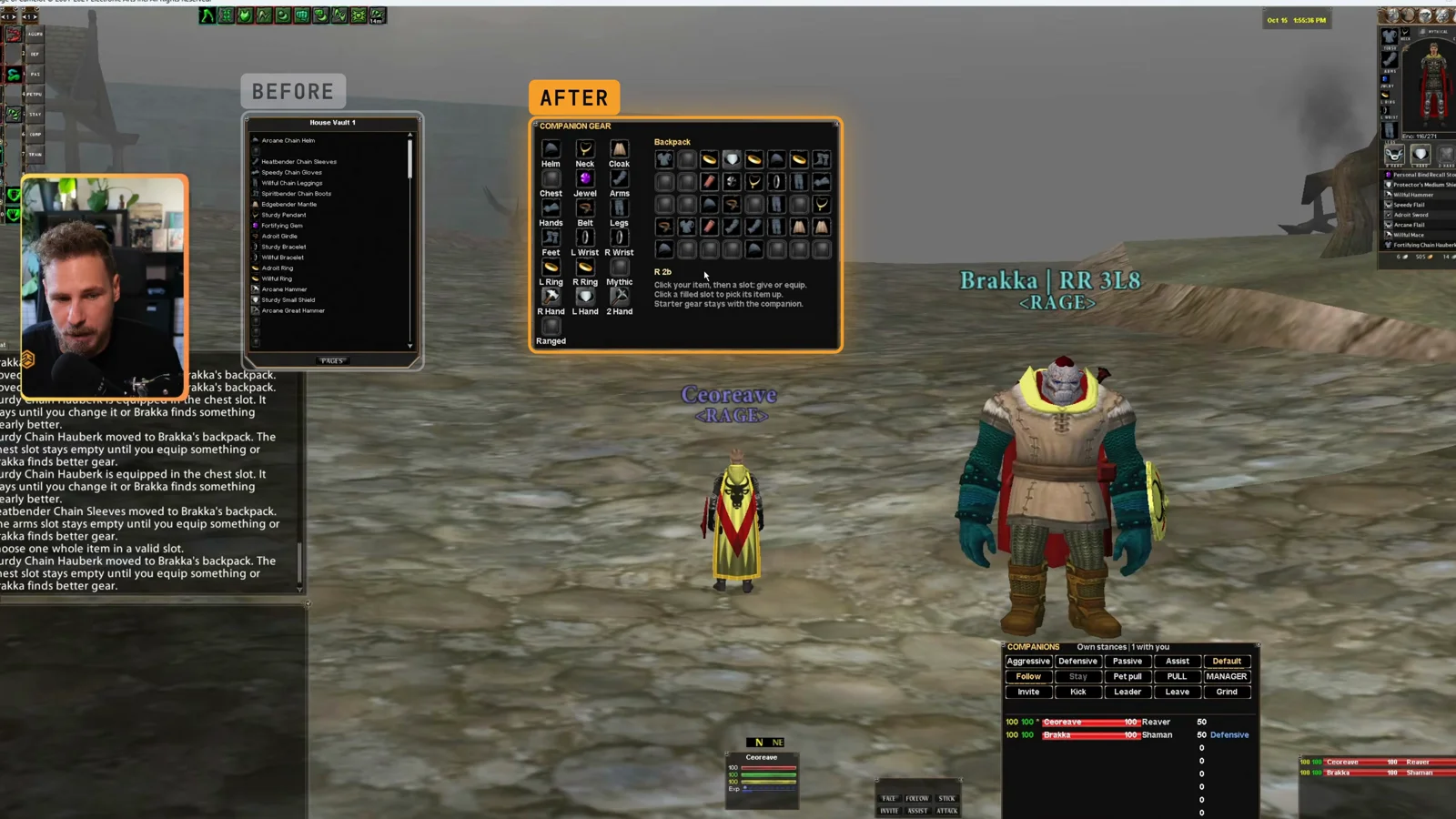
Table of Contents
- TL;DR: the quick version
- What is Reverse Engineer Anything (REA)?
- The project: an offline Dark Age of Camelot with combat bots
- How we hacked UI into the game before REA
- The task: a real inventory for companions
- Setting up REA with Claude
- The prompt: REA + Ghidra on game.dll
- What REA found in game.dll
- Claude's proposed design
- Results: a new backpack and gear window
- Gotchas
- Use it responsibly
- Related posts
- Your turn
TL;DR: the quick version
What is Reverse Engineer Anything (REA)?
Reverse Engineer Anything is an open-source GitHub repo that blew up over just a few days. When I recorded this, it had about 255,000 stars.
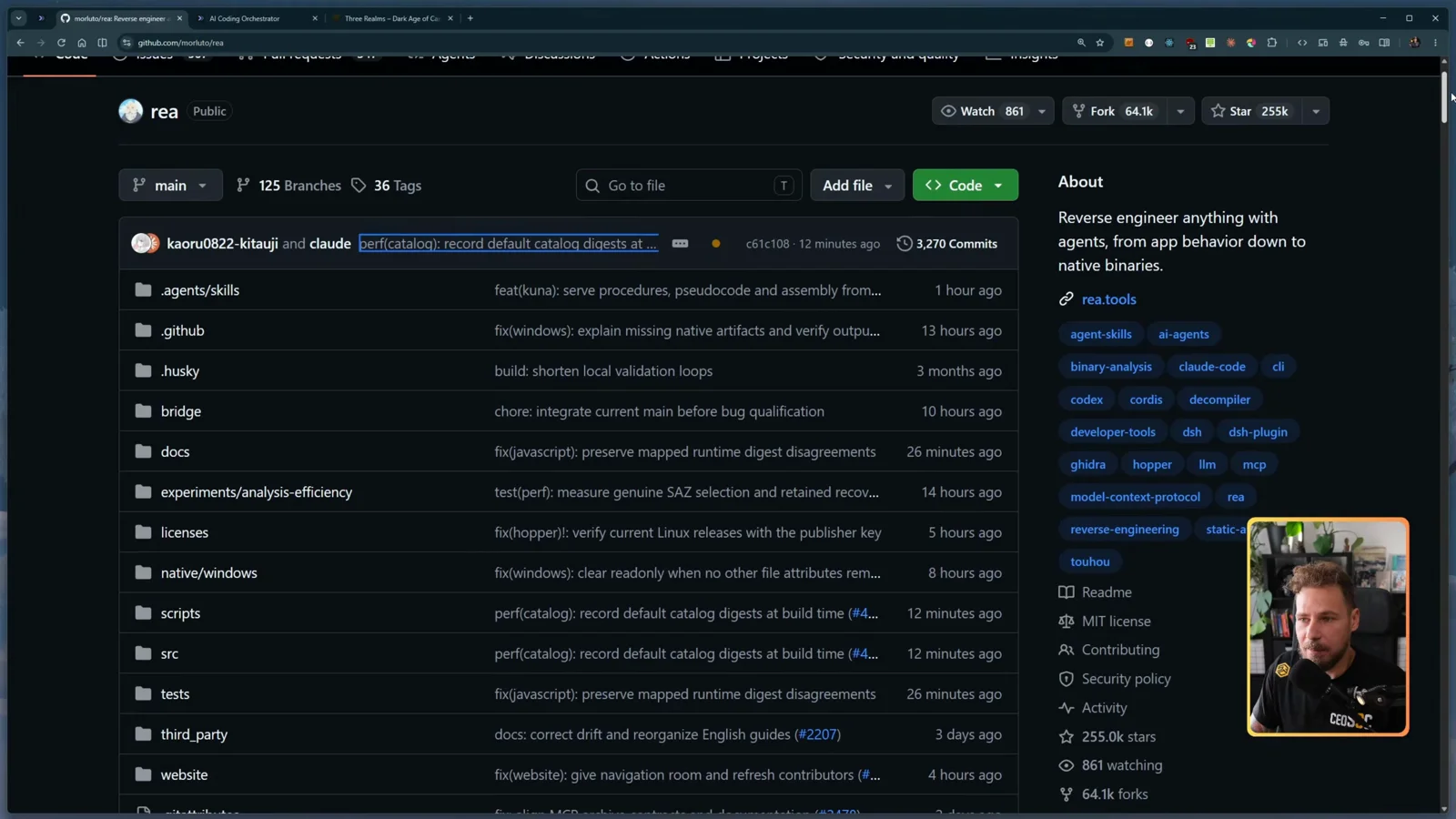
The repo describes itself as a way to “reverse engineer anything with agents, from app behavior down to native binaries”. In practice it gives your coding agent reverse-engineering tools it can call by itself, including Ghidra.
You’ve probably seen what people do with it. The most popular case was someone who recreated the entire Adobe suite and released it for free as open source. I downloaded the Lightroom version, and it works really well.
I wanted to look at it from a different angle.
The project: an offline Dark Age of Camelot with combat bots
Dark Age of Camelot doesn’t have many players anymore. A friend and I love the game, so we’re building an offline version, similar in spirit to the popular offline World of Warcraft projects. We’ve worked on it heavily for weeks and spent way more tokens than we should have.
The game is built around three realms fighting each other over keeps and territory. The live game never had bots: only players, plus monsters you fight for experience. So we had to build a completely new bot AI that behaves like real players, for solo play and co-op.
Groups can have up to eight players, and every class has a role: healer, buffer, tank, damage, casters, crowd control. Playing solo isn’t fun. Generic bots get boring quickly, so we wanted companions like in Guild Wars 1: characters you equip, who level up and have their own skills.
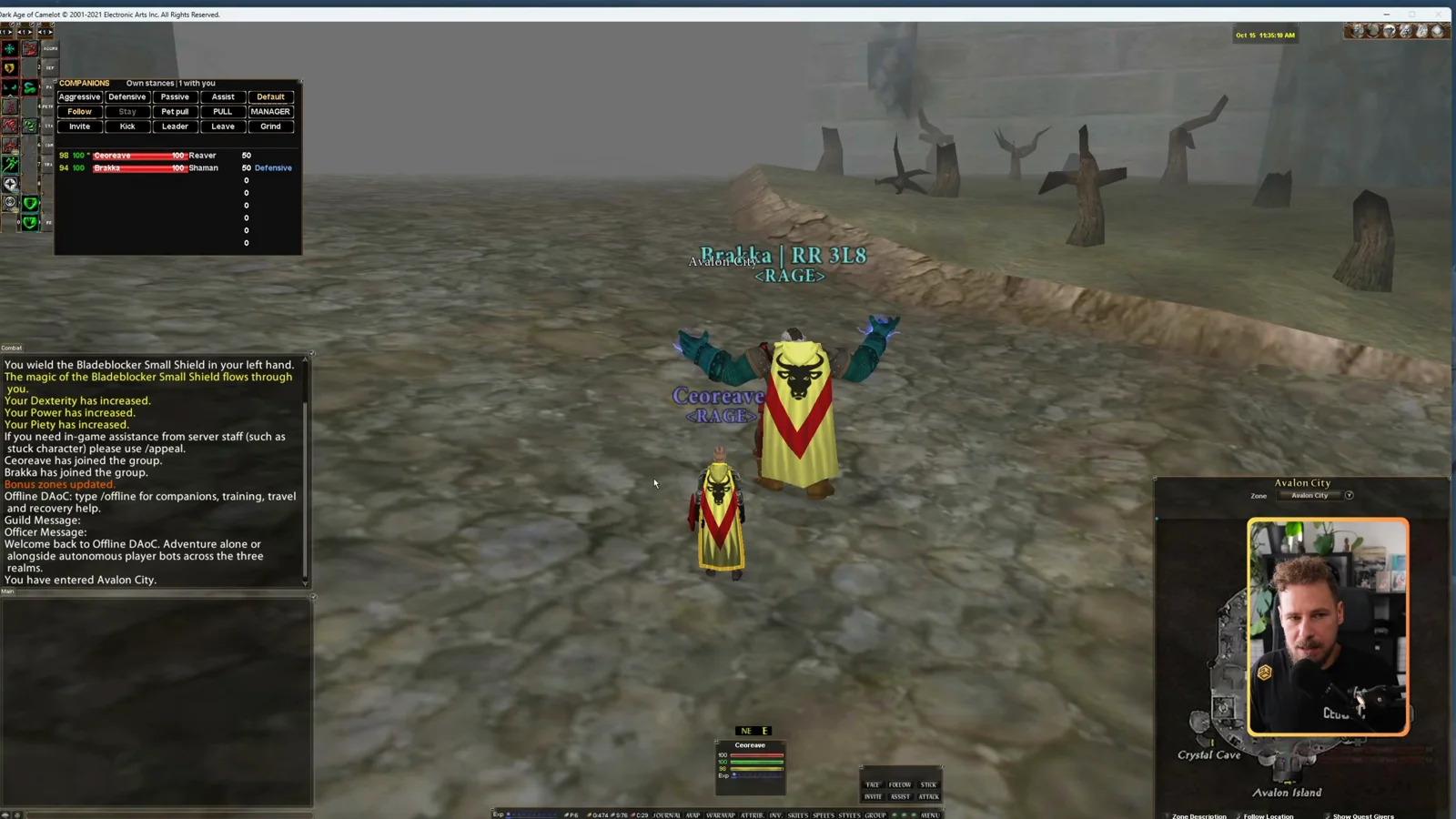
None of that existed in the game. We built it in with pure guesswork.
How we hacked UI into the game before REA
The companion window above didn’t exist in the original game. To create it, we ran agents with multiple observers while we played. We opened and closed original UI elements, and the agents probed them until they worked out how to inject new elements of their own.
It worked, but it was very token-heavy. And the real answers were sitting in the game’s game.dll the whole time.
The task: a real inventory for companions
We also built a Companion Manager. You can recruit companions from all three realms, see your roster and pick who is active.
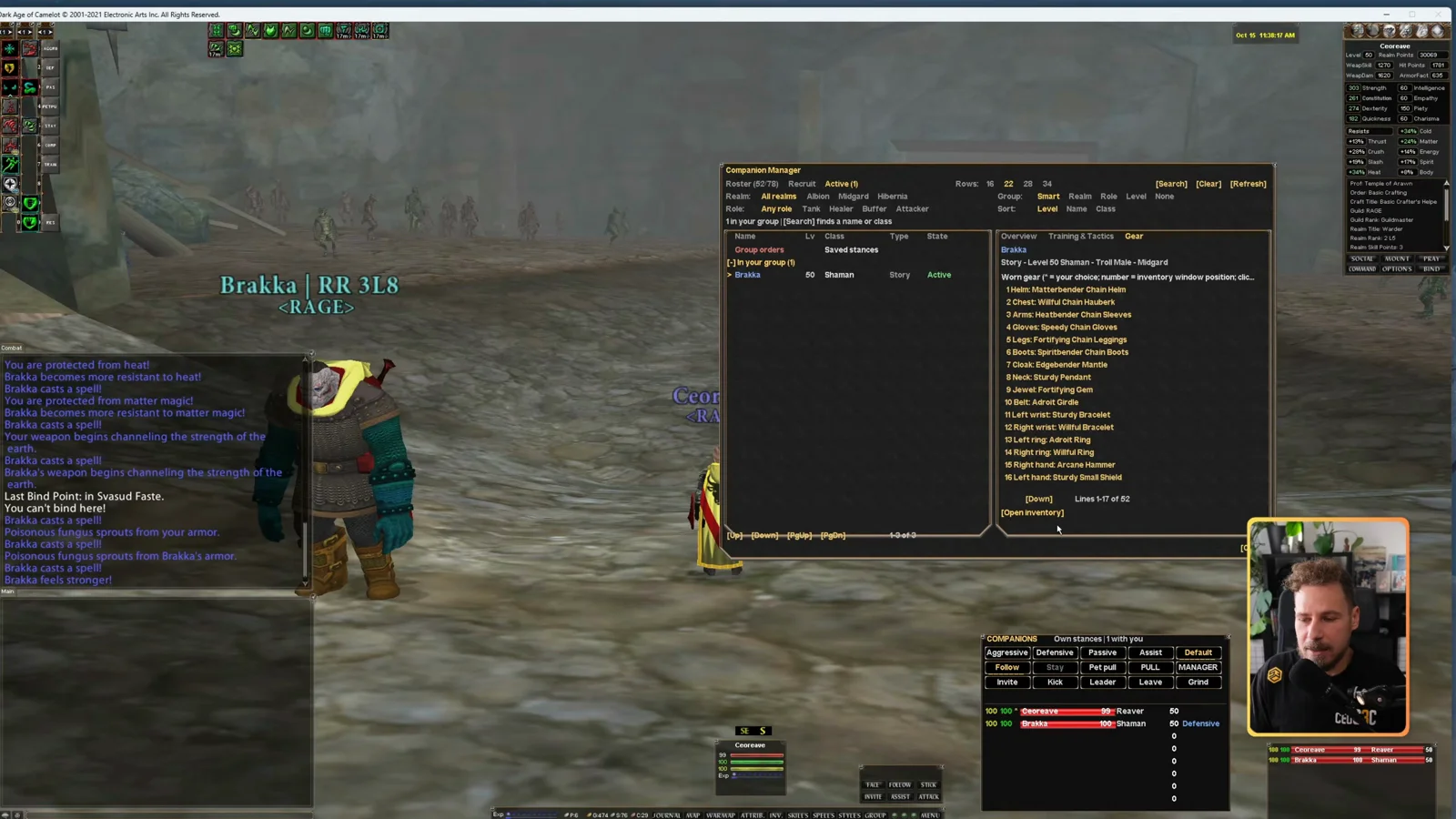
The weak part was gear. Companions automatically equip the best item that drops. Our hacked-together gear view mapped the first 19 slots to the companion’s equipment, and it was buggy. When I unequipped the armor, the companion put it straight back on. Other items simply wouldn’t fit their slot.
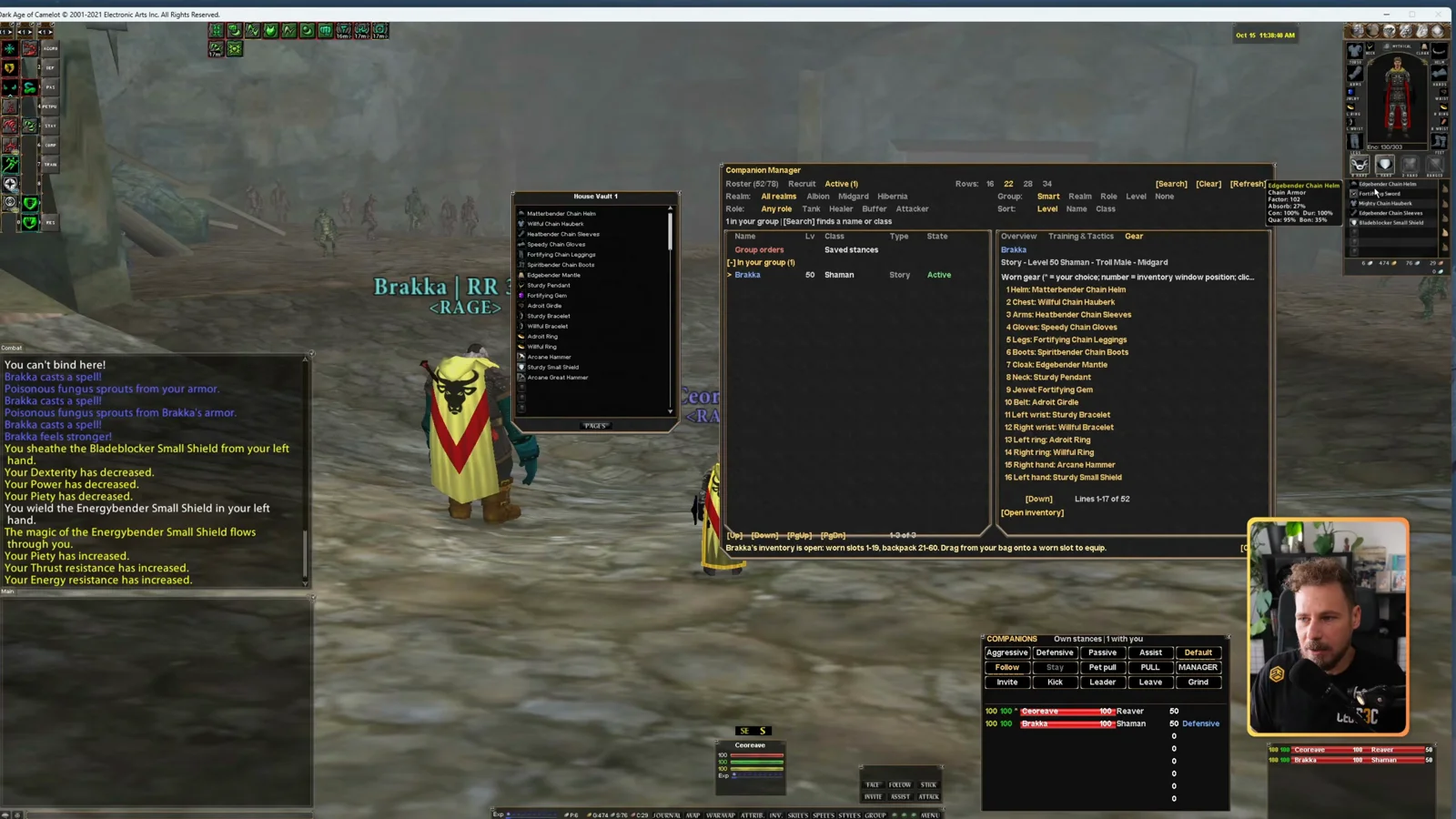
The goal for this session: use REA to understand how the client really builds UI and handles drag and drop, then build a proper character window for companions. We also wanted to store what it finds in our project memory, so future UI changes get easier.
Setting up REA with Claude
I worked in WSL2 on Windows, because that’s where the game runs.
I didn’t follow a long install guide. I copied the repo link into Claude and wrote:
Set up this tool for meI also asked it to check whether Ghidra is installed. Ghidra is the reverse-engineering toolkit REA uses to take binaries apart. I know it from my ethical hacking days, when people used it by hand. Now an agent drives it.
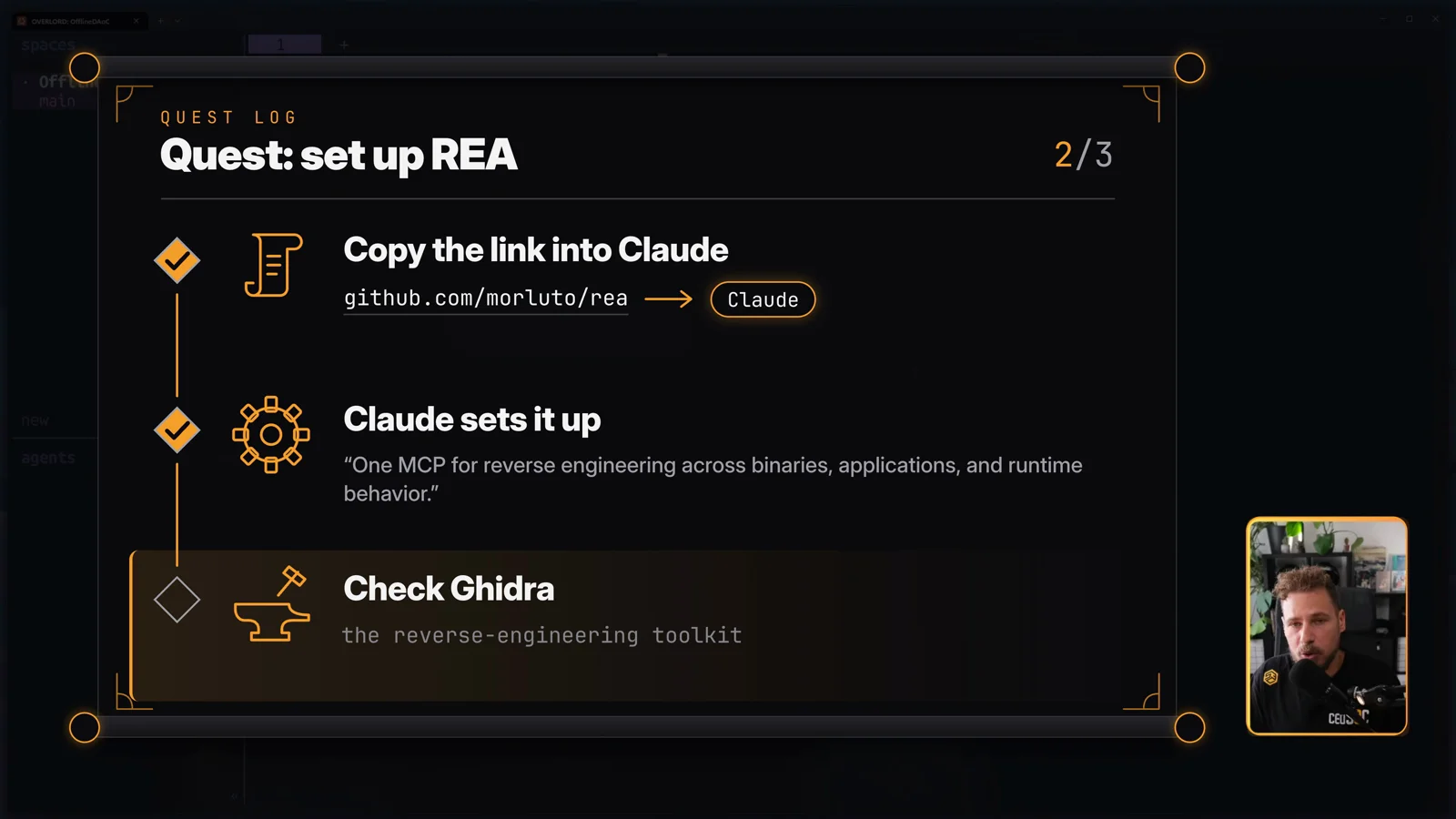
If you prefer to install it yourself, the REA README has the instructions, including an install with npx.
The prompt: REA + Ghidra on game.dll
First I opened the Companion Manager in the game, clicked Gear and Open Inventory, and took a screenshot of everything. More context is better.
Then I pasted the screenshot into Claude Code and sent this prompt:
We want to use REA to analyse game.dll to be able to build a better inventory management for companions. We want to be able to drag & drop items into a companions character window, same like on the player character. You have access to REA and Ghidra to analyse this all. You can use Haiku MAX subagents for work if you need to. [Image #1]My webcam covered the end of two lines in the recording (“want to be able to” and “REA and Ghidra to”). Those words come from what I said while typing.
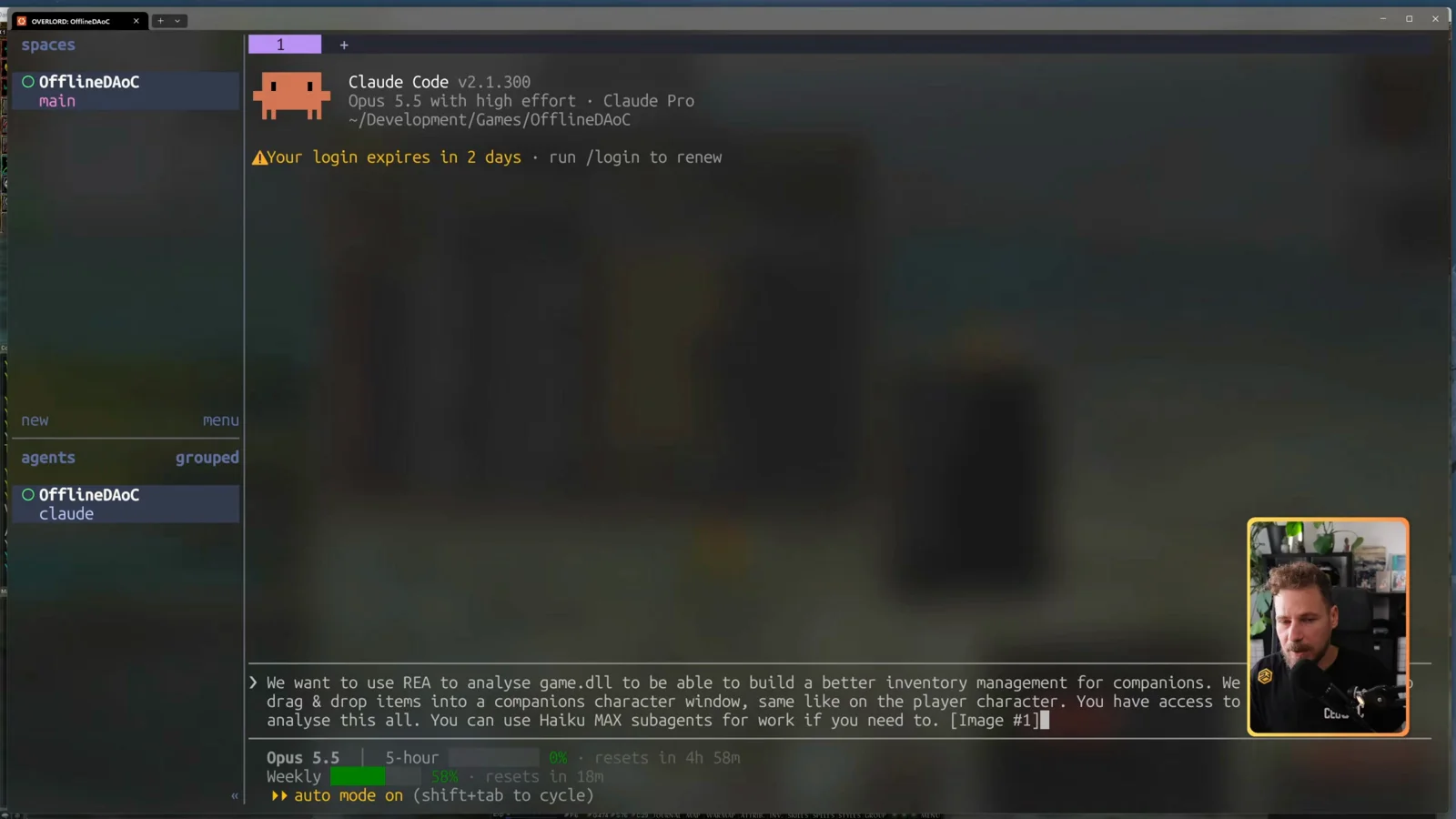
Letting cheap subagents do the grunt work keeps the expensive model for planning and review. I explain that pattern in my AI coding workflow.
What REA found in game.dll
Claude set up a read-only copy of the original game.dll for analysis in Ghidra. While Ghidra ran, it mapped how the server sends the companion vault slot numbers.
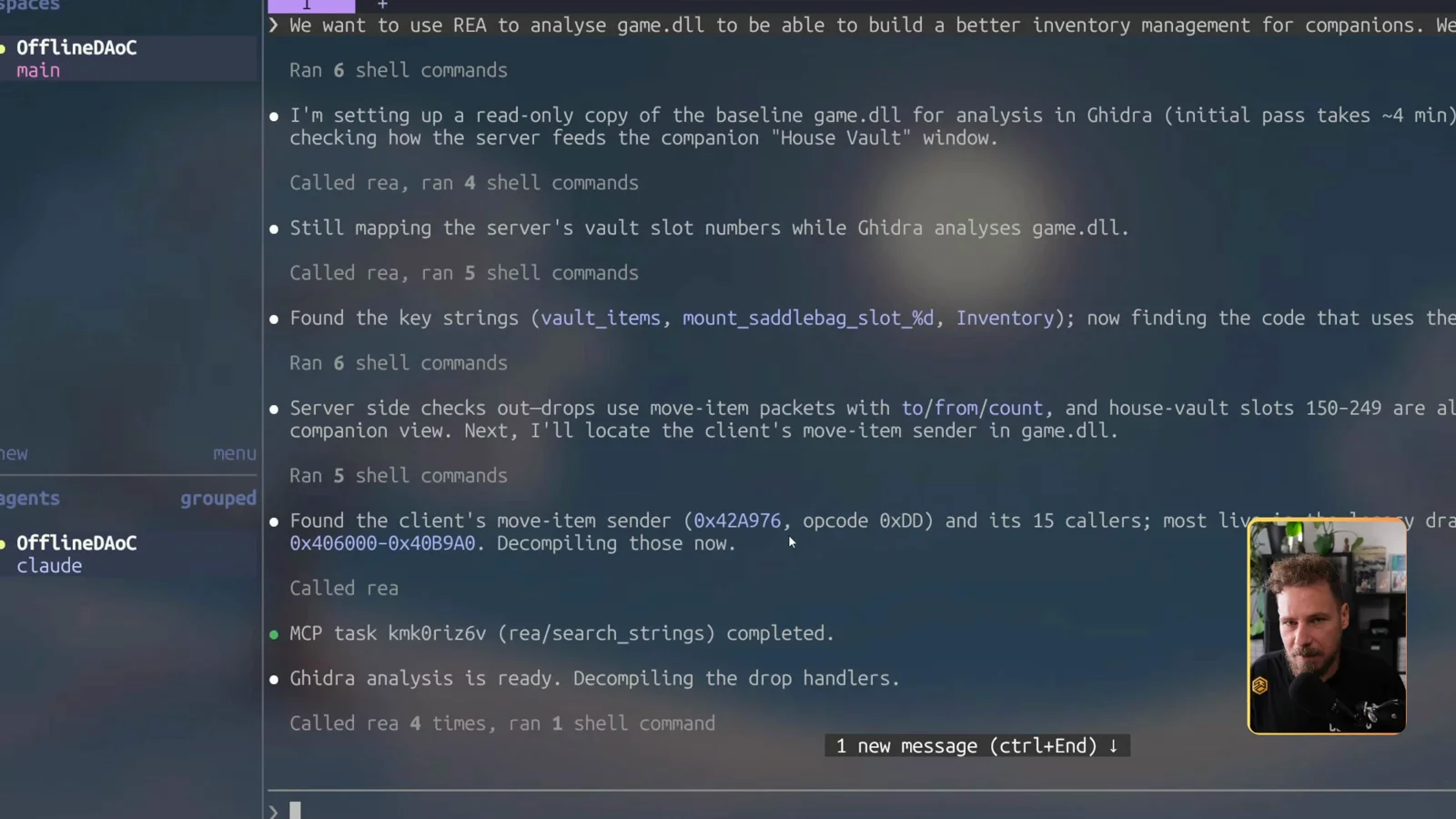
These are the highlights from its log:
Claude’s proposed design
The analysis ended with a design and one honest open question. Could a drop on our own window reach our code before the client ends the drag? Static analysis can’t settle that, so it needed one check in the real client.
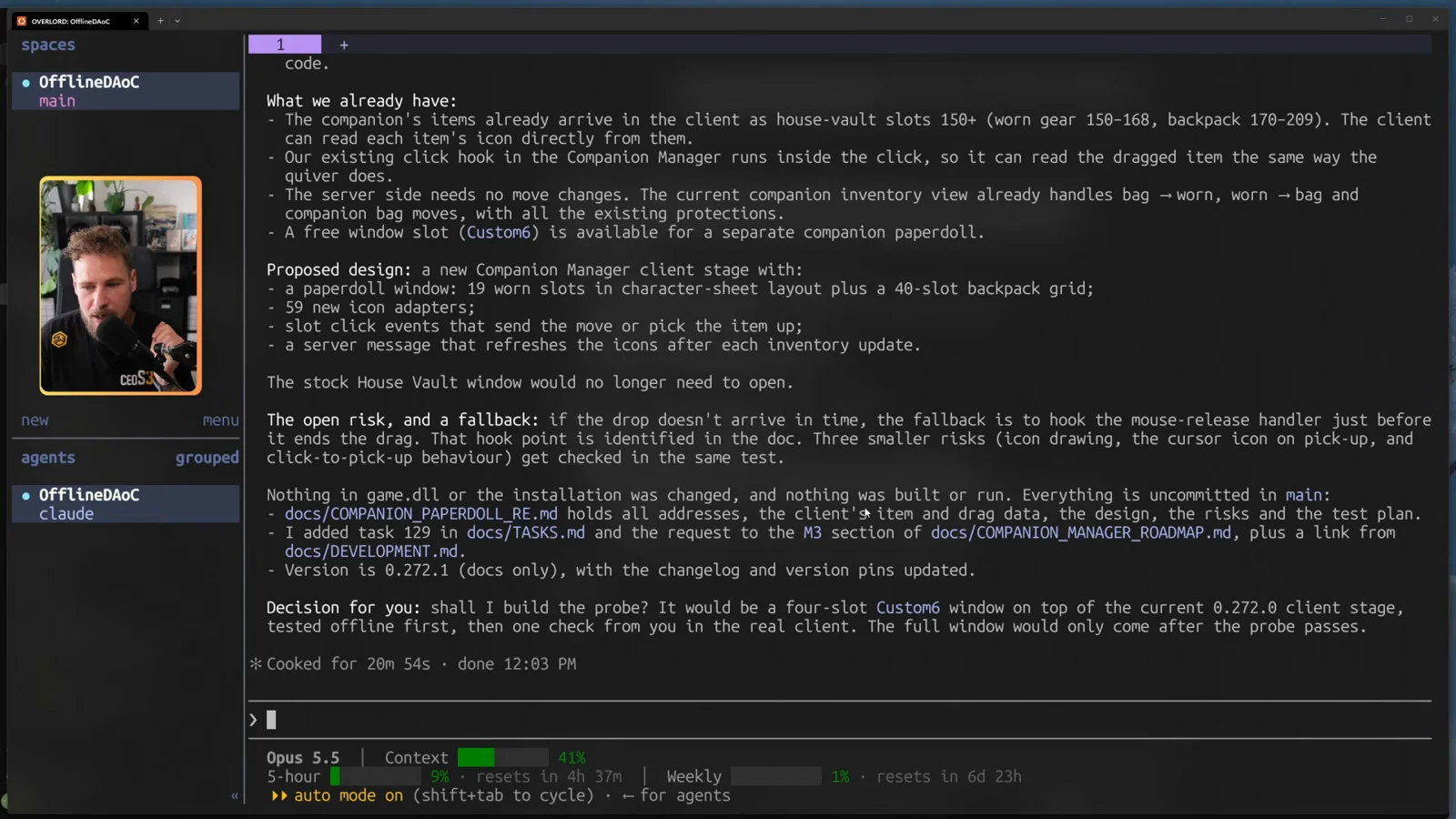
The proposed Companion Manager client stage:
Nothing in game.dll or the installation was changed. Claude offered to build a small probe first: a four-slot test window, checked offline and then once by me in the real client. I told it to go ahead and to use Haiku subagents for the grunt work.
Results: a new backpack and gear window
The feature isn’t finished. It turned out to be much more work than I expected. But we now have a basic, working implementation, and the important part was proving it’s possible.
I asked Claude how REA helped. In short:
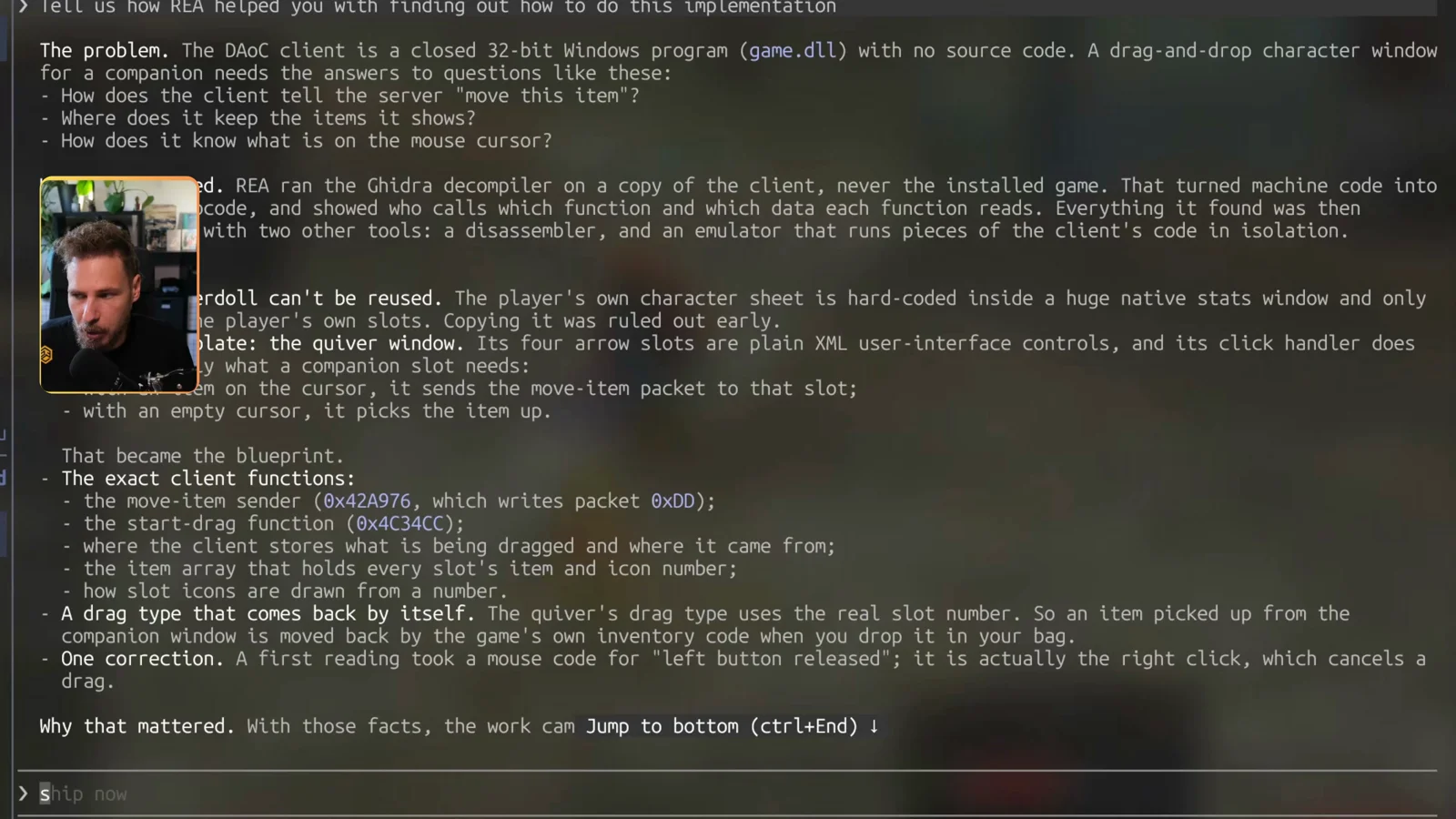
In the game, the companion now has a real gear and backpack window. I can drag items around the backpack and re-sort them without problems.
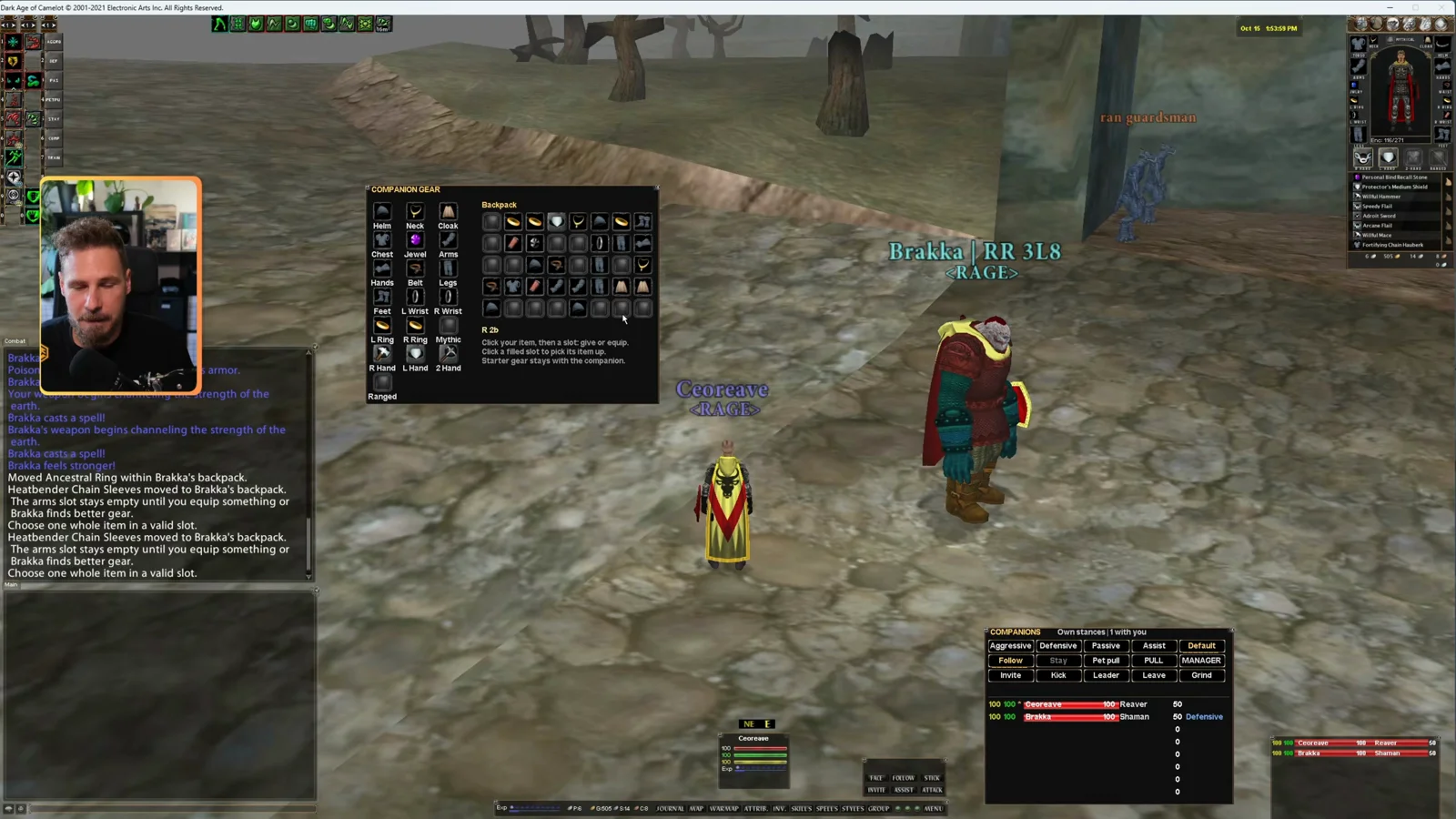
Gear is half there. Taking the chest armor off now works, which it didn’t before. Another item didn’t: the companion noticed it was missing gear and picked something else, but the window doesn’t update automatically yet. That’s on my list.
Gotchas
Use it responsibly
Only reverse engineer software you have the right to work with. Don’t copy other people’s work that you aren’t allowed to use. Tools like this will bring a whole new set of problems, and I’m sure there will be backlash over the Adobe suite example.
That’s why I picked an old game that isn’t actively developed anymore, for people who still want to enjoy playing it.
Related posts
Your turn
What would you reverse engineer next? Tell me in the YouTube comments or on X @StefanRows. And if you’ve already reverse engineered something with REA, I’d like to see it.
More posts
All AI Workflows