NGINX HTTP/2 RCE (CVE-2026-123007): Check, Patch or Disable HTTP/2
 9 min read
A week after Apache’s HTTP/2 bug, NGINX has two of its own. CVE-2026-123007 and CVE-2026-123633 let an unauthenticated attacker corrupt memory in NGINX’s HTTP/2 code, and Wiz, Rapid7 and Xint each turned that into remote code execution. If your NGINX speaks HTTP/2, this is a patch-today bug.
The version number won’t tell you if you’re safe. On Ubuntu 22.04, nginx -v says 1.18.0 before the fix and 1.18.0 after it.
In this post, I show you how to check if you’re affected, which Ubuntu package fixes it, and how to switch HTTP/2 off if you can’t patch yet. That last part has a trap I walked right into.
I tested everything in throwaway Ubuntu 22.04, 24.04 and 26.04 containers: original release packages, HTTP/2 on, then patched, restarted and switched HTTP/2 off again. Every command and output below comes from those runs.
Table of Contents
- Quick Start
- What CVE-2026-123007 and CVE-2026-123633 are
- Is CVE-2026-123007 being exploited?
- Which Ubuntu and Debian packages fix CVE-2026-123007
- Check, patch and verify on Ubuntu
- Can't patch yet? Switch HTTP/2 off (the right way)
- Behind Cloudflare or a load balancer?
- The other CVEs in this release (and NGINX2Root)
- Checking a whole fleet, read-only
- Gotchas
- FAQ
- Is NGINX 1.18 on Ubuntu 22.04 affected by CVE-2026-123007?
- Is HTTP/2 enabled by default in NGINX?
- Do I need NGINX 1.30.7 on Ubuntu?
- Does disabling HTTP/2 break my site?
- Is a reload enough after the update?
- Related guides
- Your turn
Quick Start
Run these three on the server.
dpkg-query -W nginx
zgrep -c CVE-2026-123007 /usr/share/doc/nginx/changelog.Debian.gz
sudo nginx -T 2>/dev/null | sed 's/#.*//' | grep -nE 'listen[[:space:]].*http2|^[[:space:]]*http2[[:space:]]+on'- The last command prints nothing: HTTP/2 isn’t configured, so these two bugs can’t reach you. Patch anyway, the same update fixes eight more CVEs.
- It prints a line and the second command prints 0: you’re running an unpatched package with HTTP/2 on. Patch now, or switch HTTP/2 off until you can.
- The second command prints 2: the fix is installed. Make sure NGINX was restarted, not just reloaded (see the restart check).
The fix on Ubuntu is a normal update plus a restart:
sudo apt update
sudo apt install --only-upgrade 'nginx*'
sudo systemctl restart nginx
What CVE-2026-123007 and CVE-2026-123633 are
Both bugs live in ngx_http_v2_module, the code that handles HTTP/2. Both were fixed in NGINX 1.30.7 (stable) and 1.31.9 (mainline), released November 18, 2026.
CVE-2026-123007 is an integer underflow in HTTP/2 flow control. When a client cancels a stream that still has data queued, NGINX gives the unused allowance back to the connection’s send window without checking the HTTP/2 maximum.
A later bounds check uses unsigned math, wraps around, and the TLS send path ends up copying memory out of bounds. It goes back to NGINX 1.9.5, which is from 2015.
CVE-2026-123633 is a use-after-free. A half-received HEADERS frame marks a busy connection as reusable.
When NGINX runs low on free connection slots while it opens an upstream connection, it can close and free that connection while a request is still using it. It affects 1.19.7 through 1.31.8.
What you need to be exposed, according to the Wiz write-up:
| CVE | Needs | Affected NGINX |
|---|---|---|
| CVE-2026-123007 | HTTP/2 on. Wiz got code execution on a server that only served static files. | 1.9.5 to 1.31.8 |
| CVE-2026-123633 | HTTP/2 on, plus NGINX proxying to a backend | 1.19.7 to 1.31.8 |
The severity depends on who you ask. F5 scores both 9.2 (critical) in CVSS 4.0. The nginx.org advisory page rates CVE-2026-123007 “major” and CVE-2026-123633 “medium”.
I’d go with the researchers here: three teams got code execution.
Five teams found these on their own: Wiz Research, Ikotas Labs, Metnir, Rapid7 and Xint.
Wiz reported the first one to F5 on October 21 and was told someone had already beaten them to it. You’ll also see the names “NGINX2Root” (Xint’s research) and “NGINX2Shell”. Same bugs.
Is CVE-2026-123007 being exploited?
Not that anyone has seen yet. As of the morning of November 19, there were no reports of exploitation in the wild, and the CVEs weren’t in CISA’s KEV catalog (Precursor’s live tracker). Check KEV again before you decide anything can wait.
What is public:
- Rapid7’s proof of concept for CVE-2026-123007 is on GitHub. According to Rapid7’s analysis, it needs about 128 GB of HTTP/2 traffic over one connection. That’s roughly 17 minutes at 1 Gbit/s and 2 minutes at 10 Gbit/s.
- The PoC is picky. Its README says it will likely fail against a server with other clients, a worker that has been running for a while, or traffic that passes through a proxy. Rapid7 also notes the code runs with the NGINX worker’s permissions. Root wasn’t shown.
- Wiz and Xint keep their exploits private. Xint says theirs worked against servers on AWS, GCP and Azure, including over a public IP.
128 GB sounds like a lot. At 1 Gbit/s it’s a coffee break.
Which Ubuntu and Debian packages fix CVE-2026-123007
Here are the fixed versions from USN-9159-1, published November 19. Your nginx package needs to be this version or newer.
| Release | NGINX base | Fixed in |
|---|---|---|
| Ubuntu 26.10 | 1.30.4 | 1.30.4-7ubuntu1.2 |
| Ubuntu 26.04 LTS | 1.28.3 | 1.28.3-2ubuntu1.13 |
| Ubuntu 24.04 LTS | 1.24.0 | 1.24.0-2ubuntu7.20 |
| Ubuntu 22.04 LTS | 1.18.0 | 1.18.0-6ubuntu14.23 |
| Ubuntu 20.04 LTS | 1.18.0 | 1.18.0-0ubuntu1.7+esm5 (Ubuntu Pro) |
| Ubuntu 18.04 LTS | 1.14.0 | 1.14.0-0ubuntu1.11+esm6 (Ubuntu Pro) |
Debian is behind. The Debian security tracker shows only sid fixed (1.30.6-4) when I wrote this. Bookworm, trixie and forky were still listed as vulnerable.
If you run Debian stable, switch HTTP/2 off now and watch for the DSA.
Everything else I could confirm:
- Upstream NGINX: 1.30.7 (stable) or 1.31.9 (mainline).
- Official Docker images: I pulled them today.
nginx:stablereports 1.30.7,nginx:mainlinereports 1.31.9. - NGINX Plus: 37.0.8.1 or 37.3.0.1 fix both bugs (37.0.7.1 and 37.2.0.1 only fix CVE-2026-123633). Rapid7 lists no fix for R34 to R36.
- RHEL 8, 9 and 10: affected, no errata yet at the time of writing. Check Red Hat’s CVE page.
Like with Apache last week, Ubuntu didn’t move to 1.30.7. It patched the code inside the existing packages.
That’s why “is my version below 1.30.7?” is the wrong question on Ubuntu. Ubuntu 22.04 runs 1.18.0, which is older than the first affected version of CVE-2026-123633, and Ubuntu still patched both bugs in it.
Check, patch and verify on Ubuntu
Here’s the full run from the Ubuntu 22.04 container. I installed the original release package (1.18.0-6ubuntu14), added a self-signed certificate and a server block with listen 443 ssl http2;.
Step 1: check the package, the changelog and the config.
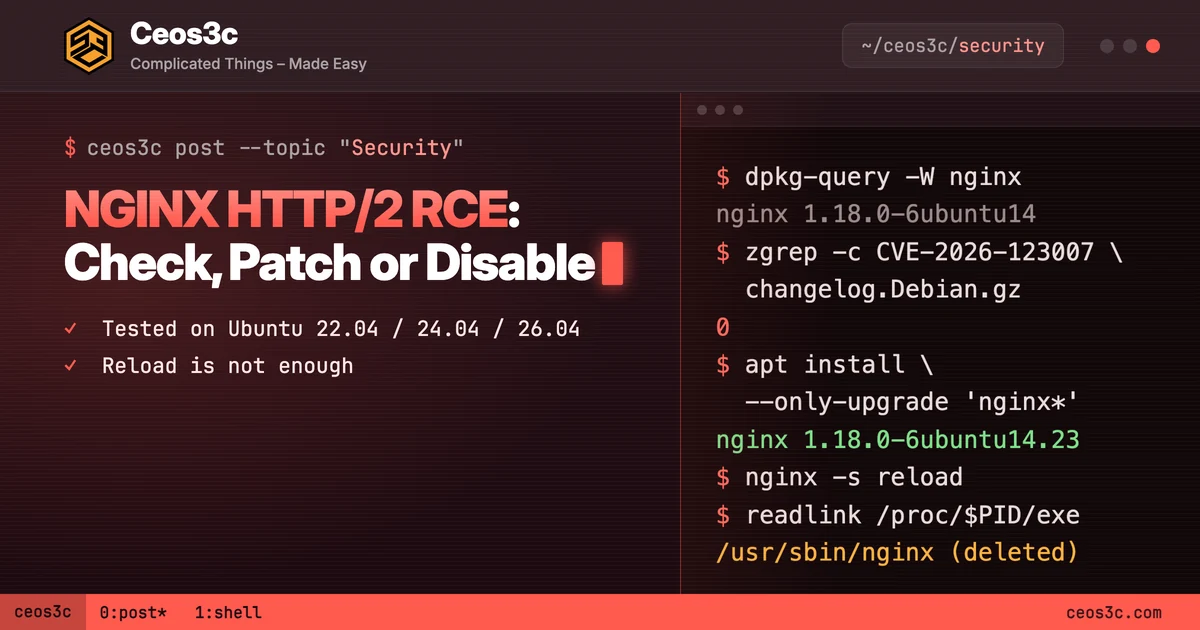
dpkg-query -W nginx
zgrep -c CVE-2026-123007 /usr/share/doc/nginx/changelog.Debian.gz
sudo nginx -T 2>/dev/null | sed 's/#.*//' | grep -nE 'listen[[:space:]].*http2|^[[:space:]]*http2[[:space:]]+on'nginx 1.18.0-6ubuntu14
0
290: listen 443 ssl http2;Unpatched package, HTTP/2 configured. That’s the box you’re looking for.
The nginx -T part matters. It dumps the full config NGINX actually loads, including every included file, and the sed throws away commented-out lines.
Ubuntu’s default site doesn’t turn on HTTP/2. In all three containers, grep http2 /etc/nginx/sites-available/default found nothing. So if you get a hit, someone added it: you, a tutorial or a control panel.
Step 2: prove HTTP/2 is actually served. Run this one from anywhere that can reach the server:
openssl s_client -connect localhost:443 -servername localhost -alpn h2 </dev/null 2>&1 | grep -E 'ALPN protocol|No ALPN'ALPN protocol: h2h2 means HTTP/2 is reachable. No ALPN negotiated means it isn’t.
Replace localhost with your domain to test from outside. curl -sk -o /dev/null -w '%{http_version}\n' --http2 https://localhost/ works too and printed 2.
Step 3: patch.
sudo apt update
sudo apt install --only-upgrade 'nginx*'
dpkg-query -W nginx
zgrep -c CVE-2026-123007 /usr/share/doc/nginx/changelog.Debian.gz
nginx -vnginx 1.18.0-6ubuntu14.23
2
nginx version: nginx/1.18.0 (Ubuntu)Same version string as before. The package version and the changelog are what changed. The changelog entry looks like this:
  * SECURITY UPDATE: Arbitrary code execution in send_window
    - debian/patches/CVE-2026-123007.patch: Account for queued frames when
      validating WINDOW_UPDATE in src/http/v2/ngx_http_v2.c, ../ngx_http_v2.h
      and ../ngx_http_v2_filter_module.c
    - CVE-2026-123007
  * SECURITY UPDATE: Arbitrary code execution in HTTP/2
    - debian/patches/CVE-2026-123633.patch: Reset reusable connection status
      on connection initialization in src/http/v2/ngx_http_v2.c
Step 4: make sure the running NGINX uses the new binary. This is where a reload isn’t enough. Here’s what I saw in the container, checking the master process after each step:
sudo readlink /proc/$(cat /run/nginx.pid)/exe| After | Output |
|---|---|
apt install --only-upgrade |
/usr/sbin/nginx (deleted) |
nginx -s reload |
/usr/sbin/nginx (deleted) |
| Full stop and start | /usr/sbin/nginx |
(deleted) means the process still runs the old, vulnerable binary from memory. A reload re-reads the config, but the master process stays the same, and the new workers are forks of the old binary. Only a full restart fixed it.
sudo systemctl restart nginxMy containers have no systemd, so nothing restarted NGINX for me. On a real server the package may handle it. Run the readlink check anyway, it takes a second.
Can’t patch yet? Switch HTTP/2 off (the right way)
If you can’t update right now, turn HTTP/2 off. That blocks CVE-2026-123007 and CVE-2026-123633. Browsers fall back to HTTP/1.1 without complaining.
How you do it depends on your NGINX version:
- NGINX 1.25.1 and newer (Ubuntu 26.04 and 26.10): set
http2 off;in each server block and removehttp2from everylistenline. - Older NGINX (Ubuntu 22.04 and 24.04): change
listen 443 ssl http2;tolisten 443 ssl;. Thehttp2directive doesn’t exist there.
That “and” in the first point is the trap. Most guides tell you to add http2 off; and stop there. Here’s what I got on Ubuntu 26.04 (NGINX 1.28.3):
| Server block | HTTP/2 over TLS |
|---|---|
listen 443 ssl; + http2 on; |
On |
listen 443 ssl; + http2 off; |
Off |
listen 443 ssl http2; + http2 off; |
Still on |
So if your config still has the old listen ... http2 from a tutorial, adding http2 off; does nothing. NGINX logs a deprecation warning for that listen line and keeps serving HTTP/2.
Once you’ve edited the config, test it and apply it:
sudo nginx -t
sudo nginx -s reload
openssl s_client -connect localhost:443 -servername localhost -alpn h2 </dev/null 2>&1 | grep -E 'ALPN protocol|No ALPN'No ALPN negotiatedOn all three Ubuntu releases it went from ALPN protocol: h2 to No ALPN negotiated, and curl dropped from 2 to 1.1.
A reload is fine here because you only changed config. Keep in mind that connections that were already open keep their HTTP/2 session until they close. Xint recommends a full restart to cut those too.
Behind Cloudflare or a load balancer?
Wiz says a CDN or WAF that terminates HTTP/2 in front of NGINX can partly protect you, because the attacker’s frames never reach NGINX directly. Rapid7 says the same about its PoC: proxied connections likely won’t carry the frames the way the exploit needs. According to Precursor, Cloudflare says its own edge was patched before the disclosure.
Here’s the catch. That only helps if your origin can’t be reached directly. If port 443 on the server answers the whole internet, an attacker can skip your CDN. Run the openssl check against the server’s IP, not your domain:
openssl s_client -connect YOUR_SERVER_IP:443 -alpn h2 </dev/null 2>&1 | grep -E 'ALPN protocol|No ALPN'If that says h2 from your laptop, your CDN isn’t protecting you from this.
The other CVEs in this release (and NGINX2Root)
1.30.7 and 1.31.9 fix ten CVEs, not two. Disabling HTTP/2 does nothing for these three, which are also critical (CVSS 4.0 9.2) according to F5:
- CVE-2026-121810: use-after-free in HTTP/3 (QUIC) when proxying. Only matters if you have
listen 443 quic. - CVE-2026-123634: use-after-free in the DNS resolver. Needs
resolverwith aproxy_passbuilt from the request, together withmirror(Xint says SSI can reach it too). - CVE-2026-113425: use-after-free in the mail proxy’s
auth_httppath. Only if you use NGINX as a mail proxy.
Then there’s the root part. Xint chained CVE-2026-123007 with an unpatched use-after-free in the Linux kernel’s SCTP code, present since Linux 4.15. That took them from “NGINX visitor” to root on the host, including out of a Docker container.
That kernel bug has no CVE and no patch yet.
The NGINX update closes the door in. For the kernel part, Xint’s mitigation is to stop the SCTP module from loading. Check if it’s loaded first:
lsmod | grep sctpThen block it:
echo 'install sctp /bin/false' | sudo tee /etc/modprobe.d/disable-sctp.confMake sure nothing on the box actually uses SCTP before you do this. Most web servers don’t. This doesn’t unload a module that’s already loaded, so if lsmod showed it, reboot after adding the file.
Checking a whole fleet, read-only
If you have more than a couple of servers, put the checks in a file and run it everywhere over SSH. It only reads. It doesn’t patch, restart or change anything.
cat > check-nginx-h2.sh <<'EOF'
grep PRETTY /etc/os-release
dpkg-query -W nginx
echo "fix in changelog: $(zgrep -c CVE-2026-123007 /usr/share/doc/nginx/changelog.Debian.gz)"
echo "running binary: $(readlink /proc/$(cat /run/nginx.pid)/exe)"
nginx -T 2>/dev/null | sed 's/#.*//' | grep -E 'listen[[:space:]].*http2|^[[:space:]]*http2[[:space:]]+on'
EOF

for h in web1 web2 proxy1; do
  echo "== $h"
  ssh "$h" 'sudo sh -s' < check-nginx-h2.sh
done
Here’s the output on my unpatched 22.04 container:
PRETTY_NAME="Ubuntu 22.04.5 LTS"
nginx	1.18.0-6ubuntu14
fix in changelog: 0
running binary: /usr/sbin/nginx
    listen 443 ssl http2;
And after the update and a restart, fix in changelog: 2 with 1.18.0-6ubuntu14.23.
Anything with an http2 line and fix in changelog: 0 goes to the top of your list. A (deleted) after the running binary means it was patched but never restarted. If you already run agents on every box with Herdr, you can paste the same script there instead.
Two places this script won’t look:
- Docker containers carry their own NGINX. Pull
nginx:stableornginx:mainlineagain and rebuild. Updating the host does nothing for an image. - Kubernetes ingress-nginx (the retired community one) won’t get a fix, according to Precursor. Their workaround is
use-http2: "false"in its ConfigMap, which covers only the two HTTP/2 bugs.
Gotchas
nginx -vlies on distro packages. Ubuntu 22.04 says 1.18.0 before and after the fix. Check the package version or the changelog.- Reload isn’t restart. After the upgrade and a reload, my master process still ran the deleted binary.
http2 off;loses tolisten ... http2. On NGINX 1.25.1 and newer you need to remove both.- Debian stable has no fix yet. As of November 19, only sid is patched. Disable HTTP/2 and watch the tracker.
- Ubuntu 20.04 and 18.04 need Ubuntu Pro for this fix.
- Your CDN only helps if the origin is closed. Test the server’s IP directly.
- Patching NGINX doesn’t fix the kernel. The SCTP bug from the NGINX2Root chain is still open.
FAQ
Is NGINX 1.18 on Ubuntu 22.04 affected by CVE-2026-123007?
Yes, if HTTP/2 is on and your package is older than 1.18.0-6ubuntu14.23. Ubuntu patched both CVE-2026-123007 and CVE-2026-123633 in that package.
Is HTTP/2 enabled by default in NGINX?
Not in Ubuntu’s default site and not in the official Docker image’s default config, which only listens on port 80. You have it if a listen line contains http2 or a server block says http2 on;. The nginx -T check above finds both.
Do I need NGINX 1.30.7 on Ubuntu?
No. Install the fixed package for your release from the table above and restart NGINX.
Does disabling HTTP/2 break my site?
Not for normal websites. Browsers fall back to HTTP/1.1. gRPC backends need HTTP/2, so check before you switch it off there.
Is a reload enough after the update?
No. A reload keeps the old master process and binary. Restart NGINX and check that /proc/<pid>/exe doesn’t end in (deleted).
Related guides
- CVE-2026-119618: the Apache HTTP/2 bug from last week
- Critical vulnerabilities October 2026: the Black October patch list
- Securing your Linux server
- React Server Components vulnerability: how to fix the RCE
Your turn
Two HTTP/2 RCEs in two of the biggest web servers in one week. Did your fleet check turn up a box you forgot about?
Tell me on X at @StefanRows. And if your distro or panel does something different here, send it over and I’ll add it.
More posts
All Cyber Security