Java4Shell (CVE-2026-114938) on Linux: Am I Affected and How Do I Fix It?
 7 min read
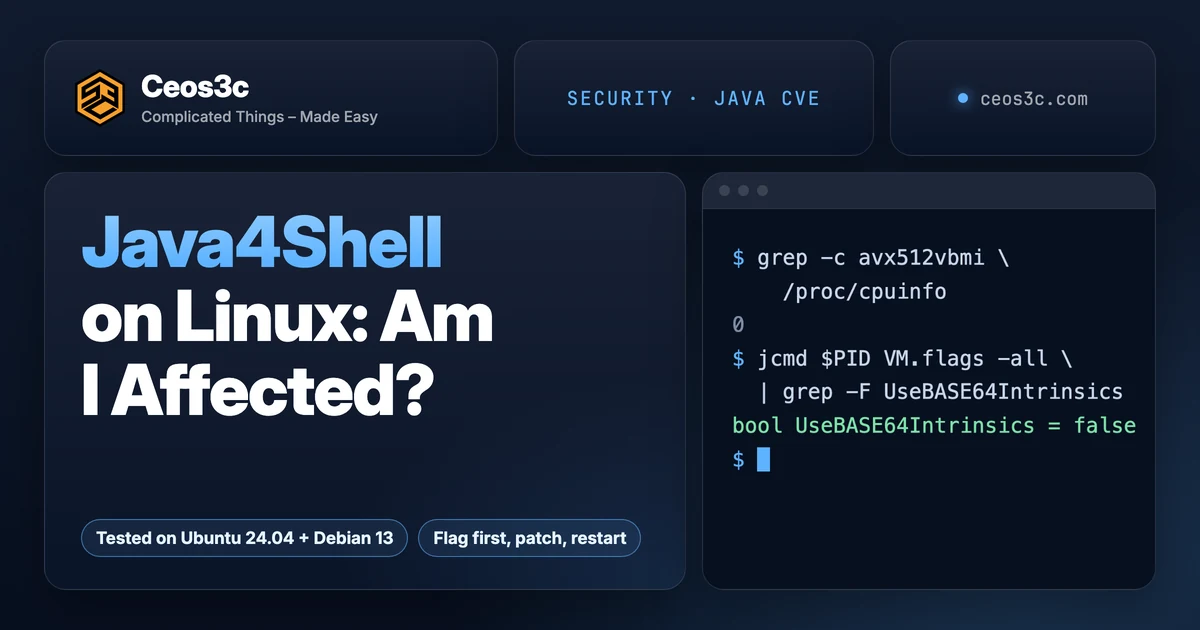
Apache last week, NGINX yesterday, and in between, Java. Java4Shell (CVE-2026-114938) is different from the other two, because whether you’re affected depends on your CPU.
You’re in scope if all three are true: you run OpenJDK 17.0.6 or newer (17, 21, 25 or 27), the CPU is x86-64 with AVX-512 VBMI, and the app decodes Base64 that someone else sends it. Java 8, Java 11 and anything on ARM are out.
In this post, I show you how to check your CPU, find every Java runtime on the box, patch where your distro has a fix, and set a JVM flag where it doesn’t.
I ran everything in throwaway Ubuntu 24.04 and Debian 13 containers, plus the official Temurin, Corretto, Jenkins and Keycloak images. My Mac has an Apple M5 Max, so my own box isn’t affected. That turned out useful: it shows what the wrong flag does on ARM.
Table of Contents
- Quick Start
- What Java4Shell is, in plain words
- Is Java4Shell being exploited?
- Check your CPU for AVX-512 VBMI
- Find every Java runtime on the box
- Java inside Docker images
- Which packages fix Java4Shell on Ubuntu and Debian
- Patch on Ubuntu, then restart every JVM
- No fix yet? Set -XX:-UseBASE64Intrinsics
- Where to put the flag
- Don't put -XX:UseAVX=2 in a shared config
- Prove the flag is active
- Minecraft servers and homelabs
- Checking a whole fleet, read-only
- Gotchas
- FAQ
- Is Java 11 affected by Java4Shell?
- Is ARM64 affected?
- Should I use -XX:UseAVX=2 instead?
- Do I keep the flag after patching?
- Related guides
- Your turn
Quick Start
Run these on the server. None of them change anything.
grep -m1 '^flags' /proc/cpuinfo | tr ' ' '\n' | grep -E '^(avx512f|avx512bw|avx512vbmi|bmi2)$'
java -version
dpkg -l 'openjdk-*' | grep ^ii- The first command prints fewer than four lines: your CPU can’t run the vulnerable code. Patch Java anyway, the same release fixes several other CVEs.
- It prints all four and Java is 17, 21, 25 or 27: check the package table below. If your package is older than the fixed one, patch now, or set the flag until you can.
- Ubuntu: the fix is already in
apt. Update, then restart every Java app. - Debian 12 or 13: no fix in stable yet. Set
-XX:-UseBASE64Intrinsicson every JVM.
What Java4Shell is, in plain words
Java has a fast path for decoding Base64. On x86-64 CPUs with AVX-512 VBMI, HotSpot swaps the normal Java code for a hand-written machine-code version.
That version has a bug. According to Calif’s write-up, malformed input (64 A characters followed by =) makes it write past the end of the output buffer.
Base64 is everywhere in web apps. Red Hat’s bulletin RHSB-2026-018 names HTTP Basic auth headers and SAML artifacts as examples. That’s why Calif got remote code execution without logging in on default installs of:
- Keycloak, Jira, Confluence, JFrog Artifactory, Jenkins and PingFederate (no login needed)
- Kafka, Solr, Elasticsearch, Gerrit and Spinnaker (with a login)
The scores differ. Calif and Datadog use CVSS 4.0 9.2 (critical). The OpenJDK advisory gives it 8.1 in CVSS 3.1, and Ubuntu rates it “High”.
Datadog’s analysis is the calm take: crashing the JVM is easy, but code execution needs work for each app. Calif already did that work for the apps above, so I’d treat those as “fix today”.
Is Java4Shell being exploited?
Not confirmed. As of November 18, GreyNoise had seen exploitation attempts but no confirmed successful attack, according to Tenable’s FAQ.
It’s also not in CISA’s KEV catalog. I checked the catalog file released on November 18 at 19:17 UTC. CISA did publish an alert the day it went public.
Calif is holding back its full exploit chains for now. A scanner that checks for affected Java versions is already out there, so assume someone is looking.
Check your CPU for AVX-512 VBMI
This is Calif’s check. It needs all four flags in the output, not just one.
grep -m1 '^flags' /proc/cpuinfo | tr ' ' '\n' | grep -E '^(avx512f|avx512bw|avx512vbmi|bmi2)$'On an affected CPU you’ll see four lines: avx512f, avx512bw, avx512vbmi and bmi2. On my ARM containers it printed nothing, because ARM’s /proc/cpuinfo has no flags line at all.
Which CPUs have it? Calif lists Intel Xeon Ice Lake, Sapphire Rapids, Emerald Rapids and Granite Rapids, plus AMD Zen 4 and newer. That includes Ryzen 7000 and 9000 desktops and current EPYC servers.
If you rent a VPS, run the check inside the VM. The flags come from the hypervisor, so your provider’s spec sheet isn’t proof. Red Hat lists these cloud families as likely affected:
| Cloud | Instance families |
|---|---|
| AWS | C6i, M6i, R6i, C7i, M7i, R7a |
| Google Cloud | C3, C3D, C4, C4D, N4, N4D, M3, M4 |
| Azure | Dsv5, Dsv6, Dasv6, Dasv7 and related D-series v5 to v7 |
Make sure to run the check on every host, not just one. Two VPS plans from the same provider can sit on different CPU generations.
Find every Java runtime on the box
The java on your PATH isn’t the only one. Apps like Jenkins, Elasticsearch or a game server often bring their own.
First, the ones your package manager knows about:
update-alternatives --list javaThen everything on disk, skipping Docker’s image layers:
sudo find / -xdev -path /var/lib/docker -prune -o -name java -type f -path '*/bin/*' -print 2>/dev/nullAnd what’s running right now:
ps -eo pid,args | grep -i [j]avaRun -version on every binary find turns up. Here’s my Debian 13 container with the stock openjdk-21 package:
/usr/lib/jvm/java-21-openjdk-arm64/bin/java: openjdk version "21.0.13" 2026-10-20Java 17.0.6 and newer, 21, 25 and 27 are in scope. 8 and 11 aren’t (more on that in the FAQ).
Java inside Docker images
Updating the host does nothing for a container. Each image carries its own JDK. You can ask an image without starting the app:
docker run --rm --entrypoint java eclipse-temurin:21-jre -versionFor running containers, take the image names from docker ps --format '{{.Image}}' and run the same thing for each.
I pulled the usual suspects today, November 19, and checked both the arm64 and amd64 variants of the Temurin tags:
| Image | Java inside | Fixed? |
|---|---|---|
eclipse-temurin:17-jre |
Temurin 17.0.21+9 | No |
eclipse-temurin:21-jre |
Temurin 21.0.13+9 | No |
eclipse-temurin:25-jre |
Temurin 25.0.5+8 | No |
eclipse-temurin:11-jre |
Temurin 11.0.33+10 | Not affected |
jenkins/jenkins:lts-jdk21 |
Temurin 21.0.13+9 | No |
amazoncorretto:21 |
Corretto 21.0.13.1.2 | Yes |
quay.io/keycloak/keycloak:latest |
Red Hat 21.0.13.1 | Yes |
The Temurin tags were 7 days old, so they were built before the fix. Aikido lists Temurin up to 21.0.13+9 as affected and says the Docker Hub images follow once every binary is released.
That leaves the Jenkins image in a bad spot. Jenkins is on Calif’s list of pre-auth RCEs, and the current lts-jdk21 tag still ships the old Temurin. If you run it on an AVX-512 VBMI host, set the flag today (see below).
Which packages fix Java4Shell on Ubuntu and Debian
Ubuntu shipped fixes on November 18: USN-9155-1 (OpenJDK 17), USN-9156-1 (21), USN-9157-1 (25) and USN-9158-1 (27). These are the versions from Ubuntu’s CVE page:
| Ubuntu | openjdk-17 | openjdk-21 | openjdk-25 |
|---|---|---|---|
| 26.10 | 17.0.21.1+2-1~26.10.1 | 21.0.13.1+2-1~26.10.1 | 25.0.5.1+2-1~26.10.1 |
| 26.04 LTS | 17.0.21.1+2-1~26.04.1 | 21.0.13.1+2-1~26.04.1 | 25.0.5.1+2-1~26.04.1 |
| 24.04 LTS | 17.0.21.1+2-1~24.04.1 | 21.0.13.1+2-1~24.04.1 | 25.0.5.1+2-1~24.04.1 |
| 22.04 LTS | 17.0.21.1+2-1~22.04.1 | 21.0.13.1+2-1~22.04.1 | 25.0.5.1+2-1~22.04.1 |
| 20.04 LTS | 17.0.21.1+2-1~20.04.1 (Pro) | 21.0.13.1+2-1~20.04.1 (Pro) | not listed |
openjdk-27 is fixed in 27.0.1.1+4-1~26.10.1 on 26.10. Two catches: the -crac variants of 17, 21 and 25 on 26.04 and 26.10 were still listed as vulnerable, and 20.04 and 18.04 only get the fix through Ubuntu Pro.
Debian is a different story. The Debian security tracker only has the fix in sid. In my containers, apt offered these, all listed as vulnerable:
| Debian | Package | Candidate today |
|---|---|---|
| 13 (trixie) | openjdk-21 | 21.0.13+9-1~deb13u2 |
| 13 (trixie) | openjdk-25 | 25.0.5+8-1~deb13u1 |
| 12 (bookworm) | openjdk-17 | 17.0.21+9-1~deb12u1 |
So on Debian stable, apt upgrade doesn’t fix Java4Shell yet. Set the flag and watch the tracker for a DSA.
RHEL 8, 9 and 10 are affected too. Red Hat’s bulletin (last updated November 18) says fixes are being expedited, with no errata yet.
Outside the distros, the fixed upstream builds are Oracle 17.0.21.1, 21.0.13.1, 25.0.5.1 and 27.0.1.1, and Corretto 17.0.21.1.2, 21.0.13.1.2, 25.0.5.1.2 and 27.0.1.1.4.
Make sure to compare against your distro’s table, not Oracle’s. Ubuntu’s 21.0.13.1+2-1~24.04.1 and Oracle’s 21.0.13.1 are the same fix with different version strings.
Patch on Ubuntu, then restart every JVM
The update itself is one line:
sudo apt update
sudo apt install --only-upgrade 'openjdk-*'
Then check that the fix is in. The package changelog lists the CVE:
zgrep -c CVE-2026-114938 /usr/share/doc/openjdk-21-jre-headless/changelog.Debian.gzIt printed 0 before the update and 1 after. Swap 21 for your version.
Now the part people skip. I started a Java process on the original Ubuntu 24.04 package (21.0.3), ran the upgrade, and looked at the same process again:
readlink /proc/$PID/exe
grep -m1 libjvm.so /proc/$PID/maps
jcmd $PID VM.version/usr/lib/jvm/java-21-openjdk-arm64/bin/java (deleted)
... /usr/lib/jvm/java-21-openjdk-arm64/lib/server/libjvm.so (deleted)
OpenJDK 64-Bit Server VM version 21.0.3+9-Ubuntu-1ubuntu1
JDK 21.0.3(deleted) means the process still runs the old JVM from memory. Ubuntu says it in the USN too: you need to restart any running Java applications.
After I restarted it, the same check showed JDK 21.0.13.1 and no (deleted). So restart every Java service after the update, and check the /proc line for each one.
No fix yet? Set -XX:-UseBASE64Intrinsics
If your Java can’t be patched today, this flag turns off the hardware Base64 code. The JVM falls back to the normal Java implementation, which doesn’t have the bug.
Red Hat calls it the preferred mitigation, and Datadog confirmed it blocked the out-of-bounds write in their tests. You can set it on machines that aren’t affected too. On my ARM container the JVM started fine with it.
One thing to know: neither Oracle nor the OpenJDK advisory mentions the flag (Tenable pointed that out). It comes from Calif, Red Hat and Datadog. It’s a workaround until the real build lands, not a fix.
Where to put the flag
The easiest place is JAVA_TOOL_OPTIONS. Every HotSpot JVM reads it on startup, whatever script launched it.
For a systemd service, open a drop-in:
sudo systemctl edit myapp.serviceAdd these lines, save, and restart:
[Service]
Environment="JAVA_TOOL_OPTIONS=-XX:-UseBASE64Intrinsics"sudo systemctl restart myapp.serviceMy containers don’t run systemd, so this is the one part I couldn’t test end to end. Make sure the unit doesn’t already set JAVA_TOOL_OPTIONS: a second Environment= line for the same variable replaces the first. Copy the old value into yours.
For Docker, pass it as an environment variable. Here it is on the Temurin image:
docker run --rm -e JAVA_TOOL_OPTIONS=-XX:-UseBASE64Intrinsics \
--entrypoint java eclipse-temurin:21-jre -XX:+PrintFlagsFinal -version | grep UseBASE64Picked up JAVA_TOOL_OPTIONS: -XX:-UseBASE64Intrinsics
bool UseBASE64Intrinsics = false {product} {environment}In Compose it’s the same variable:
services:
  app:
    environment:
      JAVA_TOOL_OPTIONS: "-XX:-UseBASE64Intrinsics"
Some apps have their own variable, and those are worth using because the app appends them for you:
- Jenkins (Docker):
JAVA_OPTSorJENKINS_JAVA_OPTS, per the image’s README. I startedjenkins/jenkins:lts-jdk21with-e JAVA_OPTS=-XX:-UseBASE64Intrinsicsandjcmdshowed the flag asfalse. - Keycloak:
JAVA_OPTS_APPEND, per Red Hat. For Docker:-e JAVA_OPTS_APPEND=-XX:-UseBASE64Intrinsics.
A changed environment variable only counts after the container is recreated. docker compose up -d does that when the Compose file changed. A plain docker restart doesn’t pick up new variables.
Don’t put -XX:UseAVX=2 in a shared config
Calif and Red Hat also mention -XX:UseAVX=2, which turns off AVX-512 entirely. It works on x86, but it only exists on x86.
Here’s what it did on my ARM container:
java -XX:UseAVX=2 -versionUnrecognized VM option 'UseAVX=2'
Error: Could not create the Java Virtual Machine.
Error: A fatal exception has occurred. Program will exit.Same result through JAVA_TOOL_OPTIONS. So if you push one config to a mixed fleet (a Raspberry Pi, an Ampere or Graviton VPS, Docker on an Apple Silicon Mac), every ARM JVM stops starting.
It also turns off every other AVX-512 optimization in the JVM, not just Base64. Stick with -XX:-UseBASE64Intrinsics.
Prove the flag is active
Setting a variable doesn’t mean the running JVM has it. Red Hat makes the same point: check the process, not the config.
jcmd $PID VM.flags -all | grep -F UseBASE64IntrinsicsBefore I set the flag, the running JVM showed:
bool UseBASE64Intrinsics = true {product} {default}After a restart with JAVA_TOOL_OPTIONS set:
bool UseBASE64Intrinsics = false {product} {environment}The last column tells you where the value came from. {environment} means JAVA_TOOL_OPTIONS, {command line} means a flag on the java line (that’s what the Jenkins container showed).
jcmd ships with the JDK, not always with a slim JRE. Without it, look for Picked up JAVA_TOOL_OPTIONS: -XX:-UseBASE64Intrinsics in the app’s startup log, or for the flag in /proc/$PID/cmdline.
Minecraft servers and homelabs
Game servers are the Java most people forget. The Paper docs say current Paper needs Java 25, Minecraft 1.20 to 1.21.11 runs on Java 21, and 1.17 to 1.19 on Java 17. All in scope.
A Ryzen 7000 box or a Zen 4 VPS has AVX-512 VBMI. Calif didn’t list Minecraft, and I’m not claiming anyone has a working exploit for it. The runtime is in scope, that’s all.
The fix is the same: update Java, or add the flag to your start script. Here’s Paper’s example command with the flag in front:
java -XX:-UseBASE64Intrinsics -Xms4G -Xmx4G -jar paper.jar --noguiChecking a whole fleet, read-only
With more than a couple of hosts, put the checks in one script and run it everywhere. It only reads. It doesn’t patch, restart or change anything.
cat > check-java4shell.sh <<'EOF'
echo "== $(hostname) $(uname -m)"
echo "cpu flags: $(grep -m1 '^flags' /proc/cpuinfo | tr ' ' '\n' | grep -cE '^(avx512f|avx512bw|avx512vbmi|bmi2)$')/4"
find / -xdev -path /var/lib/docker -prune -o -name java -type f -path '*/bin/*' -print 2>/dev/null |
  while read -r j; do echo "$j: $("$j" -version 2>&1 | grep -m1 -i version)"; done
for p in $(pgrep -x java); do
  exe=$(readlink /proc/$p/exe) || continue
  flag=no
  cat /proc/$p/cmdline /proc/$p/environ 2>/dev/null | tr '\0' '\n' | grep -q -- '-XX:-UseBASE64Intrinsics' && flag=yes
  echo "pid $p: flag=$flag binary=$exe"
done
EOF

for h in web1 web2 ci1; do
  ssh "$h" 'sudo sh -s' < check-java4shell.sh
done
Here’s the output from my unpatched Debian 13 container, with one Java process running:
== web1 aarch64
cpu flags: 0/4
/usr/lib/jvm/java-21-openjdk-arm64/bin/java: openjdk version "21.0.13" 2026-10-20
pid 3114: flag=no binary=/usr/lib/jvm/java-21-openjdk-arm64/bin/java
And from the patched Ubuntu 24.04 container, with the flag set:
cpu flags: 0/4
/usr/lib/jvm/java-21-openjdk-arm64/bin/java: openjdk version "21.0.13.1" 2026-11-17
pid 2642: flag=yes binary=/usr/lib/jvm/java-21-openjdk-arm64/bin/java
Anything with cpu flags: 4/4, an affected Java version and flag=no goes to the top of your list. A (deleted) after the binary means it was patched but never restarted. If you already run agents on every box with Herdr, you can hand them the same script.
Gotchas
- Your CPU decides it. Same Java, same app: vulnerable on a Zen 4 VPS, fine on an older Xeon or on ARM. Check every host.
- Updating isn’t enough. A running JVM keeps the old code until it restarts. My upgraded process still showed
JDK 21.0.3. - Debian stable has no fix yet. As of November 19, only sid is patched. Use the flag.
- Docker Hub’s Temurin and Jenkins images weren’t fixed when I pulled them. Re-pull and rebuild once the new tags land, then check
java -versioninside. -XX:UseAVX=2kills ARM JVMs. Never put it in a config that reaches ARM machines.- An env variable only counts after a restart or recreate. Check with
jcmd, not by reading your config.
FAQ
Is Java 11 affected by Java4Shell?
No. The OpenJDK advisory marks CVE-2026-114938 for 17, 21, 25 and 27 only. The same release does fix other CVEs that hit 8 and 11, so update those too.
Oracle also lists its 8u511 Enterprise Performance Pack build as affected, which is a special Oracle build, not regular Java 8.
Is ARM64 affected?
No. The bug is in x86-64 code that only runs with AVX-512 VBMI, so Raspberry Pi, Graviton, Ampere and Apple Silicon are out.
Patch them anyway for the other CVEs, and don’t give them -XX:UseAVX=2.
Should I use -XX:UseAVX=2 instead?
Only if you have a reason. It turns off all AVX-512 use in the JVM, so it costs more than the Base64 flag, and it breaks Java on ARM. -XX:-UseBASE64Intrinsics is the narrower fix and the one Red Hat prefers.
Do I keep the flag after patching?
No. Red Hat calls it an interim measure. Once the fixed build runs everywhere, remove the flag and restart.
Related guides
- CVE-2026-119618: the Apache HTTP/2 bug from last week
- Critical vulnerabilities October 2026: the Black October patch list
- Securing your Linux server
- Run Claude Code on a VPS
Your turn
Did the fleet check turn up a Java you forgot about? For me it’s always the one inside a container.
Tell me on X at @StefanRows. And if your distro shipped a fix after I wrote this, send me the version and I’ll add it to the table.
More posts
All Cyber Security