WordPress to Astro Migration: How I Moved 292 Posts to Cloudflare Workers Without Losing a URL
 10 min read
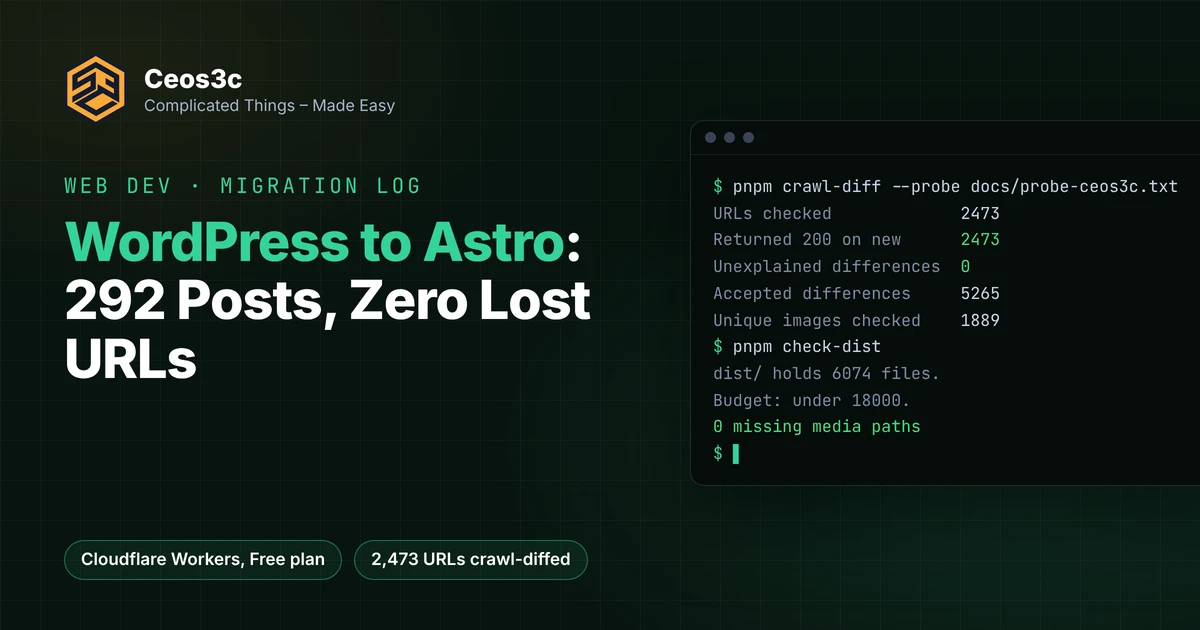
Ceos3c ran on WordPress for ten years. On October 29, 2026 at 17:13 UTC it switched to a static Astro site on Cloudflare Workers. This WordPress to Astro migration moved 292 posts, 1,104 comments and 344 redirect rules, and the crawl diff against the old site came back with 2,473 URLs checked and 0 unexplained differences.
This isn’t a “I rewrote my blog in a weekend” post. It’s the builder log of a site with real rankings: the exporter, how I kept every URL, the tool that proved it, the media problem that almost didn’t fit, and every gotcha that bit me. If you’re planning the same move and you’re scared of losing traffic, this is for you.
Table of Contents
- My WordPress to Astro migration in short: what moved, what broke, what I'd do again
- Exporting WordPress to MDX (and why not EmDash)
- Keeping every URL: _redirects, the Worker fallback, oldSlugs
- Proving parity: the crawl diff
- Media and the 20,000-file limit
- Comments, search, contact form and scheduled posts
- Gotchas
- FAQ
- Will a WordPress to Astro migration hurt my SEO?
- Can Cloudflare Workers host a big WordPress blog for free?
- What happens to WordPress comments after moving to Astro?
- How long did the migration take?
- Related guides
- Your turn
My WordPress to Astro migration in short: what moved, what broke, what I’d do again
Why move at all? Ceos3c and my yoga blog both sat on a DreamHost shared server for $11.99 a month. It was slow, every WordPress update was a small gamble, and I wanted posts to be pull requests so my video pipeline can open them automatically. Now a branch is a draft, the Cloudflare preview is the review and a merge to main ships it.
The numbers, all from the repo’s own docs:
| What | Count |
|---|---|
| Posts exported from WordPress | 292 (flagged legacy: true in the repo) |
| Comments, now static JSON | 1,104 across 175 posts |
Redirect lines in _redirects |
357 (344 generated, the rest by hand) |
| URLs in the crawl diff | 2,473, 0 unexplained |
| Files in the built site | 6,074 (Worker limit: 20,000) |
| Hosting plan | Cloudflare Free |
What I’d do again: a pilot first. I migrated my much smaller yoga blog (139 posts) two weeks before Ceos3c, and almost every gotcha below showed up there first, where breaking things was cheap.
What I wouldn’t do again: trust “accepted” differences with a regex of .*. More on that in the crawl diff section.
The whole thing ran as a 31-task roadmap in my AI Coding Orchestrator, with Claude Code doing most of the building. I did the parts that need a human: Cloudflare and DreamHost clicks, design review and the merges.
Exporting WordPress to MDX (and why not EmDash)
The first question was whether to move to a CMS at all. Cloudflare’s EmDash looked like the obvious pick. I rejected it as the platform because it server-renders on Workers with content in D1. That breaks the two things I wanted most: plain static output and “a pull request is a draft”.
I did steal its best part. EmDash ships an MIT-licensed Gutenberg converter, @emdash-cms/gutenberg-to-portable-text, and in a short spike it handled my real content well. Images, buttons, tables, code and embeds all survived across 301 published Ceos3c items. So the exporter (tools/wp-export/) takes the WordPress WXR export, runs the block markup through that converter and writes its own Portable Text to MDX.
The converter’s gaps were small but sneaky:
- Reusable blocks were dropped silently. Ceos3c had 155 references to them (promo boxes, related posts).
[caption]shortcodes stayed as literal text in 51 places.- Yoast FAQ blocks and an old Enlighter code block came through as raw HTML.
Each one got a custom transformer or a one-line text rewrite. The exporter also writes the frontmatter from Yoast’s postmeta (primary category, focus keyphrase) plus a crawl of the live <head> for titles and meta descriptions. That crawl matters. The WXR only had an SEO title for 34 posts, but every page had a <title> Google already knew.
The exporter is re-runnable. I kept writing on WordPress during the migration, so the final run at cutover (3,863 WXR items, up from 3,852 a week earlier) picked up the newest post without any manual copying.
Keeping every URL: _redirects, the Worker fallback, oldSlugs
The rule for the whole project was simple: every URL Google knows answers 200 at the same path, or with a 301 that already existed. Ceos3c used /%category%/%postname%/ permalinks, so the category is in every URL. Change a primary category and you’ve changed a ranking URL.
There are three layers.
1. public/_redirects. Cloudflare’s static redirect file. The exporter writes everything below a # BEGIN wp-export marker: the 286 rules from the Redirection plugin, posts that moved category, and posts that were live at two paths. Every rule is resolved to one hop. If WordPress went A to B to C, the file says A to C.
# BEGIN wp-export
/astro/astro-js-tutorial-series-1/ /web-development/astro-js-tutorial-series-1/ 301
/category/astro/ /category/web-development/ 301
Watch the limits. Cloudflare allows 2,000 static and 100 dynamic rules, and it counts every rule after the first one with a splat or :placeholder as dynamic. One wildcard near the top and your static rules quietly turn into dynamic ones. The Redirection plugin had one regex rule, which I expanded into six static lines.
2. The 404 fallback Worker. This is the layer I didn’t know I needed. WordPress answers a lot of URLs that no sitemap, URL list or redirect plugin records:
- category archives without
/category/(/linux/) - a post under an old category (
/astro/<slug>/after a move) - old slugs from
_wp_old_slug - attachment pages, a post’s
/feed/,/amp/and/comment-page-2/ - uppercase variants like
/LINUX/<slug>/
Static assets serve every built file without running any code. Only a miss reaches worker/resolve.ts, which looks the path up in a wp-paths.json written at build time and answers with a 301 or the 404 page. That keeps the Worker bill near zero, since static asset requests are free and unlimited on Workers.
3. oldSlugs in frontmatter. Rename a post and you add the old slug to its frontmatter. The build adds it to the lookup and the Worker 301s it. 36 posts carry one today.
One decision I made deliberately: the 2,154 attachment pages (thin WordPress pages with a single image) now 301 to their parent post instead of answering 200. They were in the sitemap, but nobody needs them.
Proving parity: the crawl diff
You can’t eyeball 2,473 URLs. So the project has its own checker, tools/crawl-diff/. It fetches every URL from the old sitemap on the live WordPress site and on the new build, and compares them field by field: status and redirect chain, <title>, meta description, canonical, robots, Open Graph tags, the H1, the JSON-LD types, image and link counts, broken images, and leftovers like unparsed shortcodes.
Here’s the summary of the run against production right after the switch:
| URLs checked                | 2473 |
| Returned 200 on new         | 2473 |
| Unexplained differences     |    0 |
| Accepted differences        | 5265 |
| Unique images checked       | 1889 |
| URLs in new sitemap         |  319 |
5,265 accepted differences sounds scary. They’re the expected ones: the new design has no sidebar, so image and link counts differ, and Yoast’s action nodes (SearchAction and friends) aren’t in the new JSON-LD. Each accepted entry has a reason and a pattern the difference has to match.
That pattern is the lesson from the pilot. On the yoga blog I accepted every JSON-LD difference on every URL with .*, reason “only the Yoast action nodes differ”. That was true for 138 posts and false for 21 URLs, which shipped with real schema gaps. Two pages had no JSON-LD at all, and a post lost its FAQPage. Now every accepted entry carries a messagePattern, and a bare .* is a review flag.
Two more checks came out of the pilot. A root files check (/favicon.ico, /robots.txt, /llms.txt, the feeds and sitemaps), because the yoga blog’s favicon quietly went from 200 to 404. And a probe list of 91 hidden WordPress paths for Ceos3c, run against the preview while WordPress still answered, because after the DNS switch you can’t ask the old site anymore.
The rule was: no DNS change before the crawl diff passes with zero unexplained differences. It passed on the preview first, then again on production.
Media and the 20,000-file limit
This was the one that almost didn’t fit. A Worker version can hold 20,000 static files. Ceos3c’s media library had 3,433 originals plus 21,365 generated thumbnails, many of them from themes I hadn’t used in years. Add about 2,500 HTML pages and you’re at 27,285 files.
The first plan was R2 for the thumbnails, and the exporter can still do it: it uploads to R2 keyed by the SHA-1 of the bytes, so duplicates go up once. But the simpler fix won. The exporter copies only the files the content actually references, at their old upload paths. That’s about 2,000 files, and the whole build lands at 6,074 files.
Two guards keep it that way. pnpm check-dist fails the build at 18,000 files, well before the hard limit. And it fails when any page names an upload that isn’t in the build, so a missing image breaks CI instead of a reader’s page.
Since the media stopped being a WordPress thing, the build also writes WebP copies of every PNG and JPG the content names and wraps them in <picture>, without changing the img src the crawl diff compares.
Comments, search, contact form and scheduled posts
Everything WordPress gave me for free needed a replacement.
- Comments. The exporter writes each post’s approved comments to
src/content/comments/<slug>.json, threaded the way WordPress showed them. 1,104 comments across 175 posts, rendered at build time. New comments are off. The old ones stay, because they’re content and some of them answer questions the post doesn’t. - Search. Pagefind builds a static index at build time. No server, no third-party search.
- Contact form. One Worker route,
POST /api/contact, checks a Turnstile token and sends the mail through Resend. It’s the only path that runs the Worker before static assets. - Scheduled posts. WordPress had a “publish later” button. Here a post gets a
publishDate, and a GitHub Action rebuildsmainevery day at 04:07 UTC, plus Sunday afternoons right after my video release. Until its date the production build leaves the post out of everything: page, archives, sitemap, RSS andllms.txt. - IndexNow. Each deploy pings the URLs that are new in the sitemap. At cutover, 319 URLs were accepted in one go.
Performance was a side effect, not the goal, but it’s measurable. Lighthouse mobile on my Mac on October 22: the home page went from 88 on WordPress to 99 on a local build of the new site, and the Kali post from 74 to 90. On the deployed preview the numbers were noisier, and one post scored 82 against 83 on WordPress. So not every page got faster.
Gotchas
These are the ones that cost me real time.
- Missing trailing slashes answer 307, not 301. Workers static assets add the slash with a 307 before any Worker runs. WordPress used a 301. A zone Redirect Rule fixes it.
- That Redirect Rule broke my contact form.
POST /api/contactgot a 301 to/api/contact/. The rule now excludes/api/. - The Cloudflare zone import misses DNS records. It found most of DreamHost’s records, but not
dreamhost._domainkeyor my Resend DKIM and sending records. Compare every record against the old nameservers before you switch. - macOS can’t hold two files that differ only in case. WordPress served
pfsense-openvpn-linux-client-1.pngandpfSense-OpenVPN-Linux-Client-1.pngas different images. On my Mac one overwrote the other, so the fix went into git directly. - Canonicals can point at redirects. On the yoga blog, some Yoast canonicals pointed at a URL that 301’d elsewhere. Build canonicals from the final URL, not the old Yoast value.
- 24 posts were live at two paths. Both answered 200 with disagreeing canonicals. I decided which one was the real one and 301’d the other.
- Uploads are cached for a year. Never overwrite an uploaded image with a different picture under the same name. Give it a new name.
- YAML reads an unquoted time as UTC.
publishDate: 2026-11-05T09:00is not 09:00 in Berlin. Quote it. - Keep WordPress running as the rollback. Detaching the custom domain and re-adding the old A record brings it back within the TTL. I never needed it, but I slept better.
FAQ
Will a WordPress to Astro migration hurt my SEO?
It doesn’t have to, if every indexed URL keeps answering at the same path and your titles, meta descriptions, canonicals and structured data come along. That’s what the crawl diff is for. Check after the switch too, because a broken redirect only shows up once Google crawls it.
Can Cloudflare Workers host a big WordPress blog for free?
Mine fits on the Free plan. The limit to plan around is 20,000 files per Worker version, so copy only the media your content uses or move the rest to R2. Static asset requests don’t count against the 100,000 daily Worker requests.
What happens to WordPress comments after moving to Astro?
You can export them from the WXR file and render them at build time, like I did. For new comments you’d need a separate service. I turned them off.
How long did the migration take?
The roadmap started on October 9, 2026. The yoga blog switched on October 14 and Ceos3c on October 29, so about three weeks for both, with the pilot doing most of the learning.
Related guides
- Why your WordPress site is still slow after installing every cache plugin
- WordPress performance boost
- Astro.js tutorial series, part 1
- Astro dynamic routes
- Astro and Google Analytics
- Twitter card not showing an image? The Cloudflare redirect trap
Your turn
Thinking about leaving WordPress? Tell me on X at @StefanRows what’s holding you back. Comments, redirects, the file limit? I’ll write about traffic after the move once I have four clean weeks of data.
More posts
All Web Development
