How to install Metasploit in Termux – Easiest Way(No root!)
 By 1 min read
Welcome back, fellow security enthusiasts! Termux, a free Terminal Emulator for Android has gained a lot of attention lately. The first thing that came to my mind after installing it was: Can it run our favorite Penetration Testing Tool Metasploit?! And sure enough, it can! One of the best parts is, it doesn’t even require a rooted device! The installation is also very easy, thanks to a script provided by a Github user named “Auxilus”. Let’s start, I’ll show you how to install Metasploit in Termux.
There are two ways to install it, using Auxilus’s script, or going the manual way. Out of convenience, we only cover the easy way here. If you want to go the Manual Route, click here.
Table of Contents
Step 1 - Installing Termux
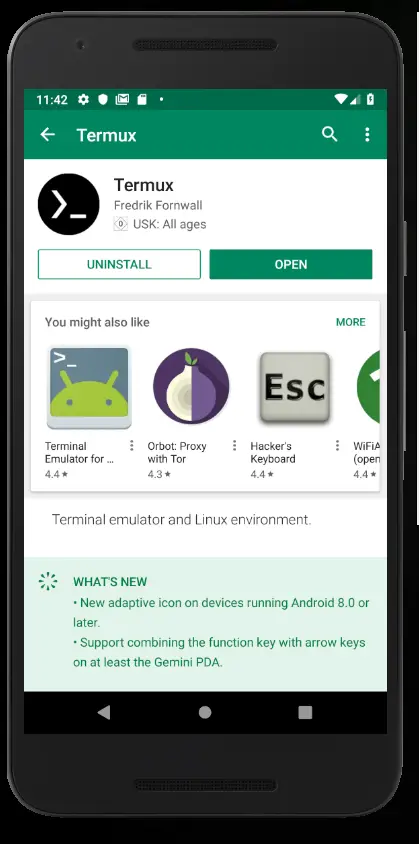
If you haven’t already, go ahead and install Termux first. Simply open the Google Play Store on Android and type “Termux” in the search field. Click Install to install it and Open to open it once it’s done.
Step 2 - Installing wget and downloading the Script
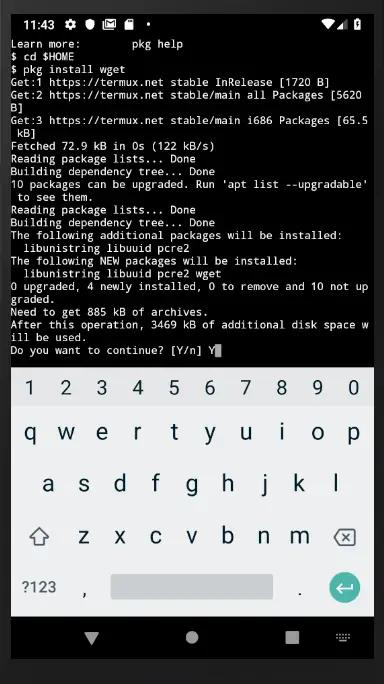
First, make sure you are in the home directory by typing:
cd $HOMEFollowed by:
pkg install wgetTo install wget.
Now we need to download Auxilus’s script from Github using wget:
wget https://github.com/gushmazuko/metasploit_in_termux/raw/master/metasploit.sh
chmod +x metasploit.sh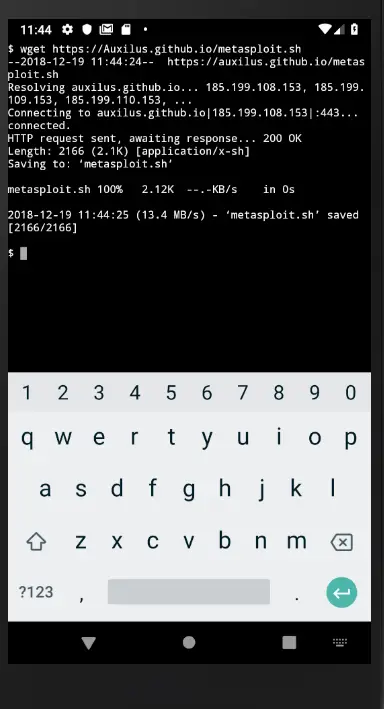
Step 3 - Install Metasploit in Termux
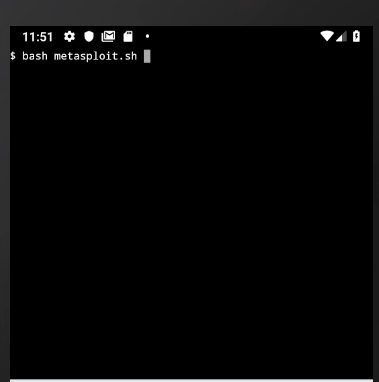
To run the installer simply type:
bash metasploit.shAlternatively:
./metasploit.shThis starts the Metasploit installation, doing all the jobs for you-you otherwise would have to do manually.
Step 4 - Starting Metasploit
You are already done! To start Metasploit type:
msfconsole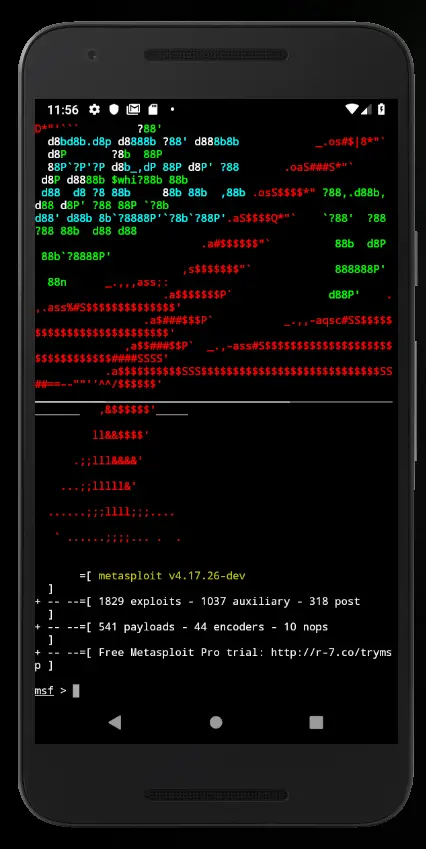
Conclusion
How easy was that, right? Now you can run Metasploit from your Mobile Phone! I haven’t had time yet to dig deeper into it, but I’m definitely planning to try out a couple of things. I’m very interested if I can plug in my trusted ALFA AWUSH036H to my phone and run some Wi-Fi testing from there.
Once I get to test some stuff, future tutorials will follow. Stay tuned and stay curious!
22 thoughts on “How to install Metasploit in Termux – Easiest Way(No root!)”
Comments are closed. I keep the discussion here because the answers still help.
More posts
All Cyber Security


goood
I have a Redmi Note 13 pro smartphone, can I install Metasploit on it. I'm afraid of happening boot loop case previously tried to install TWRP in my phone. I really appreciate some suggetions you could provide.
Great post! I followed the steps you outlined, and the installation went smoothly. It's impressive to see how powerful Metasploit can be on Termux without needing root access. Thanks for sharing such a detailed guide!
Great tutorial! I'm glad I don't need root access to install Metasploit on my Termux device. This is exactly what I was looking for. Thanks for sharing!
Great tutorial! I've been trying to get Metasploit working on my Termux environment for a while now, and this post was incredibly helpful. The steps were clear and easy to follow, and I was able to get Metasploit up and running without any issues. Thank you for sharing this!
Thanks for sharing this easy-to-follow guide on installing Metasploit on Termux without root access! I've been trying to get Metasploit working on my Termux environment for a while now, and your post has helped me finally achieve it. The step-by-step instructions were very helpful, and I appreciate the screenshots for each step. This is definitely a game-changer for me and other Termux users. Great job!
Thanks to admin amazing work. I am ipressed to see your work keep it up great effort . I really aprreciate your work.
This is a great tutorial! I'm a new termux user and this was really helpful.
Lo instalé, ingreso el comando ./msfconsole y me dice No such file or directory. Cómo puedo iniciarlo?
Excellent article!
Please note that the script (https://github.com/gushmazuko/metasploit_in_termux/raw/master/metasploit.sh) contains some bad characters in lines 101 and 102 causing script failure. You can see them by opening that file in a hex editor.
Not too big a deal since the bulk of the work is already done by then and you can just fix that part of the script and re-run from there.
Hey John,
thanks for pointing that out!
pkg install metasploit
No group of mirrors selected. You might want to select a group by running 'termux-change-repo' Checking availability of current mirror:
[*] https://packages.termux.dev/apt/termux-main/: ok
Reading package lists... Done Building dependency tree... Done
Reading state information... Done E: Unable to locate package metasploit
Updated! Should work now!
Bro it is not working at last 404 command not found is showing
Recent versions of Ruby have serious problem related to how Android's linker works with shared libraries. We had to package Metasploit with all necessary fixes and now it is available in Unstable Termux repository. All other ways of Metasploit installation are no longer viable.
Use the following commands to install the package:
pkg install unstable-repo
pkg install metasploit
Will it really work mine is showing error finding ruby2 what should I do
i do this order but unable to locate metaspliot.pls help me
with witch commond can i install meta??
E: Unable to locate package metasploit-framework
people I just came across this error can anyone assist me please.
I was install it
How can i use
Type MacDonald
Failed to install nokogiri
Bundler installer, above that it's written failed to install nokogiri 1.8.4