sudo-rs Ubuntu 26.04: Fix the Errors or Switch Back to sudo
 7 min read
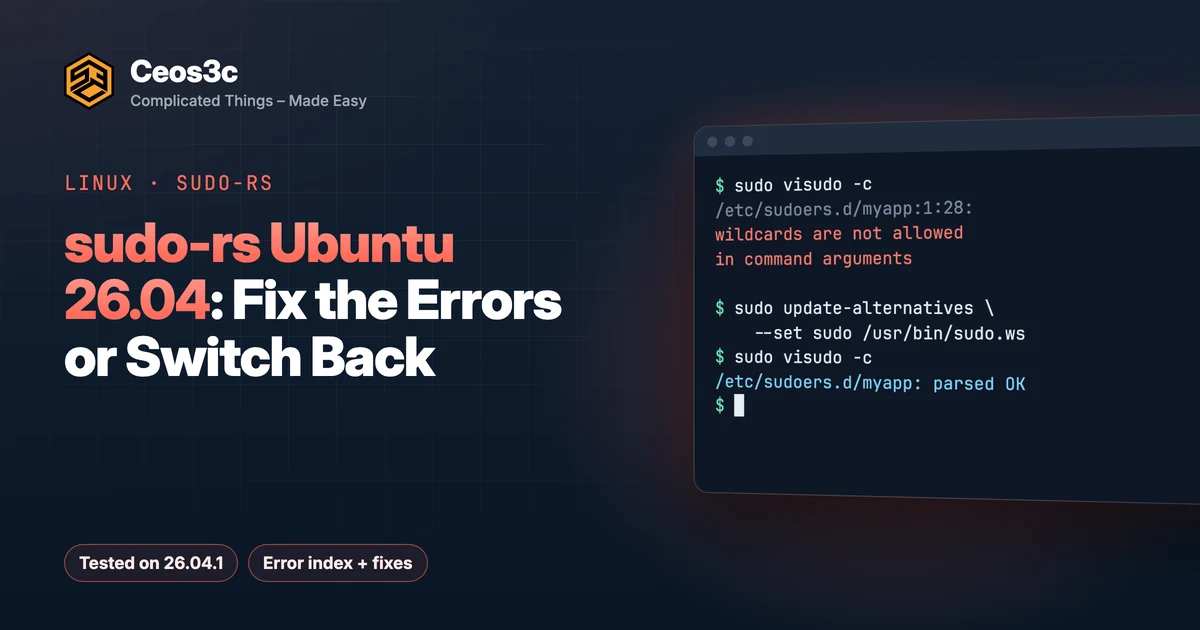
Upgraded to 26.04 and now every sudo call prints wildcards are not allowed in command arguments or unknown setting: 'requiretty'? That’s the sudo-rs Ubuntu 26.04 switch. Ubuntu replaced classic sudo with sudo-rs, a Rust rewrite that reads the same /etc/sudoers but rejects parts of it.
The fast way out is two commands that point /usr/bin/sudo back at classic sudo. The better way is fixing the few rules sudo-rs refuses. I reproduced every error below in a fresh ubuntu:26.04 container (Ubuntu 26.04.1 LTS, sudo-rs 0.2.13-0ubuntu1.2, classic sudo 1.9.17p2-1ubuntu3.2), so the output is real and the fixes are tested.
Table of Contents
- Quick fix: switch back to classic sudo
- sudo-rs Ubuntu 26.04 vs classic sudo: what changed
- Error index
- wildcards are not allowed in command arguments
- Square brackets that parse fine and never match
- unknown setting: 'requiretty'
- unknown setting: 'log_output' and 'logfile'
- A terminal is required to authenticate
- Ansible: Timed out waiting for become success or become password prompt
- Expect scripts time out on the password prompt
- Audit your sudoers before you upgrade
- Switch back to classic sudo and how to undo it
- Should you keep sudo-rs? Security trade-offs
- Gotchas
- FAQ
- Does sudo-rs use the same /etc/sudoers file?
- Will Ubuntu remove classic sudo?
- How do I check which sudo I'm running?
- Does switching back survive dist-upgrades?
- Related guides
- Your turn
Quick fix: switch back to classic sudo
Classic sudo still ships in 26.04 as /usr/bin/sudo.ws. This makes it the active sudo again and checks your config with the classic parser:
sudo apt install sudo
sudo update-alternatives --set sudo /usr/bin/sudo.ws
sudo --version | head -1
sudo visudo -c
sudo --version should now print Sudo version 1.9.17p2. The switch also moves visudo and sudoedit, so visudo -c uses the classic parser too. To go back to sudo-rs later, run sudo update-alternatives --auto sudo.
That gets you working today. If you own the sudoers rules, read on and fix them instead, so you’re not stuck on the old binary forever.
sudo-rs Ubuntu 26.04 vs classic sudo: what changed
Ubuntu started swapping core tools for Rust versions in 25.10, and 26.04 LTS is the first LTS where sudo points at sudo-rs and the coreutils commands come from uutils by default. The Ubuntu docs on the replacements say both are meant as drop-in replacements and that classic sudo.ws and GNU coreutils stay available as providers.
Upgrades from 24.04 to 26.04.1 opened on 2026-09-29, which is why these errors are now showing up on servers that ran fine for years. In my container, update-alternatives --display sudo shows the setup:
sudo - auto mode
  link best version is /usr/lib/cargo/bin/sudo
  link currently points to /usr/lib/cargo/bin/sudo
  link sudo is /usr/bin/sudo
Same /etc/sudoers, same /etc/sudoers.d/, different parser. sudo-rs supports less on purpose. Its README lists the differences: no sudoreplay or I/O logging, no sudoers.ldap, no logfile (it logs to syslog), PAM only, and stricter wildcards. The Ubuntu docs add one more that bites automation: a different password prompt.
One thing that surprised me: when sudo-rs hits a bad line, it prints the error, skips that line and keeps going with the rest. So sudo still works for you, but the rule it skipped is gone. That’s how a deploy user quietly loses its permissions.
Error index
Each heading is the exact string sudo-rs prints, so you can match yours.
wildcards are not allowed in command arguments
The most common one. It hits vendor files like the dokku datastore plugins and the Oracle Cloud agent. Here’s my test rule and what visudo -c says about it:
/etc/sudoers.d/myapp:1:28: syntax error: wildcards are not allowed in command arguments
deploy ALL=(ALL) NOPASSWD: /bin/rm -f /etc/cron.d/myapp-*
                           ^~~~~~~~~~~~~~~~~~~~~~~~~~~~~~
visudo: invalid sudoers file
The user that rule was for now gets this:
sudo: I'm sorry deploy. I'm afraid I can't do thatI tested which forms sudo-rs accepts. Partial globs in arguments fail, a lone * as the final argument passes, and a glob in the command path passes:
| Rule | visudo-rs | Matches |
|---|---|---|
/bin/rm -f /etc/cron.d/myapp-* |
error | nothing |
/usr/bin/echo *.txt |
error | nothing |
/usr/bin/echo a? |
error | nothing |
/usr/bin/echo hello * |
OK | echo hello world, echo hello a b |
/usr/bin/ec* |
OK | echo hi |
/usr/bin/echo a[bc] |
OK | only the literal echo a[bc] |
Regex rules don’t help either. Classic sudo supports regular expressions in sudoers since 1.9.10, but sudo-rs says syntax error: regular expressions are not supported.
The fix I’d use: move the variable part into a small root-owned script and allow that script with no arguments at all.
sudo tee /usr/local/sbin/myapp-cron-clean >/dev/null <<'EOF'
#!/bin/sh
set -eu
rm -f /etc/cron.d/myapp-*
EOF
sudo chown root:root /usr/local/sbin/myapp-cron-clean
sudo chmod 0755 /usr/local/sbin/myapp-cron-clean
Then edit the rule with sudo visudo -f /etc/sudoers.d/myapp:
deploy ALL=(root) NOPASSWD: /usr/local/sbin/myapp-cron-clean ""The empty "" means no arguments allowed. Both sudo-rs and classic sudo accept it, and I checked that sudo-rs allows the bare command and denies it with any argument. If the set of commands is small and fixed, listing each one in full works too, for example /usr/bin/systemctl restart myapp with no glob.
Don’t fix it by changing myapp-* to a lone *. sudo-rs accepts that, and it allows every argument.
Square brackets that parse fine and never match
This one doesn’t print an error, which makes it worse. Classic sudo treats [abc] in a rule as a character class. sudo-rs accepts the rule in visudo and then matches the brackets literally. In my test, /usr/bin/echo a[bc] denied echo ab and only allowed the literal string a[bc].
Chris Siebenmann hit this with exim rules, and OSnews and Hacker News picked it up. Search your sudoers for [ in command arguments and replace those rules with explicit lines or a wrapper script.
unknown setting: ‘requiretty’
/etc/sudoers.d/zz-test:1:10: unknown setting: 'requiretty'
Defaults requiretty
         ^~~~~~~~~~
sudo-rs doesn’t know requiretty, and that includes the negated Defaults:someuser !requiretty lines that agents and snaps like to drop in. In my test sudo still ran (exit 0) and only printed the warning. visudo -c fails though, which matters for automation (see Gotchas). Delete the line, or comment it out if a package owns the file and will put it back.
unknown setting: ‘log_output’ and ‘logfile’
Same pattern, same fix. sudo-rs has no I/O logging and no sudoreplay, so log_output, log_input and logfile are unknown settings. It logs to syslog instead. If you need session recordings for compliance, that’s a real reason to stay on classic sudo (see the verdict below).
A terminal is required to authenticate
sudo: A terminal is required to authenticateYou get this when sudo needs a password, there’s no terminal, and you didn’t pass -S. The sudo-rs issue #1668 blames sudo -S, but in my container -S worked fine with sudo-rs, with and without a controlling terminal:
echo "$PASSWORD" | sudo -S -v                 # exit 0
echo "$PASSWORD" | setsid sudo -S -v          # exit 0, no controlling tty
echo "$PASSWORD" | setsid sudo -v             # A terminal is required to authenticate
So the fix for scripts is to actually pass -S. Better: give the automation user a narrow NOPASSWD rule so no password goes through a pipe at all.
Ansible: Timed out waiting for become success or become password prompt
This is the Ansible error from issue #1668. A sudo-rs maintainer replied there that the cause is Ansible not recognizing the sudo-rs prompt, not -S. Ansible merged sudo-rs prompt support in April 2026 and backported it to older branches, then a follow-up for translated prompts in October 2026.
Fix: update ansible-core on the control node to the newest release of your branch. If you can’t update right now, set ansible_become_exe: /usr/bin/sudo.ws for the 26.04 hosts. That should make Ansible use classic sudo and leaves the system default alone.
Expect scripts time out on the password prompt
Classic sudo asks [sudo] password for <user>. sudo-rs shows its own prefix plus whatever PAM says:
[sudo: authenticate] Password:An Expect script waiting for password for never sees it and times out. The Ubuntu docs call this the most common Expect failure. Pass your own prompt with -p and match on that. With sudo-rs, sudo -S -p "PW> " -v printed [sudo: PW> ] Password:, and -p "" printed nothing, so an empty prompt is the easiest thing to match.
Audit your sudoers before you upgrade
Two greps catch everything above. Run them on the 24.04 box before you upgrade:
# Globs in command arguments (sudo-rs rejects partial globs here)
sudo grep -rnE '^[^#]*/[^[:space:],]+[[:space:]]+[^,#]*[*?]' /etc/sudoers /etc/sudoers.d/

# Defaults sudo-rs does not know
sudo grep -rnE '^[[:space:]]*Defaults.*(requiretty|log_output|log_input|logfile|iolog)' /etc/sudoers /etc/sudoers.d/
The first one also flags a lone final *, which sudo-rs accepts, so read each hit. Also look for [ in rules by hand, because brackets fail silently.
If the box has Docker, you can run the real 26.04 parser against your files without touching the host. This copies your sudoers into a throwaway container and runs visudo -c with sudo-rs:
sudo docker run --rm \
  -v /etc/sudoers:/audit/sudoers:ro \
  -v /etc/sudoers.d:/audit/sudoers.d:ro \
  ubuntu:26.04 bash -c 'apt-get update -qq && apt-get install -y -qq sudo-rs >/dev/null && cp /audit/sudoers /etc/sudoers && cp -r /audit/sudoers.d/. /etc/sudoers.d/ && chmod 0440 /etc/sudoers /etc/sudoers.d/* && visudo -c'
Against a test copy of the dokku rule plus a requiretty line, it printed both errors and exited 1. Clean files print parsed OK.
Don’t audit by running apt install sudo-rs on 24.04. That gives you sudo-rs 0.2.2, and its visudo-rs -c said parsed OK on the same wildcard rule that 0.2.13 rejects.
Switch back to classic sudo and how to undo it
If the rules aren’t yours (a vendor agent, a plugin that rewrites its file on update), switching back is fine. Here’s the full path with checks:
sudo apt install sudo                                  # makes sure sudo.ws is there
sudo update-alternatives --set sudo /usr/bin/sudo.ws
readlink -f /usr/bin/sudo /usr/sbin/visudo /usr/bin/sudoedit
sudo visudo -c
readlink should print /usr/bin/sudo.ws, /usr/sbin/visudo.ws and /usr/bin/sudo.ws. update-alternatives prints a few skip creation of /usr/share/man/... warnings on minimal installs without man pages. Those are harmless.
The switch puts the alternative in manual mode, so package updates don’t flip it back. I reinstalled sudo-rs after switching and /usr/bin/sudo still pointed at sudo.ws.
To undo it and go back to the Ubuntu default:
sudo update-alternatives --auto sudo
readlink -f /usr/bin/sudo        # /usr/lib/cargo/bin/sudo
sudo visudo -c
Run visudo -c after every switch. Each parser checks your files with its own rules, and you want to know about a problem while your root shell is still open.
Should you keep sudo-rs? Security trade-offs
The case for sudo-rs: it’s written in Rust, so the class of memory bug behind CVE-2021-3156 (Baron Samedit, a heap overflow in classic sudo) is off the table. It also does less on purpose. No LDAP sudoers, no I/O logging, no sudo -E, and a wildcard rule that blocks the old rm *.txt footgun. Less code that runs as root is a real win.
The case against: it’s younger code, and the compatibility gaps aren’t always loud. A lone * still allows everything, and bracket patterns get accepted and then never match. That’s a parser saying OK to a rule that no longer does what you wrote.
My take:
- Keep sudo-rs on desktops, laptops and servers where sudoers is basically
%sudo ALL=(ALL:ALL) ALLplus a few full-path NOPASSWD rules. Most people won’t notice the switch. - Fix the rules and keep sudo-rs when you own the sudoers files. The wrapper script approach is cleaner than globs anyway.
- Switch back to classic sudo when a vendor agent or plugin writes wildcard rules you can’t change, when you need
log_outputandsudoreplayfor audits, or when you rely onsudoers.ldap.
Whatever you pick, run visudo -c and read the output. Silence from sudo doesn’t mean every rule still works.
Gotchas
- Config management validation fails. Ansible’s
validate: visudo -cf %spattern now runs sudo-rsvisudo, which rejectsrequirettyand partial globs. A template that deployed fine on 24.04 fails the task on 26.04, and the file doesn’t get written. - sudo still works, the rule doesn’t. sudo-rs skips bad lines and carries on. Test each automation user with
sudo -l -U <user>after the upgrade. - Fresh sudo-rs installs can have the wrong mode on
/etc/sudoers. In a minimal container with onlysudo-rsinstalled,visudorefused withbad permissions, should be mode 0440, but found 0644.sudo chmod 0440 /etc/sudoersfixed it. - coreutils changed too. If a script breaks on
cp,mvorrmbehavior, that’s the uutils switch, not sudo. Ubuntu documents the switch back assudo apt install coreutils-from-gnu coreutils-from-uutils- --allow-remove-essential.
FAQ
Does sudo-rs use the same /etc/sudoers file?
Yes. It reads /etc/sudoers and /etc/sudoers.d/ like classic sudo, which is why old rules start throwing errors. The supported options are in man sudoers-rs.
Will Ubuntu remove classic sudo?
Not as of 26.04. The Ubuntu docs say sudo.ws remains available as a provider in releases where sudo-rs is the default. Ubuntu hasn’t promised that forever, so fixing your rules is the safer long-term move.
How do I check which sudo I’m running?
Run sudo --version | head -1. sudo-rs prints sudo-rs 0.2.13-0ubuntu1.2 (or newer). Classic sudo prints Sudo version 1.9.17p2.
Does switching back survive dist-upgrades?
Within 26.04 package updates, yes. The alternative stays in manual mode. Recheck after the next release upgrade, since a new release could change the alternatives setup.
Related guides
- Understanding Linux sudo: the complete guide
- Understanding the Linux root user
- Securing your Linux server
- Linux shell scripting for beginners
- How to check your Ubuntu version
Your turn
Did sudo-rs break something on your 26.04 box that isn’t on this list? Send me the exact error on X at @StefanRows and I’ll add it to the error index.
More posts
All Linux