Install NordVPN on Linux – Complete Guide
 By 2 min read
I recently wrote an article that compared the two most popular VPN providers out there: Private Internet Access and NordVPN. Now, after using NordVPN for a good while, I had to install it on a couple of Linux machines and thought the process might not be as straightforward for everyone as it is for me. Unfortunately, NordVPN doesn’t come with a nice GUI like PIA on Linux. Gladly, it’s really easy to install NordVPN on Linux and I am going to show you how to do it.
Table of Contents
Step 1 - Downloading the NordVPN Repository Package
Go ahead and download the NordVPN Repository Package from here. If you only have access to a command like you can also do a:
cd Downloads
wget https://repo.nordvpn.com/deb/nordvpn/debian/pool/main/nordvpn-release_1.0.0_all.deb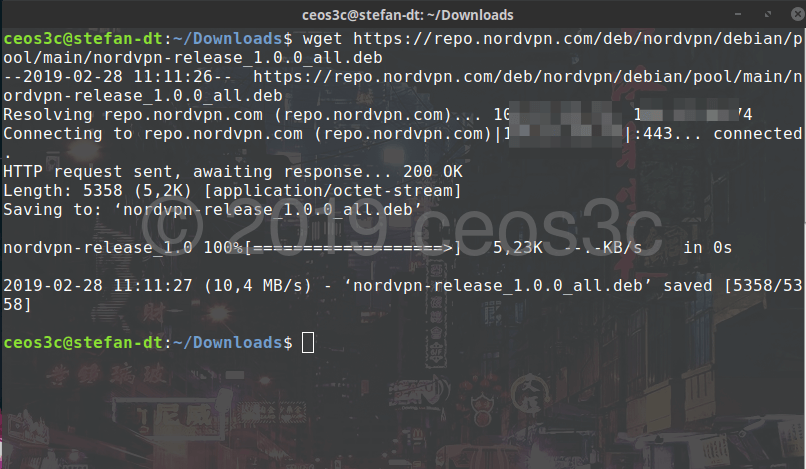
If you use the command line to download, make sure you check if release_1.0.0 is still the most recent before you run the wget command.
Step 2 - Installing the NordVPN Repository
To install NordVPN on Linux, we first need to install the NordVPN Repository that we just downloaded and update it. Open a terminal and run:
sudo apt-get install /home/YourUsername/Downloads/nordvpn-release_1.0.0_all.deb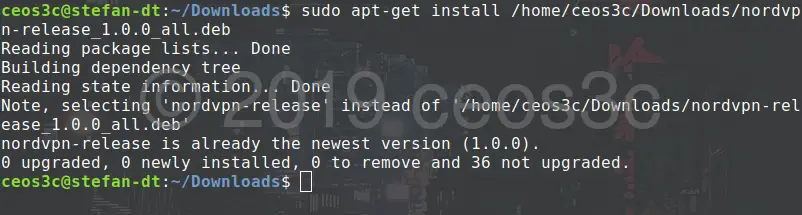
Once this is done, we update it.
sudo apt-get update -yStep 3 - Install NordVPN on Linux
Now we are able to install the NordVPN package by running:
sudo apt-get install nordvpn -y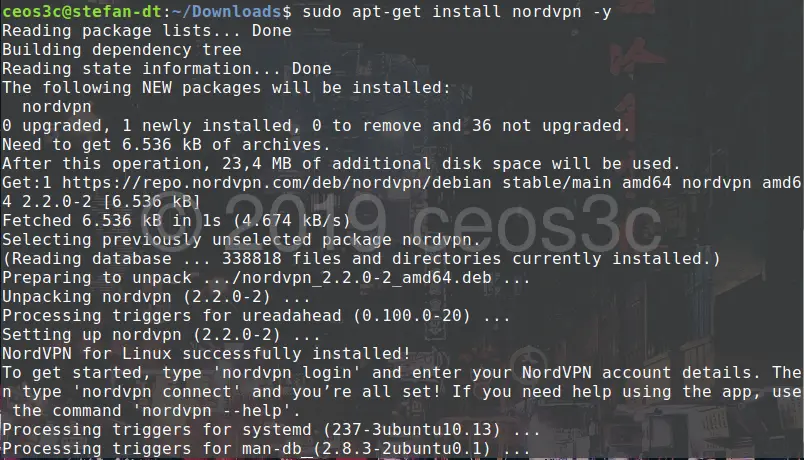
When you are done with this, we can go ahead and log in.
Step 4 - Logging in to NordVPN
There are several commands you can run. The most important are:
Logging in
nordvpn login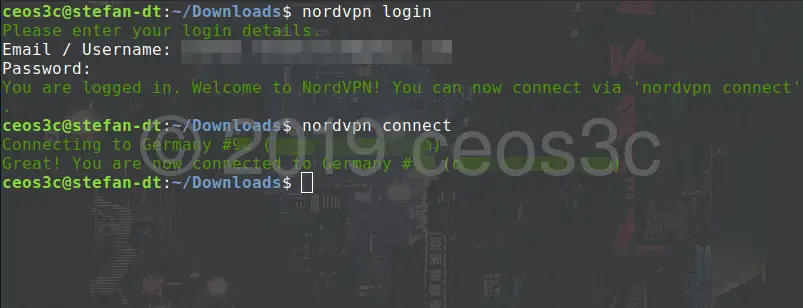
Connecting
nordvpn connectDisconnecting
nordvpn disconnectConfiguring
nordvpn settingsTo set options in the settings use:
nordvpn setListing Countries
nordvpn countriesRefreshing the server list
nordvpn refreshConnecting to a different country
nordvpn connect NameOfCountryConclusion
There is also a way to set this up in OpenVPN, but to be honest, the manual way for me is much easier. I use NordVPN for over a month now and I am very satisfied with their service so far. I got a free account from them to test it out and if you want to try them, sign up through my Affiliate Link so I get a small commission and you get a nice discount if you decide for a 3-year deal.
Stefan
Stefan founded Ceos3c in 2016 and has spent a decade teaching cybersecurity, Linux, and web development through hands-on tutorials. He builds and ships real products while sharing his journey: ProofSwap.me, XPMetric.com, and EasyEarningsTracker.com. Find him on YouTube (youtube.com/stefanrows) and X (@StefanRows).
- ProofSwap Testimonial swaps for indie makers
- xpmetric Cookieless web analytics
- EasyEarningsTracker Income tracking for creators
3 thoughts on “Install NordVPN on Linux – Complete Guide”
Comments are closed. I keep the discussion here because the answers still help.
More posts
All Linux


Do you have a bash script that can do this automatically at start up?
I had no problems installing and connecting . Great tutorial. Thank you for taking the time to create this.
Hey Dan, glad to hear! Thanks for leaving a comment!